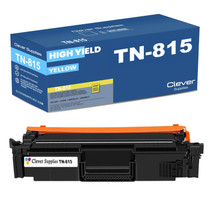
Frequently Asked Questions
Why keep a complete spare set on hand instead of ordering as colors run out?
Because on a shared enterprise machine, toner never runs out at a convenient moment. A full set in the cabinet means any color — or all four — can be replaced the minute the machine asks, with no order placed and no delivery waited on. The next reorder happens calmly, after the swap, not during a print deadline.
What does this set contain?
All four TN815 cartridges: one black rated at 15,000 pages and cyan, magenta and yellow rated at 12,000 pages each. They are the standard cartridges for this platform, each sealed and individually replaceable.
Which machines keep this set as their spare?
It belongs to HL-L9430CDN, HL-L9470CDN, MFC-L9630CDN and MFC-L9670CDN. That short roster of Brother enterprise color lasers is the whole TN815 family. A spare set on the shelf maps to exactly those machines and no others.
Will a boxed set keep until we need it?
Yes, with ordinary care: sealed packaging, a cool dry shelf, no direct sun. Toner powder does not dry out or expire the way liquid ink does, so a backup set bought today installs and prints the same whenever its turn comes.
Do we have to install all four when the box comes out?
Not at all. Take the color the machine needs and put the rest back. The set is a stocking strategy, not an instruction to change everything at once.
What backing comes with a spare set?
Each cartridge is covered for a year under warranty, and returns are free within that year. You can read the terms any time on the shipping and returns page. Support is available on weekdays, 9 AM to 5 PM CST.
How do we keep track of a reserve set without a spreadsheet?
Use a three-count tally on a card in the cabinet: how many cartridges are sealed, how many are installed, and how many empties are waiting to go out. One glance tells you whether the reserve is genuinely complete or quietly missing a color. Update the card at every swap — ten seconds then saves the discovery, mid-deadline, that the spare TN815 set was never whole.
Two of our machines share one supply cabinet — how do we keep their reserves straight?
Mark each box with the name of the machine it is reserved for when the set arrives. The TN815 set fits both the HL-L9430CDN-class printers and the MFC machines on this platform, which is exactly why an unmarked reserve drifts: one busy machine eats the other's backup. A name on the box turns a shared shelf back into two separate reserves.
When exactly should the next set be ordered?
The day the last sealed cartridge of any color leaves the cabinet and goes into a machine. At that moment your reserve is spent, even though the installed cartridges still hold thousands of pages — and that remaining life is precisely your delivery window. Ordering on that day, rather than when something runs out, is what makes the spare-set strategy work.
Why hold on to the empties until the new set lands?
The four empties together are the proof of one complete cycle: they show the reserve was used as planned, and they give you a true consumption record for the period — which colors went first, and how long the set lasted. Once the replacement TN815 set is checked in, send the empties out for recycling as one batch and start the next cycle clean.
About This TN815 4-Color Set (Spare Set Listing)
This listing is the full TN815 set kept as a ready reserve: the TN815BK black plus cyan, magenta and yellow for Brother's enterprise TN815 machines. More of the range is on our Brother toner page, and orders ship from IL, PA, GA or CA.
Printer showing "Replace Toner" or "No Toner" after a cartridge change? Our TN810 and TN815 troubleshooting guide walks through the reseat, contact-cleaning and counter-reset steps for this family.







 See Compatible Printers
 Read more about our ink!