Frequently Asked Questions
Why does the black cartridge carry so much of the load on this platform?
TN815 machines are bought for volume, and most of that volume is text: invoices, contracts, shipping paperwork and reports. The black cartridge is rated at 15,000 pages, so it is built to run long stretches of document work between changes. The colors matter, but black is the one that rarely gets a day off.
How does a cartridge rated at 15,000 pages change the way you stock toner?
Instead of keeping a shelf of spares, most offices keep one backup and reorder when it goes in. A single change covers weeks or months of ordinary document printing, depending on your volume. That makes forecasting simple: one cartridge in the machine, one in the cabinet.
Which printers take this cartridge?
This TN815BK fits HL-L9430CDN, HL-L9470CDN, MFC-L9630CDN and MFC-L9670CDN. These are Brother's enterprise-class color laser machines, a short and specific list. Match your model number to that list before ordering, since TN815 does not cross over to the smaller Brother platforms.
What happens when the black runs low mid-run?
The printer warns well ahead of empty, and print quality stays consistent until the cartridge is genuinely spent. On a long job, you can finish the run and swap the cartridge between batches rather than stopping mid-stack. Keeping one spare on hand removes the urgency entirely.
Do I change anything else when I replace the black cartridge?
No. The TN815BK swaps in on its own, without tools and without touching the color cartridges. Each color is a separate unit, so replacing black never disturbs cyan, magenta or yellow.
What protection comes with this cartridge?
It is covered by a one-year warranty, and returns are free for a full year if anything is wrong. The details live on our shipping and returns page, and support is available Monday through Friday, 9 AM to 5 PM CST.
Our paperwork is dense — should we expect the full 15,000 pages?
Expect the rating to flex. It is measured on a standard test page, and dense invoices, bold contract text and shaded form fields all spend more toner per sheet, so heavy paperwork lands below 15,000 pages while plain correspondence tracks it closely. The TN815BK is still the long-run choice for this platform — coverage decides where in its range your office falls, not whether it was the right cartridge.
Output is fading near the end — is there a way to finish the current batch?
Usually. Slide the TN815BK out and rock it gently side to side a few times to redistribute the toner that remains, then refit it; coverage typically evens out long enough to close the batch. It is a finishing move, not a second life — once the fade returns, the cartridge is genuinely spent and the replacement should already be on its way.
A fresh cartridge is printing light — how do we tell cartridge fault from machine fault?
Start with a reseat: remove the cartridge, check that it sits squarely and the contacts are clean, refit it, and print a test page. If your previous cartridge printed the same file cleanly, that comparison is your evidence — light output that follows the new unit points at the cartridge; output that stays light with either unit points at the machine. Two swaps answer the question without a service call.
Should we keep the spent cartridge for a while?
Keep it until the replacement has a few ordinary days behind it. The empty is your proof of what was fitted and when, and your comparison unit if anyone questions the new cartridge's output. Once the TN815BK in the machine is plainly doing its job, send the old one out through your recycling channel — proof kept, shelf clear.
About This TN815BK Black Cartridge
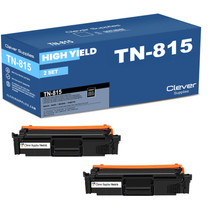
This is the single black TN815 cartridge for Brother's high-volume enterprise color lasers, rated at 15,000 pages of document work. It ships from our warehouses in IL, PA, GA or CA, and you can see the rest of the platform on our Brother toner page.
Printer showing "Replace Toner" or "No Toner" after a cartridge change? Our TN810 and TN815 troubleshooting guide walks through the reseat, contact-cleaning and counter-reset steps for this family.







 See Compatible Printers
 Read more about our ink!