Frequently Asked Questions
When does it make sense to replace all four cartridges at the same time?
When several colors are low together, or when a machine is being set up for a long, unattended run of work. Fresh black, cyan, magenta and yellow in one service visit resets the whole toner picture to zero. For a shared enterprise machine, that predictability is often worth more than squeezing the last pages out of each color.
What is included in this set?
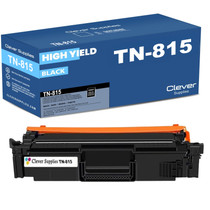
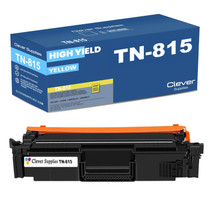
One each of the four TN815 cartridges: black, rated at 15,000 pages, plus cyan, magenta and yellow, each rated at 12,000 pages. Every cartridge is a separate unit, so even in a full-set change, each one installs individually.
Which printers is this set for?
The set serves HL-L9430CDN, HL-L9470CDN, MFC-L9630CDN and MFC-L9670CDN. Those Brother enterprise color lasers are the complete TN815 platform. Match your model to the list before ordering the set.
If one color still has life left, should I swap it anyway?
You do not have to. Plenty of buyers install the colors that are actually low and shelve the rest, sealed, for their turn. A planned full change is a convenience, not a requirement of the machine.
How long does a full four-cartridge change take?
Each cartridge swaps in a couple of minutes with no tools, so the whole set is a short, single visit to the machine. After that, all four toner gauges read full and the next change is a long way off.
How is the set covered after purchase?
Every cartridge in the box carries a one-year warranty, and free returns are available for a year. Details are on our shipping and returns page, and support is on hand Monday to Friday, 9 AM to 5 PM CST.
What should we check when the set arrives?
Count four boxes and read the four codes before the set goes into the cabinet: TN815BK for black, then TN815C, TN815M and TN815Y for the colors. A full-set order is exactly the kind of delivery where one wrong or missing box hides until install day. Two minutes at the door confirms the set is complete and every cartridge belongs to this platform.
Do the four cartridges have to go in together, in a set order?
Neither. Each cartridge installs on its own, in whatever order suits the machine in front of you, and you can fit only the slots that are actually low. If part of the set goes back on the shelf, mark the box with the machine's name so nobody treats it as free stock for a different printer — a TN815 set belongs to a short list of enterprise models and nothing else.
Is there a smart first step right after a full four-cartridge change?
Print one rich color page — charts, a photograph, solid blocks — date it, and file it with the machine's records. That page is your baseline: months later, when someone questions the color, print the same file and compare. Fresh TN815 cartridges all starting together give you the one moment when a true reference page costs nothing, and it settles most color arguments in seconds.
Our fleet prints two-sided all day — how do the set's ratings translate?
The ratings count printed sides. The black cartridge's 15,000 pages and each color's 12,000 are sides, so a two-sided sheet spends two of them. In sheet terms, a fully duplex office should think of the set as roughly 7,500 black sheets and 6,000 color sheets per cartridge cycle. Planning in sides keeps your reorder rhythm matched to what the machines actually consume.
About This TN815 4-Color Set
A complete TN815 set — black, cyan, magenta and yellow — for a one-visit toner refresh on Brother's enterprise color lasers. It includes the TN815BK black cartridge plus the three colors, and ships from our IL, PA, GA or CA warehouses.
Printer showing "Replace Toner" or "No Toner" after a cartridge change? Our TN810 and TN815 troubleshooting guide walks through the reseat, contact-cleaning and counter-reset steps for this family.







 See Compatible Printers
 Read more about our ink!