





 See Compatible Printers
 Read more about our ink!
Brother
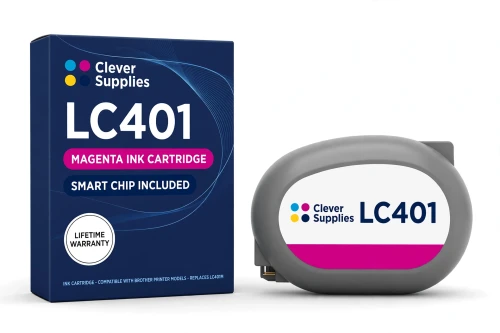
Compatible Brother LC401 LC401M Magenta Ink Cartridge
- Page Yield:
- Up to 200 pages (ISO/IEC 24711)
- Shipping:
- Calculated at Checkout

Amazon Price:

- Page Yield:
- Up to 200 pages (ISO/IEC 24711)
- Shipping:
- Calculated at Checkout
- Compatible Printers
- Specifications
- SKU:
- CS-BR-401-M
- Condition:
- New Compatible
- OEM Part #:
- LC401M
- Color:
- Magenta
- Page Yield:
- Up to 200 pages (ISO/IEC 24711)
- Chip:
- New compatible chip (ink-level chip)
- Warranty:
- Lifetime Warranty
- Returns:
- 1-Year Free Returns
- Description
- Reviews
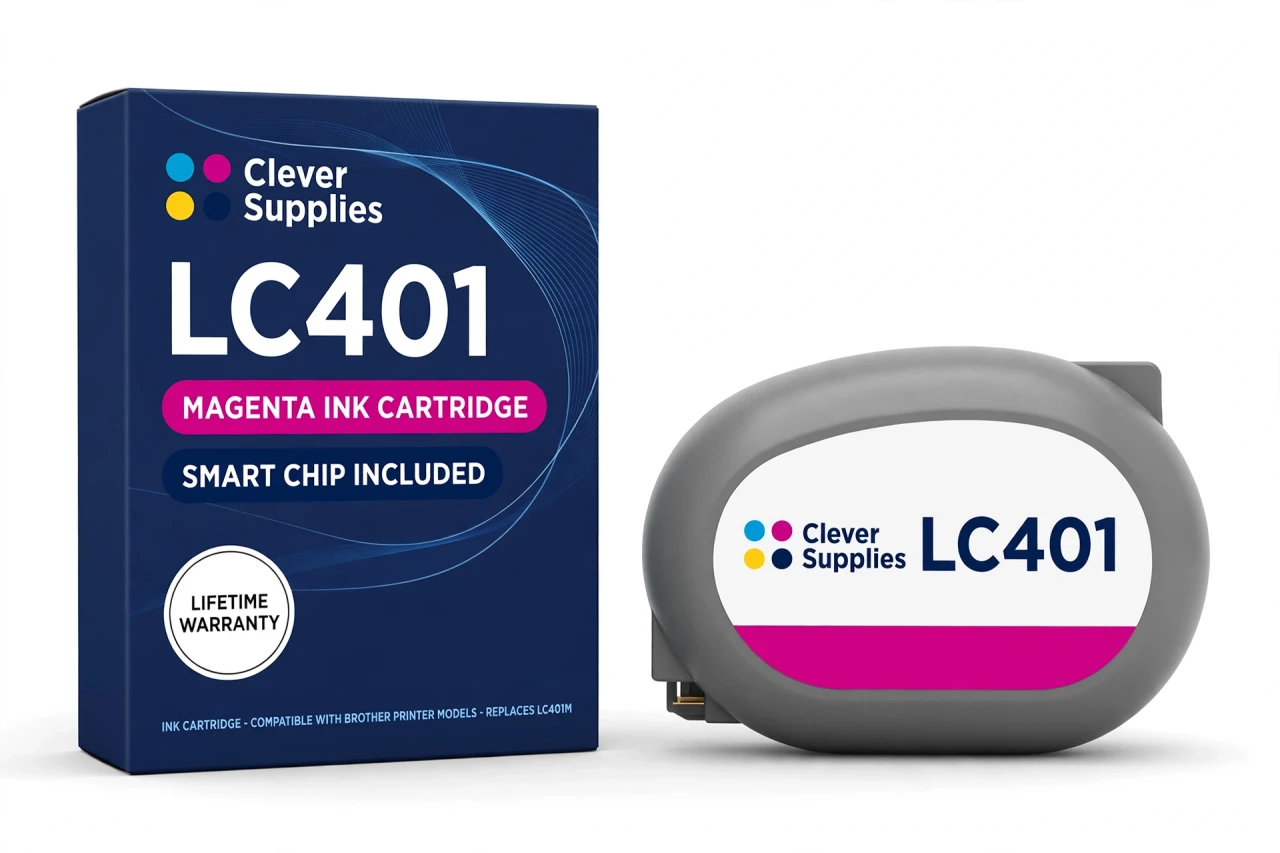
This is our compatible LC401M magenta cartridge — the standard-yield tier of Brother's LC401 family, rated up to 200 pages in accordance with ISO/IEC 24711. It serves the three printers on Brother's official LC401 list: MFC-J1010DW, MFC-J1012DW and MFC-J1170DW.


The LC401 family is the small home-and-office branch of the LC40x generation, and its neighbors are not interchangeable: LC402 (A3 office), LC404 (small INKvestment) and LC406 (large INKvestment) cartridges all carry different bodies and fit none of these printers. Within the family, the step-up is LC401XL at 500 pages per cartridge, and the two tiers mix freely in the same machine.
The cartridge carries a new compatible chip that reports ink levels. Brother's official “Cannot Detect Ink Volume” support page names this whole LC40x generation — LC401, LC402, LC404 and LC406 models are listed on it — and warns that with non-genuine ink the machine may or may not detect the ink volume. No official Brother source we could find claims a firmware update blocks compatible cartridges in this generation, so we make no such claim here either; the detection warning above is the honest, complete picture. Covered by our lifetime warranty, with free returns for the first year.
Shop the Brother LC401 family: LC401BK Black Ink Cartridge · LC401C Cyan Ink Cartridge · LC401Y Yellow Ink Cartridge · Set of 4 BCMY Ink Cartridge · LC401XLBK Black Ink Cartridge · LC401XLC Cyan Ink Cartridge · LC401XLM Magenta Ink Cartridge · LC401XLY Yellow Ink Cartridge · Set of 4 BCMY Ink Cartridge · Set of 9 BCMY Ink Cartridge · Set of 4 BCMY Ink Cartridge
Browse by series: MFC Multifunction Series
Frequently Asked Questions
What does the page rating on the LC401M mean in practice?
Brother publishes 200 pages for the standard-yield LC401 tier under ISO/IEC 24711, and this magenta carries that rating — the benchmark figure for comparing cartridges, not a promise for any single print job. The XL tier lifts the same slot to 500 pages.
When is the LC401XLM the better buy than this cartridge?
When magenta runs out faster than you would like. This standard cartridge is the lower-cost 200-page fill; the LC401XL magenta is rated 500 pages, two and a half times the run, for the same printers. Occasional printing favors this one; steady document volume favors the XL.
Which printers is this magenta made for?
Three models from Brother's official LC401 list: MFC-J1010DW, MFC-J1012DW and MFC-J1170DW. For a side-by-side of every LC401 and LC401XL option in this family — standard and XL singles, both Sets of 4 and the XL Set of 9, priced per page on the 200- and 500-page ratings — see our Best Brother LC401 Ink Cartridges guide.
I have an MFC-J1800DW. Other sellers list LC401 ink for it — does this fit?
We do not claim it does. The J1800DW turns up in some seller listings, but Brother's official LC401 page omits it, so our compatibility list omits it too. Order only for the three models named here.
Can this standard magenta share the printer with XL cartridges?
Yes — Brother lists both tiers for the same three printers, and each slot is independent. An LC401XL black beside standard LC401 colors, this magenta included, is a normal setup.
A friend's printer takes LC406. Can I use this cartridge there?
No. LC401, LC402, LC404 and LC406 are four separate LC40x families with different cartridge bodies — none of them fits another family's printers, however close the codes look.
Will my printer recognize this compatible magenta?
The cartridge is chipped — a new compatible chip that feeds ink-level readings to the printer. Acceptance, though, comes with an honest caveat from Brother itself: its “Cannot Detect” and “Cannot Detect Ink Volume” pages for this generation say that with non-genuine ink the machine may or may not detect the cartridge or its ink volume, and that Brother cannot guarantee optimum performance and reliability with ink of other specifications. We would rather print that caution than promise recognition we cannot guarantee. Help it along: seat the cartridge firmly until it clicks, keep fingers off the chip contacts, and if a detection message appears, remove and reseat the cartridge and restart the printer.
Do firmware updates change the recognition picture?
Brother publishes the detection warning above and nothing beyond it: no official statement from Brother says a firmware update blocks compatible LC401 cartridges, and we make no such claim either. The cautious route with any compatible cartridge is to leave the firmware where it is.
How do I change the magenta cartridge?
Open the ink cover and release the old cartridge with its lever, then slide the new LC401M home until it clicks. Keep fingers off the chip contacts, and run a print quality check if the printer has sat idle.
Is this a genuine Brother cartridge?
No — this is a Clever Supplies compatible cartridge built to the LC401M specification, carrying a new compatible chip and labeled compatible on the box and on this page.
What backs this cartridge after the purchase?
A lifetime warranty: a cartridge that fails to perform is replaced. Returns are free within the first year.
What should I check before ordering?
Confirm the model is one of the three LC401 printers (MFC-J1010DW, MFC-J1012DW and MFC-J1170DW) and that your old cartridge reads LC401M or its LC401XL counterpart. Codes LC402, LC404 and LC406 belong to other printers entirely.
Related Items

Brother
Compatible Brother LC401 LC401Y Yellow Ink Cartridge
This is our compatible LC401Y yellow cartridge — the standard-yield tier of Brother's LC401 family, rated up to 200 pages in accordance with ISO/IEC 24711. It serves the three printers on Brother's...


Brother
Compatible Brother LC401 LC401C Cyan Ink Cartridge
This is our compatible LC401C cyan cartridge — the standard-yield tier of Brother's LC401 family, rated up to 200 pages in accordance with ISO/IEC 24711. It serves the three printers on Brother's...

Brother
Compatible Brother LC401 LC401BK Black Ink Cartridge
This is our compatible LC401BK black cartridge — the standard-yield tier of Brother's LC401 family, rated up to 200 pages in accordance with ISO/IEC 24711. It serves the three printers on Brother's...

Brother
Compatible Brother LC401 Set of 4 BCMY Ink Cartridge
This is the standard-yield full refill for Brother's LC401 family: our compatible set of 4 with one black, cyan, magenta and yellow cartridge, each rated up to 200 pages in accordance with ISO/IEC...