






 See Compatible Printers
 Read more about our ink!
Brother
Compatible Brother LC3013 Set of 9 BCMY Ink Cartridge
- Page Yield:
- Black up to 400; each color up to 400 (ISO/IEC 24711)
- Shipping:
- Calculated at Checkout

Amazon Price:

- Page Yield:
- Black up to 400; each color up to 400 (ISO/IEC 24711)
- Shipping:
- Calculated at Checkout
- Compatible Printers
- Specifications
- SKU:
- CS-BR-3013-SET9
- Condition:
- New Compatible
- OEM Part #:
- LC3013BK, LC3013C, LC3013M, LC3013Y
- Color:
- Black + Cyan + Magenta + Yellow
- Page Yield:
- Black up to 400; each color up to 400 (ISO/IEC 24711)
- Chip:
- New compatible chip
- Warranty:
- Lifetime Warranty
- Returns:
- 1-Year Free Returns
- Description
- Reviews
This is the complete High Yield set for the four Work Smart printers that share the LC3011/LC3013 slot — MFC-J491DW, MFC-J497DW, MFC-J690DW, MFC-J895DW. The box holds 3 × black + 2 × cyan + 2 × magenta + 2 × yellow, every cartridge an LC3013 rated up to 400 pages to ISO/IEC 24711, and yields are stated per cartridge, never added together. The set architecture of this group is built on LC3013: the Standard tier, LC3011, is sold as singles only in this range.


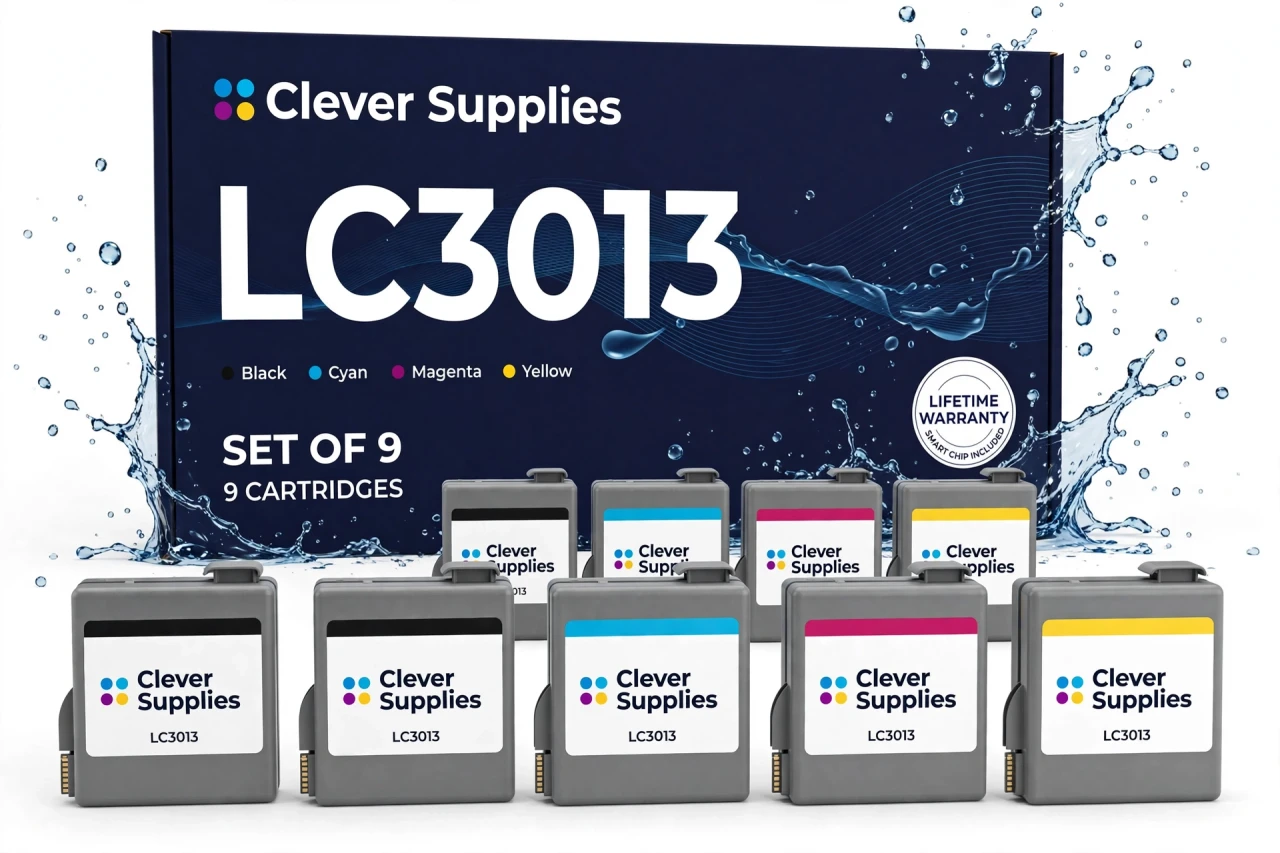
A set makes sense when several colors are low together, when a printer is coming back into service, or when you want one known starting point instead of four separate orders. For the bulk box, the extra blacks are deliberate — black empties fastest in text-heavy work, so three blacks against two of each color matches how these printers actually consume ink. The sibling codes are LC3011BK, LC3011C, LC3011M, LC3011Y, LC3013BK, LC3013C, LC3013M, LC3013Y; no set in this range is built on the unverified LC30134PKS code, and no LC3011 set is offered, because the LD ladder this range is priced from has neither.
Every cartridge in the box carries a new compatible chip, with the small green chip on top that Brother's support pages ask about when a cartridge is not detected. As with the singles, expect that a compatible cartridge may show “Cannot Detect Ink Volume” — Brother's support text says the machine keeps working with that message, and only a new genuine cartridge clears it. Covered by our lifetime warranty (each cartridge individually), with free returns for the first year.
Shop the Brother LC3013 family: LC3011BK Black Ink Cartridge · LC3011C Cyan Ink Cartridge · LC3011M Magenta Ink Cartridge · LC3011Y Yellow Ink Cartridge · LC3013BK Black Ink Cartridge · LC3013C Cyan Ink Cartridge · LC3013M Magenta Ink Cartridge · LC3013Y Yellow Ink Cartridge · Set of 4 BCMY Ink Cartridge
Browse by series: MFC MULTIFUNCTION SERIES
Frequently Asked Questions
Why nine cartridges — what is the logic of this box?
It is built around how these printers actually consume ink: black runs out first. The box holds 3 × Black and 2 × Cyan, 2 × Magenta and 2 × Yellow, so when the black slot empties, its replacement is already in the drawer. Every cartridge is a High Yield LC3013 with its own new compatible chip, and they are individual cartridges — not one combined tank.
If I add up all nine yields, is that my page count?
We do not present it that way, and you should not plan around it. Each cartridge is rated up to 400 pages to ISO/IEC 24711, per cartridge; colors empty at different rates depending on what you print, so a single summed “set yield” would be a fiction.
Which printers does the Set of 9 fit?
The same four Work Smart models as every LC3011/LC3013 cartridge: MFC-J491DW, MFC-J497DW, MFC-J690DW and MFC-J895DW. The tier does not change the model list. For the whole family side by side — all six LC3013 offers priced per page, and the step up from the Standard-yield LC3011 tier worked out in cents — see our Best Brother LC3013 Ink Cartridges guide.
My printer still has LC3011 cartridges in some slots. Problem?
None. Tiers can be mixed color by color in these four printers — install the High cartridges you need now, and keep the Standard cartridges already in place until they run out.
Nine is a lot to fit at once. Can I open the box gradually?
That is exactly how it is meant to be used. Install the colors you need, store the remainder sealed, upright and out of sunlight, and open each cartridge only when its turn comes.
Will the printer accept these compatible cartridges over time?
Each cartridge carries a new compatible chip. If a firmware update has been installed, recognition issues can occasionally occur — reseat firmly, keep the small green chip contacts clean and untouched, and restart the printer.
And if it stops showing ink levels?
That is the “Cannot Detect Ink Volume” message — Brother's own documented behavior for a generic or third-party cartridge, where the printer may be unable to determine the ink volume yet keeps working with the message displayed. Only a new genuine cartridge clears it, so with this compatible set the ink-level display may not work; judge replacement by print quality, not by the gauge.
Does the set stretch to LC3017, LC3019 or LC3033 printers?
No. Those are different cartridge families with different slots and model sets; LC3033 in particular is not a higher tier of LC3013, and the four printers in this group do not take LC3033.
Is this a genuine Brother set?
No — this is the Clever Supplies compatible set built to the LC3013 cartridge specifications, labeled compatible on the box and this page, and not manufactured by Brother.
What is the LC30134PKS code that appears on other sites?
Not something we sell. It appears on some compatible-seller pages but could not be verified in Brother's own comparison tables, so it is not part of this product range and no product here is built on it.
How does the warranty work across nine cartridges?
The lifetime warranty covers each cartridge individually: a single faulty cartridge is replaced on its own, and the set does not go back as a unit. Free returns apply within the first year.
When is the Set of 9 the better buy over the Set of 4?
When black is your bottleneck. The Set of 4 renews every slot once; the Set of 9 suits a printer whose black cartridge empties well ahead of the colors — spares of everything, with extra blacks, bought in a single box.
Related Items

Brother
Compatible Brother LC3013 Set of 4 BCMY Ink Cartridge
This is the complete High Yield set for the four Work Smart printers that share the LC3011/LC3013 slot — MFC-J491DW, MFC-J497DW,


Brother
Compatible Brother LC3019 Set of 9 BCMY Ink Cartridge
This is the Super High Yield set for the 3 printers in its platform — MFC-J5330DW, MFC-J6530DW,

Brother
Compatible Brother LC3029 Set of 9 BCMY Ink Cartridge
This is the Super High Yield (INKvestment Tank) set for the 6 printers in its platform — MFC-J5830DW, MFC-J5830DW XL,

Brother
Compatible Brother LC3017 Set of 9 BCMY Ink Cartridge
This is the High Yield set for the 3 printers in its platform — MFC-J5330DW, MFC-J6530DW,