






 See Compatible Printers
 Read more about our ink!
Brother
Compatible Brother DR920 (DR-920) Toner Cartridge Black 2 Pack

Amazon Price:

- Page Yield:
- Black: 45000
- Availability:
- In Stock
- Shipping:
- Calculated at Checkout
- Compatible Printers
- Specifications
- SKU:
- CS-Brother-DR-920-2Balck
- Printer Brand:
- Brother
- OEM Number:
- DR920
- Ink Color:
- Black
- Page Yield:
- Black: 45000
- Printer Type:
- Laser Cartridge
- Condition:
- New Compatible
- Description
- Reviews

/> 

Experience dependable and long-lasting print quality with the Brother DR920 and DR920 Black drum unit, engineered to deliver sharp text and smooth graphics for all your black-and-white printing needs. This drum unit ensures optimal performance and consistency across your entire printer fleet. Designed to pair flawlessly with popular printers like HL-L5210DN, HL-L5210DW, HL-L5210DWT, and HL-L5215DW, the Brother DR920 toner cartridge supports high-volume printing with reliable output and excellent durability. Optimized for business-class efficiency, this drum unit is also compatible with models such as HL-L6210DW, HL-L6210DWT, HL-L6217DW, and HL-L6310DW, providing high-quality prints with reduced maintenance requirements. Built for demanding environments, the Brother DR920 toner cartridge delivers superior performance in heavy-use models including HL-L6415DW, HL-L6415DWT, and HL-EX415DW, helping you maintain professional standards in every document. Made to integrate seamlessly with multifunction printers like DCP-L5510DN, MFC-L5710DN, MFC-L5710DW, MFC-L5715DW, and MFC-L5717DW, this drum unit enhances workflow efficiency while reducing printing interruptions. Tested for compatibility with enterprise-grade machines such as MFC-L5915DW, MFC-L6810DW, MFC-L6915DW, and MFC-EX915DW, the Brother DR920 toner cartridge and Brother DR920 toner cartridge provide the high-yield reliability and crisp results your office demands.
Frequently Asked Questions
Why keep a spare drum on the shelf before one actually fails?
Because a worn drum doesn't fade politely like toner does — print quality simply falls apart, and the printer is out of action until a new drum arrives. At $55.74 for two, this pack lets you swap in a fresh unit the same day and order the next spare without rushing. It is cheap insurance for an office that prints every day. This pack holds two drums for $48.47 — $24.24 a unit and $16.09 less than two singles — and the Best Brother DR920 Drum Unit guide works through when a shelf spare pays, which 13 printers it fits, and why the ladder stops at four.
How does the two-pack price break down?
Each drum in this pack works out to $27.87, against $37.12 for the single. Two drums bought one at a time would cost $74.24, so the pair saves you $18.50 — and every drum is a full DR920 unit rated at 45,000 pages, not a cut-down version. For the whole TN920 platform priced out — four toner tiers on one yield ladder, the DR920 and DR925 drum split model by model, and what each box costs per page — see our Best Brother TN920, TN920XL, TN920XXL & TN920UXXL Toner Cartridges — it also explains why the two drums' headline ratings are not comparable as printed.
We run two printers on this platform — will their drums wear out together?
Almost certainly not. Drum wear follows pages printed, not the calendar, so the busier machine will call for its replacement first. One shared spare covers whichever printer gets there first, which is exactly why a two-pack suits a two-printer office better than two separate single purchases.
Which printers are these drum units for?
This pack holds two DR920 drum units for the HL-L5210DN, HL-L5210DW, HL-L5210DWT, HL-L5215DW, HL-L6210DW, HL-L6210DWT, HL-L6217DW, HL-L6310DW, HL-L6415DW, HL-L6415DWT, HL-EX415DW, DCP-L5510DN, MFC-L5710DN, MFC-L5710DW, MFC-L5715DW, MFC-L5717DW, MFC-L5915DW, MFC-L6810DW, MFC-L6915DW and MFC-EX915DW. The DR920 is the drum that every TN920, TN920XL, TN920XXL and TN920UXXL cartridge on this platform prints through.
Should I install both drums as soon as the pack arrives?
No. Fit the first one where it is needed and keep the second sealed in its packaging until its turn comes. A drum wears through use, not through sitting in a cupboard, so the spare stays at full life while it waits.
What cover do the two drums come with?
Both units carry the same protection: a one-year warranty and free returns for a year after purchase, as set out on our shipping & returns page. Support runs Monday–Friday, 9 AM–5 PM CST if you need a hand.
How should the second drum in this pack be stored while it waits?
Flat, sealed in its packaging, in a normal office cupboard away from radiators, sunny windows and damp. A DR920 does not wear out sitting in its box — its 45,000 pages are spent only once it is fitted and imaging — so the spare asks for nothing more exotic than a shelf where the packaging stays dry and undamaged. Leave the box sealed until the day it is needed; opening it early only invites dust onto the drum surface for no benefit.
Which printer should get the first drum, and how do we remember where the spare belongs?
Fit the first drum wherever the need shows itself — the machine whose output has fallen apart or whose drum warning has arrived — regardless of which printer the pack was originally bought for. Then write that machine's name and the date on the remaining box. Because both units fit every printer on this platform, the note is not about compatibility; it is so that months later, anyone opening the cupboard knows the spare is uncommitted stock and not a part already promised to a particular machine.
How can we tell the first drum from this pack is a good one?
Judge it on the third and fourth pages of a document you know well — the invoice or letterhead whose clean appearance you can recognize at a glance. Output should be even and free of the repeating marks and gray haze that condemned the old drum. Verify that before treating the second unit as pure shelf stock: once the first drum has proven the pack on real work, the spare's role is settled and nobody needs to think about drums again until a printer asks.
Do copies count toward each drum's 45,000 pages?
Yes. On the MFC models this pack serves — the MFC-L5710, MFC-L5915 and MFC-L6915 families among them — every copy is imaged by the DR920 just as a print is, and pages from the copy glass spend drum life at the same rate. An office that copies heavily will call on the second drum sooner than its print volumes predict, which is one more reason the two machines sharing this pack rarely ask for their replacements at the same time.
About This DR920 Drum Two-Pack
Two genuine-format DR920 drum units — toner-free imaging drums, each rated at 45,000 pages — for $55.74, or $27.87 apiece. Built for offices running more than one machine on this platform, or a single machine they cannot afford to leave idle when its drum finally wears out.
Printer showing "Replace Toner" or "No Toner" after a cartridge change? Our TN920 troubleshooting guide walks through the reseat, contact-cleaning and counter-reset steps for this family.
Related Items


Brother
Compatible Brother DR920 (DR-920) Toner Cartridge Black
/>



Brother
Compatible Brother DR920 (DR-920) Toner Cartridge Black 4 Pack
/>

Brother
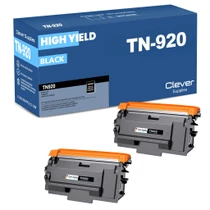
Compatible Brother TN920 (TN-920) Toner Cartridge Black 2 Pack
/>


Brother
Compatible Brother TN920 (TN-920) Toner Cartridge Black 4 Pack
/>