






 See Compatible Printers
 Read more about our ink!
Brother
Compatible Brother DR730 Toner Cartridge Black
- Page Yield:
- Black:12000
- Availability:
- In Stock
- Shipping:
- Calculated at Checkout

Amazon Price:

- Page Yield:
- Black:12000
- Availability:
- In Stock
- Shipping:
- Calculated at Checkout
- Compatible Printers
- Specifications
- SKU:
- CS-Brother_New-DR730-Black
- Printer Brand:
- Brother
- OEM Number:
- DR730
- Ink Color:
- Black
- Page Yield:
- Black:12000
- Printer Type:
- Laser Cartridge
- Condition:
- New Compatible
- Description
- Reviews

/> 

Clever Supplies brand products are made with high quality components. Why pay more for cheaper product with a high defective rate? You will end up having to send it back to the manufacturer. Your time is valuable. Get a quality product that you KNOW will work. Purchase the Clever Supplies Compatible for Brother DR730 (DR730 ) Black and experience the difference! All Clever Supplies brand products are backed by '100% Quality Satisfaction' 1 year warranty against defects in materials and workmanship for all toner products. Free tech support for a Clever Supplies problems for all Clever Supplies brand products. The use of Clever Supplies brand replacement laser toner cartridges and supplies does not void printer warranty. Premium Quality Replacement Toner Cartridge is made by ISO9001 Certified Factory to Meet or Exceed OEM Standards. These units are manufactured 100% brand new with all new parts including OPC drums, wiper blades, a smart chip and other internal parts, they are an economical alternative to expensive OEM DR730 Compatible Toner Cartridges. This is a Compatible for Brother toner cartridges Black guaranteed to perform with Brother Laser Printers. It replaces the original Brother DR730 toner cartridge Black. The compatible replacement for DR730. We offer a 100% Quality Satisfaction Guarantee on our Compatible for DR730 laser toner cartridges and supplies. For use in the following printers: DCP Series DCP-L2550DW, HL Printers HL-L2350DW, HL-L2370DW, HL-L2370DW XL, HL-L2390DW, HL-L2395DW, MFC MultiFunction Printers MFC-L2690DW, MFC-L2710DW, MFC-L2717DW, MFC-L2750DW, MFC-L2750DW XL
Frequently Asked Questions
The screen says "Replace Drum" — what is it actually asking for?
This unit. Inside these printers the image is formed on a drum, separate from the toner cartridge, and the DR730 drum is rated for up to 12,000 pages. When the counter reaches its limit, the machine asks for a drum — and no amount of new toner will satisfy it, because the two parts wear independently.
How is the drum different from the toner it carries?
The toner cartridge is a powder store; the drum is a precision surface. Your TN760 or TN730 clicks into this drum, the drum forms each page's image and hands it to the paper. Think of toner as ink and the drum as the printing plate — one empties, the other wears.
Which printers use the DR730?
The HL-L2325DW, HL-L2350DW, HL-L2370DW, HL-L2370DW XL, HL-L2390DW, HL-L2395DW, the DCP-L2550DW, and the MFC-L2690DW, MFC-L2710DW, MFC-L2717DW, MFC-L2750DW and MFC-L2750DW XL. The MFC-L2730DW belongs on the list too.
How do I know the drum, not the toner, is my problem?
Swap logic: if a known-good or new toner goes in and the same fading, streaks or repeating spots remain, the common part is the drum. Add the page count — near 12,000 pages since the last drum, wear is expected. Repeating marks at identical spacing are the strongest single clue.
What is involved in fitting the replacement?
Assembly out by the front cover, lock lever pressed, your toner cartridge lifted across into the new drum, corona-wire tab slid once, assembly back in. Then the step people forget: reset the drum counter in the machine's menu, so the new unit is tracked from zero and the warning clears for the right reason.
Why does the counter need a manual reset at all?
Because the printer counts pages, not parts. It cannot sense a fresh drum surface, so the count must be restarted by hand. Skipping the reset leaves the old warning in place and shortens nothing — but it does confuse the next diagnosis, months later, when the count no longer matches the hardware.
What does the drum add to my cost per page?
About 0.24¢ — $28.55 spread over a 12,000-page life. Set beside the TN760 high-yield at roughly 0.84¢ a page, the drum is the smaller third of the imaging cost, which is why replacing it on a healthy printer almost always beats replacing the printer. How this cartridge sits in its family — the standard-yield TN730 beside it, the pack sizes above it, and the DR730 drum it clicks into, each with its cost per page — is laid out in our Best Brother TN760 Toner Cartridges guide. At $28.55 over a rated life of about 12,000 pages the drum works out near $2.38 per thousand pages, the basis used throughout the Best Brother DR730 Drum Unit guide.
Can I postpone a drum change the way I stretch a toner?
Partly. A drum near its limit often keeps printing acceptably for a while, and the corona-wire clean can buy time. But unlike toner, a worn drum's defects are printed onto every page in the meantime — fine for drafts, poor for anything leaving the building.
Does this drum work with both TN730 and TN760 toners?
Yes — the slot accepts either fill, and many owners run a mix across the drum's life: about ten TN730 cartridges or four TN760s. Changing yield mid-drum needs no adjustment; the drum does not know which cartridge is riding in it.
What cover and returns apply?
A 1-year warranty with free returns for a full year, detailed on the shipping & returns page. The paired purchase, if both warnings are due, is the drum and toner set.
About This Brother DR730 Drum Unit
A compatible DR730 drum unit rated up to 12,000 pages, made for the TN730/TN760 platform — HL-L2350DW, MFC-L2750DW XL and the rest of the family. Replace it when the counter or your print quality says so, keep your current toner, and print on. Every unit carries a 1-year warranty with 1-year free returns and ships from IL, PA, GA, or CA. Browse more Brother toner cartridges.
Related Items

Brother
Compatible Brother DR730 (DR730) Toner Cartridge Black
/>



Brother
Compatible Brother DR730 Toner Cartridge Black
/>
Brother
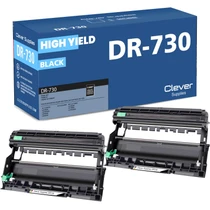
Compatible Brother DR730 (DR730) Toner Cartridge Black 2 Pack
/>


Brother
Compatible Brother DR730 (DR730) Toner Cartridge Black 4 Pack
/>