






 See Compatible Printers
 Read more about our ink!
Brother
Compatible Brother DR730 (DR730) Toner Cartridge Black
- Page Yield:
- Black: 12000
- Availability:
- In Stock
- Shipping:
- Calculated at Checkout

Amazon Price:

- Page Yield:
- Black: 12000
- Availability:
- In Stock
- Shipping:
- Calculated at Checkout
- Compatible Printers
- Specifications
- SKU:
- CS-BR-DR730-BK
- Printer Brand:
- Brother
- OEM Number:
- DR730
- Ink Color:
- Black
- Page Yield:
- Black: 12000
- Printer Type:
- Laser Cartridge
- Condition:
- New Compatible
- Description
- Reviews

/> 

Presented here is the DR730 Drum Unit, compatible with a variety of printers including DCP Series DCP-L2550DW, HL Printers HL-L2350DW, HL-L2370DW, HL-L2370DW XL, HL-L2390DW, HL-L2395DW, and MFC MultiFunction Printers MFC-L2690DW, MFC-L2710DW, MFC-L2717DW, MFC-L2750DW, MFC-L2750DW XL. This drum unit is crafted to meet your printing needs with exceptional performance and reliability. Engineered for seamless integration with your printer, the DR730 Drum Unit ensures consistent and high-quality prints, maintaining the sharpness and clarity of your documents and images. Whether printing text, graphics, or photos, this drum unit consistently produces professional-grade results. Experience heightened efficiency with the DR730 Drum Unit, minimizing downtime and maximizing productivity. Its user-friendly design allows for easy installation and replacement, ensuring uninterrupted printing workflows in your home or office environment. Trust in the DR730 Drum Unit to provide vibrant and long-lasting printouts, ensuring your documents stand out with every page. Its compatibility with a wide range of printer models makes it a versatile solution for fulfilling various printing needs. Upgrade your printing experience with the DR730 Drum Unit, compatible with DCP Series DCP-L2550DW, HL Printers HL-L2350DW, HL-L2370DW, HL-L2370DW XL, HL-L2390DW, HL-L2395DW, and MFC MultiFunction Printers MFC-L2690DW, MFC-L2710DW, MFC-L2717DW, MFC-L2750DW, MFC-L2750DW XL. Count on its exceptional quality and reliability to meet your printing demands efficiently and effectively.
Frequently Asked Questions
What does the DR730 drum unit actually do?
It is the imaging surface of the printer. The toner cartridge holds the powder; the drum is the cylinder that picks that powder up in the shape of your page and transfers it to the paper. No toner lives inside this unit — it is the partner part your TN760 or TN730 clicks into.
Which printers and toner cartridges work with this drum?
The drum serves the HL-L2325DW, HL-L2350DW, HL-L2370DW, HL-L2370DW XL, HL-L2390DW, HL-L2395DW, the DCP-L2550DW, and the MFC-L2690DW, MFC-L2710DW, MFC-L2717DW, MFC-L2750DW and MFC-L2750DW XL. The MFC-L2730DW belongs on the list too. It carries either the standard TN730 cartridge (about 1,200 pages) or the high-yield TN760 high-yield (up to 3,000 pages) — the slot is the same, only the toner fill differs.
When should I replace the drum unit?
When the printer says so, or when the pages say so first. The DR730 is rated for up to 12,000 pages, tracked separately from toner. The visual warnings are repeating marks down the page, a gray haze in the background, or fading that a fresh toner does not cure.
How many toner cartridges does one drum last through?
Roughly four high-yield TN760 cartridges, or about ten standard TN730s — 12,000 pages divided by whichever fill you run. That long ratio is why its cost per page works out to only about 0.24¢ at $28.55.
How do I install the DR730?
Open the front cover and slide out the drum-and-toner assembly. Press the lock lever, lift your toner cartridge out of the old drum, and click it into this new drum. Slide the corona-wire cleaner tab across once, return the assembly, close the cover, and reset the drum counter from the machine's menu.
There are streaks on my prints even with the new drum — what now?
First clean the corona wire: slide its green tab fully across and back several times, then print again. If marks repeat at the same interval down the page, note the pattern — a repeating defect usually traces to one surface. Also confirm the toner cartridge is seated fully; a half-clicked cartridge mimics drum faults convincingly.
Is the drum message the same as the toner message?
No, and answering the wrong one wastes money. "Replace Toner" is about the cartridge's powder supply; "Replace Drum" is about this unit's surface life. The counters are independent — a new drum does not clear a toner warning, and a new toner does not clear a drum warning.
Should I handle the drum surface carefully?
Yes. The green cylinder is light-sensitive and easily marked. Keep the unit in its bag until you fit it, avoid touching the surface, and do not leave the assembly in bright light. Fingerprints and scratches on the drum print as faithfully as your documents do.
What if my toner is nearly due at the same time?
That pairing is common at 12,000-page intervals, and it is exactly what the DR730 drum and toner set is for — both parts in one box, fitted in one session. If your toner is mid-life, keep it; it clicks straight into the new drum.
Is this drum covered by a warranty?
Yes — a 1-year warranty, with free returns for a full year under the shipping & returns terms. Support runs Monday to Friday, 9 AM to 5 PM CST.
About This Brother DR730 Drum Unit
This compatible Brother DR730 drum unit is the 12,000-page partner to the TN730 and TN760 toner cartridges in Brother's most popular home and small-office lasers, from the HL-L2350DW to the MFC-L2750DW XL. When print quality drops and a new toner does not restore it, a fresh drum usually does. Pair it with the TN760 toner cartridge for the lowest combined cost per page, and know that every unit is backed by our 1-year warranty and 1-year free returns, shipping from IL, PA, GA, or CA. More Brother toner cartridges.
Related Items
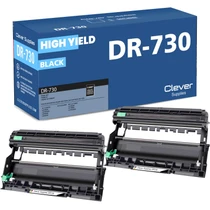
Brother
Compatible Brother DR730 (DR730) Toner Cartridge Black 2 Pack
/>

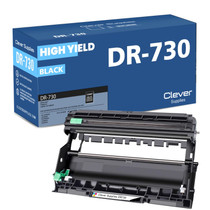

Brother
Compatible Brother DR730 Toner Cartridge Black
/>


Brother
Compatible Brother DR730 (DR730) Toner Cartridge Black 4 Pack
/>


Brother
Compatible Brother DR730 Toner Cartridge Black
/>