




ImageRunner 5065
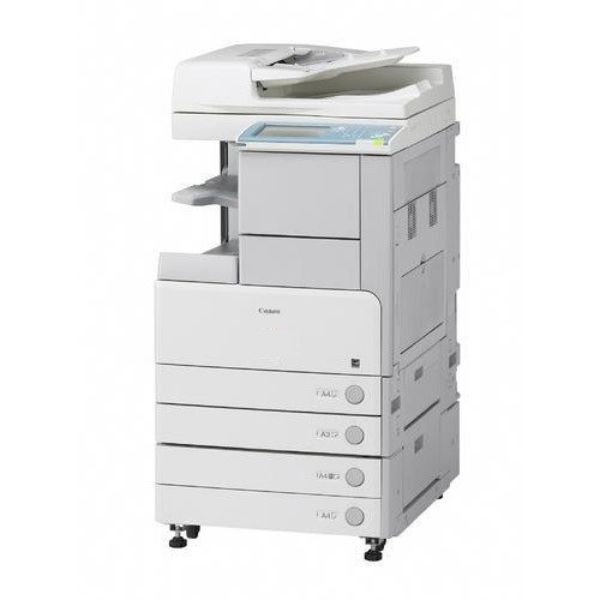
On the Canon imageRUNNER 5065 the scanner is the headline act: it digitizes at up to 100 images per minute, reading both sides of each sheet in a single pass, and feeds that stream to a 65-page-per-minute print engine. Networking and duplexing are both standard equipment. Whatever gets printed comes from the GPR-24 black cartridge, rated for about 45,000 pages and cross-listed in this store under the code GPR24BK.
Machines bought for their scanners tend to live project-shaped lives: a records-digitization push this quarter, a backlog of archive boxes the next, ordinary departmental work in between. Their toner consumption follows the same lumpiness, because the projects that fill the scanner so often end with printed sets — bound copies, distributed packets, replacement files. Stock planning for a 5065 works best when it is planned around the project calendar, not the average month.
Toner Cartridges for ImageRunner 5065
| Cartridge | Color | Page Yield |
|---|---|---|
| GPR24BK Black 2 Pack | Black | 45,000 pages per cartridge |
| GPR24BK Black | Black | About 45,000 pages |
| GPR-24 Black | Black | About 45,000 pages |
| GPR24BK Black 3 Pack | Black | 45,000 pages per cartridge |
| GPR24BK Black 10 Pack | Black | 45,000 pages per cartridge |
| GPR24BK Black 5 Pack | Black | 45,000 pages per cartridge |
| GPR-24 Black 5 Pack | Black | 45,000 pages per cartridge |
| GPR-24 Premium Quality Black 5 Pack | Black | 45,000 pages per cartridge |
Which cartridge should you buy?
Baseline first, project stock second. A 2 Pack is a sound standing level for this machine's ordinary departmental rhythm. Ahead of a conversion project — the kind where the scanner runs for weeks and printed output follows — step up: a 5 Pack, or the 10 Pack when the project is measured in archive boxes, keeps a mid-project toner run from becoming a project delay. The Premium Quality 5 Pack suits output that leaves the building. Single cartridges are best reserved for the spare role. Every compatible option here is covered by a 1-year warranty and 1-year returns.
Chip, toner and everyday use
Load a fresh cartridge ahead of a long run rather than during one: the swap is quick and the copier needs no registration step, but a planned change beats an interruption with two hundred sets still queued. Rock the new cartridge gently end to end first so its toner bed sits level. Bear in mind that the 45,000-page rating is calculated at about 5% coverage — reprints of dense originals, the staple of archive work, spend toner at a faster rate. Keep project spares sealed, flat and near the machine while a conversion is underway.
Frequently Asked Questions
What toner does the imageRUNNER 5065 use?
The GPR-24 black cartridge, also sold here as GPR24BK — one cartridge under two listing names, rated near 45,000 pages. Every pack on this page, from single to 10 Pack, is that cartridge.
Does all that scanning use up toner?
Scanning alone puts nothing on paper, so it spends no toner. The toner leaves when scanned material is printed — and digitization projects usually print plenty, from check sets to replacement files. Budget the cartridge for the project's print side, not its scan side.
Is it the same cartridge as the 5075 takes?
Identical. The ImageRunner 5075 and the rest of the family listed below share this cartridge with the 5065, one of the practical benefits of Canon keeping a single toner across the line.
How should we stock before a big digitization project?
Have one cartridge fitted, one sealed spare beside the machine, and the next pack already in the building. Projects slip for interesting reasons; a toner delivery should never be one of them.
More printers that use the same cartridges
Project stock is fleet stock, too — the same cartridge runs in: ImageRunner 5075, ImageRunner 5050, ImageRunner 5050N, ImageRunner 5055.