




ImageRunner 3570
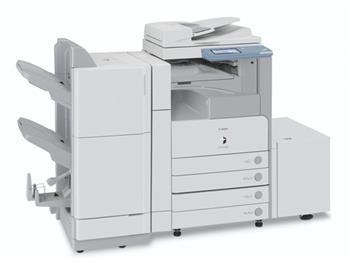
Thirty-five pages per minute, with a flexible road to the network: the Canon imageRUNNER 3570 is a copier-based black-and-white multifunction whose network printing comes through Canon's optional Multi-PDL printer kit, letting an office choose its print language when it is ready rather than at purchase. Duplexing is standard. It prints from the Canon GPR-15 cartridge, rated up to 21,000 pages between changes.
The Multi-PDL option tells you how this model was bought: deliberately, by offices that wanted the copier first and the print architecture decided later. Many 3570s therefore spent their early life as pure copiers and gained network printing mid-career, which doubled their page volume almost overnight. Anyone inheriting one of these machines should size toner stock for the networked workload it carries now, not the gentler copying duty it started with.
Toner Cartridges for ImageRunner 3570
| Cartridge | Color | Page Yield |
|---|---|---|
| Compatible Canon GPR-15 Black Toner Cartridge | Black | Up to 21,000 pages |
| Compatible Canon GPR-15 Black Toner — 5 Pack | Black | Up to 21,000 pages each |
| Compatible Canon GPR-15 Premium Quality Black Toner — 5 Pack | Black | Up to 21,000 pages each |
Which cartridge should you buy?
One cartridge design serves this machine, so the purchase reduces to stock depth. The single GPR-15 is the standard order and, at 21,000 pages, it covers most single-machine sites for months at a stretch. Step up to the 5 Pack or the Premium Quality 5 Pack when the 3570's toner also feeds sibling machines — the GPR-15 family is wide, and a shared store room is where five-cartridge packs earn their keep — or when your purchasing cycle is annual and deliveries are planned events. For a lone 3570, five cartridges is likely several years of supply; deep stock ties up budget and shelf space for no operational gain. Either way, capacity per cartridge never varies across the options: the GPR-15 was made at a single rating, so you are choosing logistics, not performance.
Chip, toner and everyday use
The 3570 reads a compatible cartridge's chip on installation, so toner status reporting on the panel proceeds normally whether the machine is copying standalone or printing over the network. The change itself is the familiar front-cover sequence — old cartridge out, new cartridge rocked gently to level its toner, then slid in until it clicks. Do not skip the rocking: a cartridge rated for 21,000 pages carries a large toner bed, and toner that settled in storage can print unevenly for the first run of pages if it is not redistributed. Remember the rating is a five-percent-coverage figure; graphics-heavy print work arriving through the Multi-PDL kit will cycle a cartridge faster than light copying ever did. Keep the spare sealed, flat and cool.
Frequently Asked Questions
What toner fits the imageRUNNER 3570?
Only the Canon GPR-15 black cartridge, up to 21,000 pages. No other cartridge family fits this model, and the GPR-15 has no high-yield or low-yield sibling to confuse the order.
What is the Multi-PDL kit, and does it change supplies?
It is Canon's optional printer kit that adds network printing with a choice of page-description languages. It changes how jobs arrive, not what the machine consumes — copying and network printing share the same GPR-15 cartridge.
My 3570's copies fade on one side — is the cartridge empty?
Not necessarily. One-sided fading usually means the toner bed has settled unevenly: remove the cartridge, rock it side to side several times, and refit it. If output stays weak with a fresh cartridge fitted, the machine itself needs a service look rather than another cartridge.
What coverage do I get with a compatible cartridge?
A 1-year warranty and 1-year returns from Clever Supplies. Fitting a compatible cartridge does not void the 3570's warranty.
More printers that use the same cartridges
One GPR-15 stock can support every machine in this list — the family the 3570 belongs to:
ImageRunner 3025N, ImageRunner 3030, ImageRunner 3035, ImageRunner 3035N, ImageRunner 3045, ImageRunner 3045N, ImageRunner 3225, ImageRunner 3225F, ImageRunner 3230, ImageRunner 3235, ImageRunner 3235F, ImageRunner 3235I, ImageRunner 3245, ImageRunner 3245F, ImageRunner 3245I, ImageRunner 3530, ImageRunner 4570, ImageRunner 2230, ImageRunner 2230G, ImageRunner 2270, ImageRunner 2770, ImageRunner 2830, ImageRunner 2870, ImageRunner 3025.