




ImageRunner 3245I
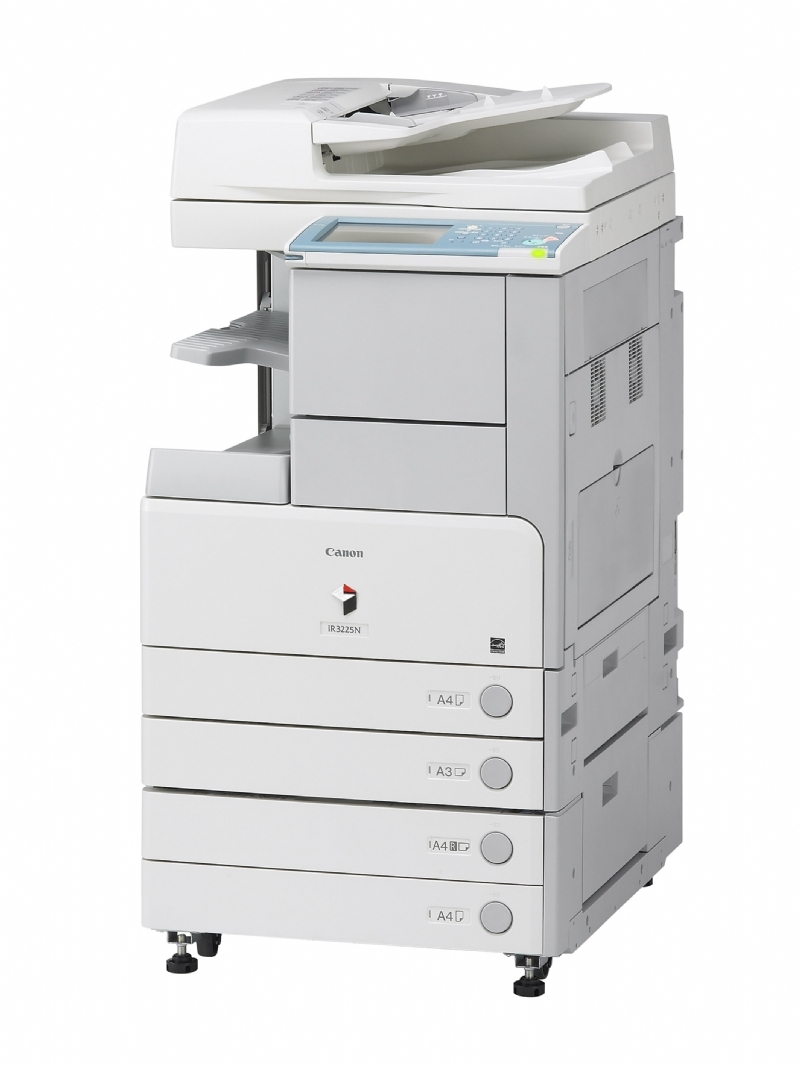
Speed plus Send: the ImageRunner 3245I pairs a 45-ppm engine with Color Universal Send as standard and 1GB of memory — the fastest scan-to-email machine in this family. Networked and duplexing as standard, it is built for heavy document flow in both directions, and its printing runs on the Canon GPR-15, rated at up to 21,000 pages.
Records departments, mailrooms and back offices scanning their way through filing cabinets are the 3245I's natural home. It ingests paper at speed, routes it to inboxes and folders in color, and still prints at the top rate of the line when hard copies are needed. Through all of that, its consumable list has exactly one entry. A single black cartridge with a 21,000-page rating means the busiest document hub in the building is also the simplest machine to keep supplied.
Toner Cartridges for ImageRunner 3245I
| Cartridge | Color | Page Yield |
|---|---|---|
| Canon GPR-15 Toner Cartridge | Black | 21,000 pages |
| Canon GPR-15 Premium Quality Toner Cartridges, 5 Pack | Black | 21,000 pages per cartridge |
| Canon GPR-15 Toner Cartridges, 5 Pack | Black | 21,000 pages per cartridge |
Which cartridge should you buy?
Document-flow hubs print in bursts — quiet scanning days, then a thousand-page hard-copy run — so stock depth matters more than unit cleverness. The standard 5 pack smooths those bursts out: a spare is always within reach, and the cost per cartridge drops compared with singles. Organizations that run the premium build site-wide can take the Premium Quality 5 pack instead; the cartridge itself and the fitting are identical. A lone single is fine for a low-print site that mostly scans, but if your 3245I prints as hard as it scans, buy in packs and reorder when the second-to-last cartridge goes in. As always with this family, there is no compatibility decision — every option here is the GPR-15.
Chip, toner and everyday use
Because so much of this machine's work is scanning, its toner can sit for long stretches between heavy print days. Keep the spare sealed until needed and store it flat, away from heat — toner keeps best in a cool, dry cabinet. When fitting day comes, rock the cartridge gently from side to side so the contents settle evenly, fit it until it clicks, and let the machine register it before launching a big job. The 21,000-page rating counts printed pages at 5% coverage only; scanned pages cost nothing, and dense print work costs more than the rating implies.
Frequently Asked Questions
What toner cartridge fits the ImageRunner 3245I?
The Canon GPR-15 black toner cartridge, rated at up to 21,000 pages. Singles and both 5 packs listed here are the same cartridge in different quantities and builds.
It sends in color — does it print in color too?
No. Color Universal Send scans and sends documents in color, but the 3245I prints in black and white only. Its one and only toner is the black GPR-15.
Our 3245I scans far more than it prints. Which pack makes sense?
Start with a single cartridge or the standard 5 pack if you want years of cover in one order. Scanning uses no toner, so even heavy scan sites change cartridges rarely — the rating is spent only on printed pages.
How do we replace the cartridge?
Front cover open, old cartridge out, new cartridge rocked gently to level the toner and pushed in until it clicks. The machine detects it automatically — no menus, no service call.
More printers that use the same cartridges
The same GPR-15 cartridge keeps all of these family machines printing: ImageRunner 3235I, ImageRunner 3245, ImageRunner 3245F, ImageRunner 3530, ImageRunner 3570, ImageRunner 4570, ImageRunner 2230, ImageRunner 2230G, ImageRunner 2270, ImageRunner 2770, ImageRunner 2830, ImageRunner 2870, ImageRunner 3025, ImageRunner 3025N, ImageRunner 3030, ImageRunner 3035, ImageRunner 3035N, ImageRunner 3045, ImageRunner 3045N, ImageRunner 3225, ImageRunner 3225F, ImageRunner 3230, ImageRunner 3235, ImageRunner 3235F