




ImageRunner 3035N
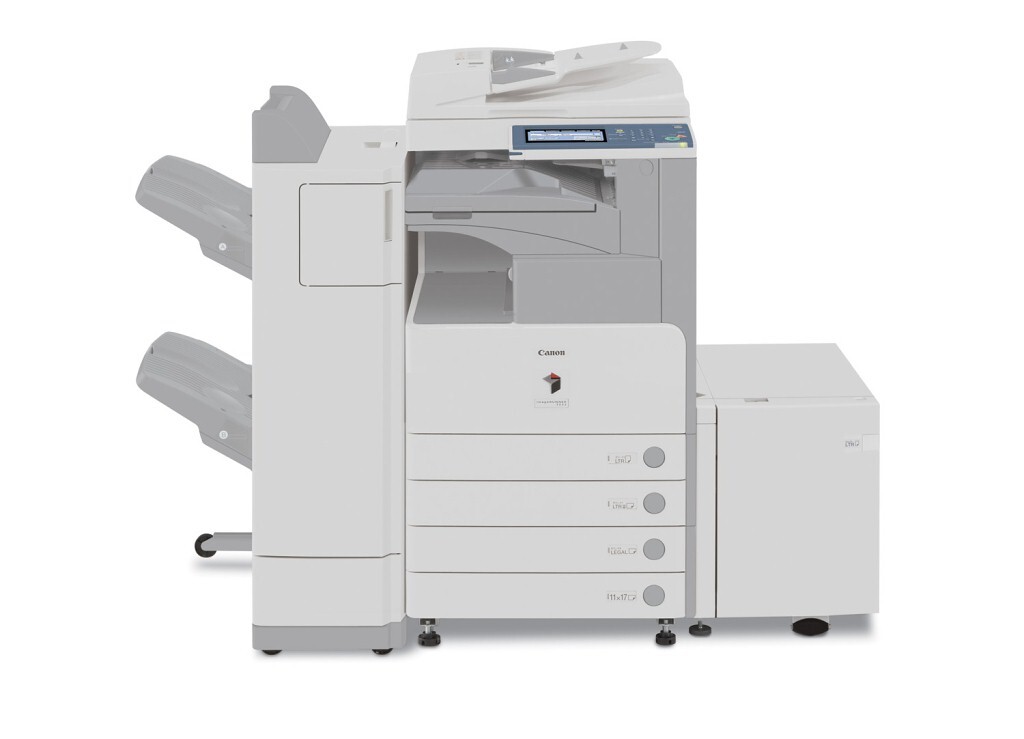
Take the Canon imageRUNNER 3035N as the 3035 with its one big factory option already ticked: this is the networked version, so network printing is built in rather than added later by kit. The rest of the formula matches — a 35-page-per-minute, copier-based black-and-white MFP with standard automatic duplexing — and it draws from the same supply, the Canon GPR-15 cartridge rated for up to 21,000 pages.
Departments standardizing on shared machines are the 3035N’s audience: it joins the print queue like any other networked device while keeping the quick walk-up copying character of the base model. Serving many users means its page counts climb steadily, which suits a cartridge designed for long intervals between changes.
Toner Cartridges for ImageRunner 3035N
| Cartridge | Color | Page Yield |
|---|---|---|
| Canon GPR-15 Toner Cartridge, Black | Black | 21,000 pages |
| Canon GPR-15 Premium Quality Toner Cartridges, Black 5 Pack | Black | 21,000 pages per cartridge |
| Canon GPR-15 Toner Cartridges, Black 5 Pack | Black | 21,000 pages per cartridge |
Which cartridge should you buy?
A networked machine’s appetite is the sum of everyone who prints to it, so plan stock by department rather than by desk. One GPR-15 covers up to 21,000 pages — enough for a single moderate department to run a long while on the single cartridge. Busier sites, and anyone whose fleet includes other models from this cartridge’s 24-model family, should hold the 5 Pack or the Premium Quality 5 Pack and treat toner as shared infrastructure. Either way, one cartridge type across many machines keeps the supply closet refreshingly simple.
Chip, toner and everyday use
Shared machines run out at shared moments — usually the worst ones — so let the page counter guide reordering instead of waiting for the empty warning. Swapping is the familiar routine: front cover open, spent cartridge out, replacement rocked gently to distribute its toner, then in until it clicks. The 21,000-page rating assumes roughly 5% coverage; a department printing dense duplex documents will cycle sooner. Store the reserve flat and sealed, and record the change somewhere the whole team can see it.
Frequently Asked Questions
What is the difference between the 3035N and the ImageRunner 3035?
Networking. The ImageRunner 3035 needs an optional print kit to join a network, while the 3035N has network printing built in from the factory. Engine speed, duplexing and toner are the same on both.
Does the 3035N take the same cartridge as the base model?
Yes — both run on the Canon GPR-15, so supplies bought for one version fit the other, and the same cartridge also covers the many sibling models listed below.
Is duplexing standard on the 3035N?
It is. Automatic two-sided printing and copying are standard equipment, which helps a networked workgroup keep paper consumption — and cost per finished document — in check.
How long should one cartridge last a department?
Up to about 21,000 pages at 5% coverage. Real departmental mileage depends on document density and volume; the machine’s counter gives the honest figure for your own planning.
More printers that use the same cartridges
Also fed by the GPR-15 cartridge: ImageRunner 3225, ImageRunner 3225F, ImageRunner 3230, ImageRunner 3235, ImageRunner 3235F, ImageRunner 3235I, ImageRunner 3245, ImageRunner 3245F, ImageRunner 3245I, ImageRunner 3530, ImageRunner 3570, ImageRunner 4570, ImageRunner 2230, ImageRunner 2230G, ImageRunner 2270, ImageRunner 2770, ImageRunner 2830, ImageRunner 2870, ImageRunner 3025, ImageRunner 3025N, ImageRunner 3030, ImageRunner 3035, ImageRunner 3045, ImageRunner 3045N.