




ImageRunner 1024I
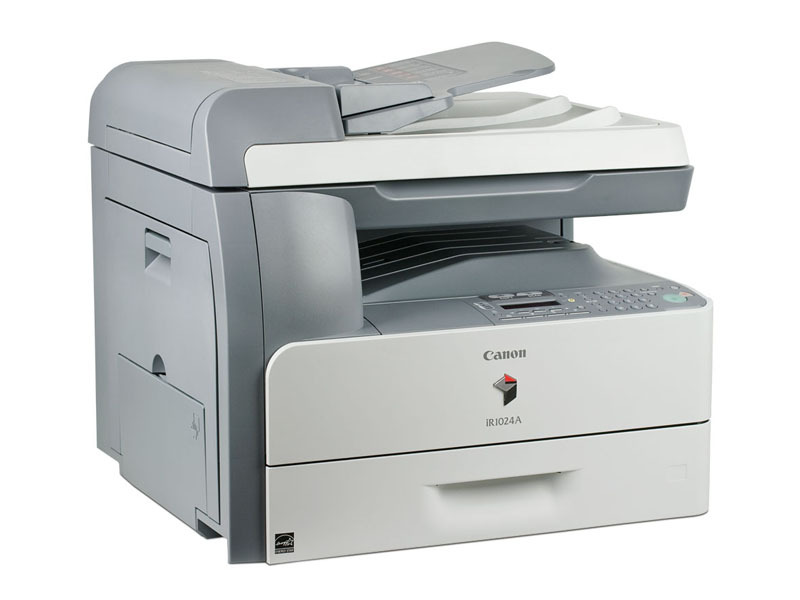
The Canon imageRUNNER 1024I is the networked member of the compact 1020-series: a 24-ppm monochrome multifunction printer with printing, copying and scanning shared over standard Ethernet, on a chassis equipped for automatic duplexing. Fax is the one function left off this configuration — that belongs to the iF variant. The 1024I runs on the GPR-22 toner cartridge, rated at 8,400 pages, and pairs it with something desktop machines hide inside the cartridge: a separate GPR-22 drum unit, replaced on its own schedule whenever print quality starts to fade.
That two-part supply system is the defining trait of this little copier-based machine. Toner and drum wear out at different rates, so Canon split them: you replace toner when the pages run out, and the drum only when the image itself degrades. For a small office sharing one device over the network, that split keeps running costs predictable and avoids throwing away a healthy drum with every empty toner. The 1024I sits in the middle of its series — networked like the bigger models, compact like the desktop ones — and it asks its owner to understand just two supplies. If faxing joins the requirements list, its sibling the ImageRunner 1024IF covers that ground on the same platform.
Toner Cartridges for ImageRunner 1024I
| Cartridge | Color | Page Yield |
|---|---|---|
| Canon GPR-22 Toner Cartridge | Black | 8,400 pages |
| Canon GPR-22 Toner Cartridges, 3 Pack | Black | 8,400 pages per cartridge |
| Canon GPR-22 Toner Cartridges, 5 Pack | Black | 8,400 pages per cartridge |
| Canon GPR-22 Premium Quality Toner Cartridges, 5 Pack | Black | 8,400 pages per cartridge |
The drum unit is a separate supply, ordered on its own cycle:
- Canon GPR-22 Drum Unit — Black — See product page for yield. Fits this machine alongside the toner above; replace it when streaks, background shading or fading persist after a fresh toner cartridge goes in.
Which cartridge should you buy?
At 8,400 pages per cartridge, the standard GPR-22 already covers a small office for a long stretch, so a single is a sensible default. The 3 pack and 5 pack options exist for offices that would rather never think about toner: a shared machine that runs dry mid-job inconveniences everyone at once, and shelf stock removes the risk. Choose the Premium Quality 5 pack if you want the deepest reserve in one order. The drum follows a different logic — do not stockpile it against a calendar. Order the GPR-22 drum unit when print quality itself starts to go: gray backgrounds, repeating marks or washed-out solids that a new toner cartridge does not cure. All of the compatibles on this page come with a one-year warranty and one-year returns.
Chip, toner and everyday use
Swapping toner is the usual routine: open the front access, slide the old cartridge out, rock the new one gently side to side to level the toner, and push it in until the machine recognizes it via its chip. The drum deserves gentler handling — avoid touching its photosensitive surface and keep it out of bright light while it is outside the machine, since light and fingerprints both shorten its life. Diagnose before you spend: light or empty pages point to toner, while streaks and shading that survive a toner change point to the drum. Keep the spare toner sealed and stored flat; yields are measured at about 5% coverage, so report-heavy offices will see cartridges finish sooner than the rating.
Frequently Asked Questions
What toner does the Canon imageRUNNER 1024I use?
The Canon GPR-22 toner cartridge, rated at 8,400 pages, together with a separate GPR-22 drum unit.
Does the 1024I have a separate drum unit?
Yes — and that is deliberate. The GPR-22 drum unit is its own supply, changed independently of the toner whenever image quality starts to fade, rather than being built into every cartridge.
Can the imageRUNNER 1024I send faxes?
No. Fax is not included on the 1024I; within this family that job belongs to the ImageRunner 1024IF.
How do I know whether to replace the toner or the drum?
Pages running light or blank mean toner. Defects in the image itself — streaks, spots, gray background — that remain after a fresh toner cartridge is installed mean the drum is due.
More printers that use the same cartridges
The whole 1020-series drinks from the same supply shelf. Every model below takes this toner and drum combination:
ImageRunner 1018, ImageRunner 1018J, ImageRunner 1019, ImageRunner 1022, ImageRunner 1022A, ImageRunner 1022F, ImageRunner 1022I, ImageRunner 1022IF, ImageRunner 1023, ImageRunner 1023IF, ImageRunner 1023N, ImageRunner 1024, ImageRunner 1024A, ImageRunner 1024F, ImageRunner 1024IF, ImageRunner 1025, ImageRunner 1025IF, ImageRunner 1025N