




What Toner Does the Brother HL-L5000D Use?
Posted by Clever Supplies on Nov 17th 2026
Quick answer: The Brother HL-L5000D uses two black toners — the standard-yield TN820 (about 3,000 pages) and the high-yield TN850 (about 8,000 pages) — seated in a separate DR820 drum unit rated at roughly 30,000 pages. That is the whole list: the super-high-yield TN880 sold for its faster siblings does not fit this printer, so the TN850 is both the biggest cartridge it takes and the one that makes economic sense.
The Printer Brother Built for the Parallel Port
Most of this family chases networks. The HL-L5000D goes the other way: its connections are USB 2.0 and a parallel interface, kept specifically so the machine can handle DOS printing and legacy applications modern printers have abandoned. Brother pairs that with a wide emulation set — PCL6, BR-Script3, IBM Proprinter, Epson FX, PDF 1.7 and XPS — so decades-old software can still drive it. There is no Ethernet and no Wi-Fi, deliberately: this is a locally attached printer for one workstation, or two, since USB and parallel let it serve a pair of computers at once.
The engine underneath is thoroughly modern — 42 pages per minute, automatic two-sided printing, a 250-sheet tray plus a 50-sheet multi-purpose tray, expandable to 1,340 sheets. A printer attached to a single desk still accumulates pages quietly, which is why the cartridge tier you choose matters more than the one it arrived with.
Changing the Cartridge
1. Leave the printer switched on and open the front cover. 2. Pull the drum-and-toner assembly straight out and set it on a flat surface. 3. Press the green lock lever and lift the spent cartridge out of the drum. 4. Rock the new cartridge gently side to side, remove its protective cover, and press it into the drum until it clicks. 5. Slide the green tab across the drum and back to clean the corona wire, returning it to its home position. 6. Refit the assembly, close the cover, and let the printer return to Ready.
If the toner warning survives a correct swap, the counter reset in our TN820, TN850 and TN880 troubleshooting guide is the next step — not repeated reseating.
What Each Page Costs
| Cartridge | Rated yield | Our compatible price | Cost per page |
|---|---|---|---|
| TN820 | ~3,000 pages | $29.07 | ~0.97¢ |
| TN850 | ~8,000 pages | $29.07 | ~0.36¢ |
| DR820 drum | ~30,000 pages | $30.04 | ~0.10¢ |
Prices checked November 2, 2026; yields are Brother's ISO/IEC 19752 figures. The table hides a small absurdity: in our compatible range the TN820 and the TN850 sit at exactly the same $29.07. The high-yield cartridge delivers roughly 5,000 extra pages for zero extra dollars and cuts cost per page by almost two-thirds. The standard cartridge's only remaining job is to be the one already sitting on your shelf. Drum cost, meanwhile, is nearly a rounding error — about a tenth of a cent per page across the DR820's 30,000-page rating (which stretches toward 50,000 pages on longer print jobs).
Toner and Drum: Bought Separately, and Why That Is Fine Here
Owners of the faster models in this family can buy a combined toner-and-drum set built around the TN880. This printer cannot use that cartridge, and we do not currently sell a compatible one-toner/one-drum set built around the TN850 — so for the HL-L5000D, toner and drum stay separate purchases, made years apart. The honest buying pattern is simple: run TN850 cartridges one at a time, and add a DR820 drum only when the printer's drum message appears, roughly every four TN850s. If your drum counter is young, a set would only park a $30 drum in a drawer; the counter-case is the whole case here, and the separate drum's per-page cost is low enough that nothing is lost by waiting.
Questions HL-L5000D Owners Ask
Can I put a TN880 in it for longer between changes? No. The TN880 is keyed for the 48 ppm tier and up — the HL-L6200DW, HL-L6200DWT, HL-L6250DW, HL-L6300DW and the 6400 flagships. This printer's ceiling is the TN850, and forcing a cartridge risks the drum cradle.
Why does my printer have a parallel port but no network socket? Because Brother aimed it at legacy and DOS-based workflows that still print through parallel connections, alongside a modern USB link. If you need the same engine on a network, the HL-L5100DN below is the sibling built for that.
Can two computers really use it at once? Yes — one over USB and one over parallel, which is how many of these ended up serving a modern workstation and an old terminal side by side.
How will I know the drum, not the toner, is due? The printer tracks the DR820 separately and displays a drum replacement message as its roughly 30,000-page rating approaches. Repeating marks or background shading that a fresh cartridge does not cure point the same way.
Is Toner Save mode worth using on a locally attached printer? For internal drafts, yes — it lightens output and stretches either cartridge. It changes nothing about which cartridge to buy: the TN850 wins at any setting.
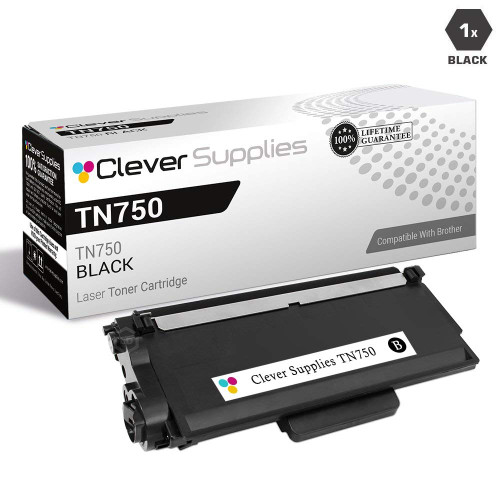 brother tn820 laser toner cartridge compatible black
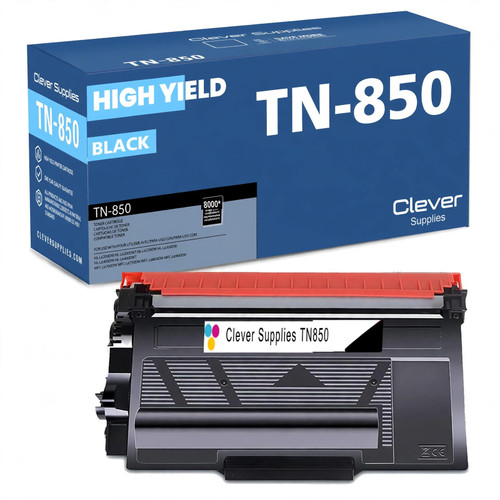 brother tn850 laser toner cartridge compatible high yield bl
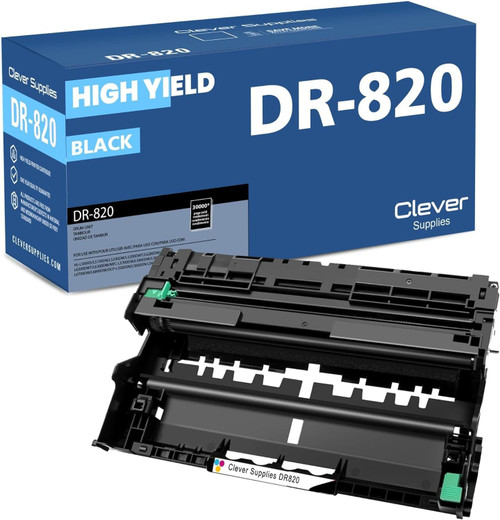 brother dr820 drum unit high yield black
Key takeaways
- The top cartridge here is rated at 8,000 pages — fewer swaps, lower cost per page.
- Lowest cost per page in this family: ~0.36¢ with the highest-yield cartridge.
- Toner and drum are separate parts on this printer — replace only the one the printer asks for.
Other Printers That Use TN850 and DR820
Nineteen relatives share this family's TN850, though they split on drums and on whether the TN880 tier opens up. The networked near-twin is the HL-L5100DN; the wireless pair is the HL-L5200DW and the dual-tray HL-L5200DWT, both TN850-capped like this one. The 48 ppm step-ups — HL-L6200DW, HL-L6200DWT, HL-L6250DW and HL-L6300DW — add the TN880, and the flagships HL-L6400DW and HL-L6400DWT (which share one store category page) go further still, to the TN890. The copy/scan DCP line — DCP-L5500DN, DCP-L5600DN and DCP-L5650DN — and the all-in-ones MFC-L5700DW, MFC-L5800DW, MFC-L5850DW, MFC-L5900DW, MFC-L6700DW, MFC-L6800DW and MFC-L6900DW round out the shelf. One caution when sharing spares across that list: the HL-L6250DW and the 6400/MFC-L6900DW flagships image through the DR890 drum, not this printer's DR820.
Ready to restock? Start from our HL-L5000D toner page, which lists every cartridge and drum that fits this printer.