




What Toner Does the Brother MFC-L9630CDN Use?
Posted by Clever Supplies on Nov 14th 2026
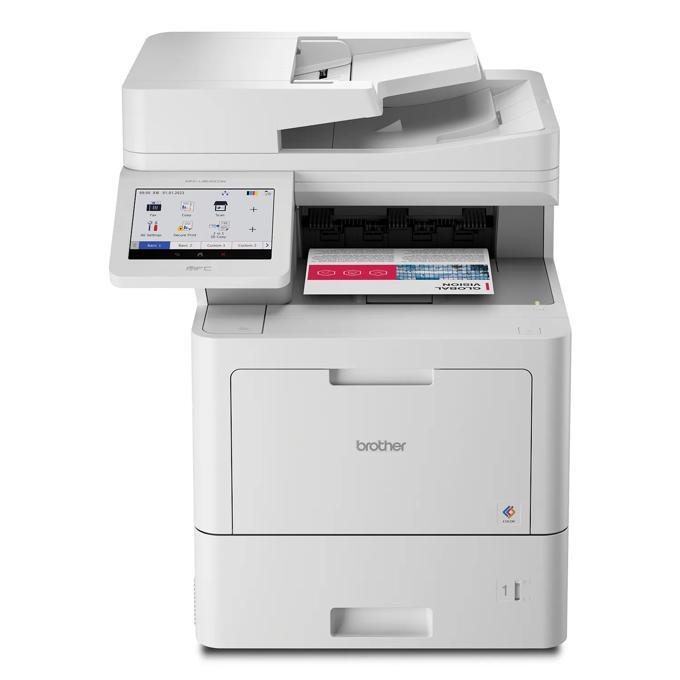
Quick Answer: The Brother MFC-L9630CDN uses the full TN810 line in black, cyan, magenta and yellow: TN810 standard yield (about 9,000 pages black / 6,500 per color), TN810XL high yield (12,000 / 9,000), and — as a Workhorse model — TN815 super high yield (15,000 / 12,000). Its drum is the DR810CL, rated at about 100,000 pages.
An All-in-One Built Around the Feeder, Not Just the Print Engine
Many all-in-ones are printers with a scanner bolted on. The MFC-L9630CDN reads the other way round. Yes, it prints and copies at up to 42 pages per minute and faxes as part of the standard function set — but the hardware Brother emphasizes is the 100-page auto document feeder scanning two-sided at up to 104 images per minute, filing to cloud services, email, SharePoint or SFTP straight from the 7-inch color touchscreen, and building searchable, editable Word, Excel and PowerPoint files as it scans. An integrated NFC card reader handles badge authentication at the same panel.
That split personality decides the supply budget. Scanning burns no toner at any volume; copying and printing burn it at the full 42 ppm rate. Departments that digitize heavily and print selectively will watch the black cartridge fall far faster than the colors, because what comes back out of this machine is mostly contracts, forms and signed packets — monochrome work wearing a color machine's uniform.
Paper handling supports either habit: a 520-sheet main tray and 100-sheet multipurpose tray as standard, rising to 2,700 sheets in the floor-standing tower tray configuration. And unlike some of its platform siblings, the box contents are the full standard set — 9,000 pages black, 6,500 per color — so the first supply decision is a genuine choice between tiers, not a starter-set refill.
Changing a Cartridge
1. With the machine on, open the front cover and draw the drum unit assembly out. 2. Find the slot whose color the 7-inch display flags; press its green lock lever. 3. Lift the empty cartridge clear, rock the replacement side to side four or five times, and strip its protective cover. 4. Press the new cartridge into the slot until the lever clicks, return the assembly, and close the cover. 5. Let the machine run its brief calibration — normal after a swap, and not a fault.
Yields and What Each Page Costs
| Cartridge | Yield | Our compatible price* | Cost per page |
|---|---|---|---|
| TN810BK (black) | ~9,000 pages | $206.51 | ≈2.3¢ |
| TN810C / M / Y (each) | ~6,500 pages | $310.53 | ≈4.8¢ |
| TN810XLBK (black) | ~12,000 pages | $50.72 | ≈0.4¢ |
| TN810XLC / M / Y (each) | ~9,000 pages | $50.72 | ≈0.6¢ |
| TN815BK (black) | ~15,000 pages | $256.15 | ≈1.7¢ |
| TN815C / M / Y (each) | ~12,000 pages | $362.72 | ≈3.0¢ |
*Prices checked on our product pages on November 2, 2026; they can change. Yields are Brother's ratings.
Brother built the TN815 to be this platform's lowest cost per page, and in genuine cartridges that is the design. Our compatible shelf currently runs the other way: the TN810XL is the cheapest cartridge to buy outright and the cheapest per page by a wide margin — about 0.4 cents in black against 1.7 cents for the TN815. So on this model the tiers sort by purpose, not by Brother's ladder. TN810XL for running cost. TN815 for one thing only: the longest possible interval between swaps, 15,000 black pages, which earns its premium when the machine lives somewhere a technician rarely visits. The standard TN810, at today's prices, is a catalogue-matching purchase rather than an economical one.
Every Cartridge, Color by Color
- Black: TN810BK · TN810XLBK · TN815BK
- Cyan: TN810C · TN810XLC · TN815C
- Magenta: TN810M · TN810XLM · TN815M
- Yellow: TN810Y · TN810XLY · TN815Y
Any tier can sit beside any other — the machine tracks each slot independently.
Sets: Read the Two Prices Before Choosing
Because this model accepts the top tier, it has two four-color sets to compare. The TN815 four-color set — the highest tier we sell for this printer — is $1,344.30, which is, to within a cent, exactly the $1,344.31 its four cartridges cost bought singly: a set in name, with no set saving attached. The working set is one tier down: our TN810XL four-color set is $154.66 against $202.88 for its four singles, about $48 kept, on top of the XL tier's already lower cost per page.
The honest counter-case applies to both. Colors rarely empty together — on a scan-and-copy-heavy machine, black typically empties two or three times before a color does — so a set bought to rescue one low slot strands the rest in a cupboard. Buy the single when one color is down; buy the XL set when the gauges say a full refresh is genuinely due.
Drum, Belt and Waste Box
Under the toner row sits the DR810CL drum unit, rated at about 100,000 pages — roughly eight TN810XL black cartridges away. Behind it, the BU800CL belt unit runs to about 150,000 pages and the WT800CL waste toner box to about 100,000. Our catalog carries no compatible versions of these three parts today, so they appear here unlinked, as planning information: each forecasts its own replacement on the display long before it can stop a job, and each is a genuine-part purchase when its turn comes.
Frequently Asked Questions
Are the cartridges in the box cut-down starters? No. This model ships with full standard-yield TN810 cartridges — 9,000 pages black and 6,500 per color — the same ratings as standard replacements.
Does scanning a large archive use up toner? None at all. The 104 ipm feeder can run all day on electricity alone. Toner is spent only when pages are printed or copied back out.
Can this machine fax, or is that a different model? It faxes as part of its standard print / copy / scan / fax function set — no separate model or add-on is involved.
Is the TN815 ever worth its price here? Only as a time purchase: 15,000 black pages between swaps for a remote or lightly staffed location. On cost per page at our current prices, the TN810XL beats it clearly.
What can the touchscreen scan to directly? Cloud services, email, SharePoint and SSH Server (SFTP), among other destinations, with searchable and editable Microsoft Office files created at the machine.
How much paper can it hold at most? 620 sheets as supplied (520-sheet tray plus 100-sheet multipurpose tray), and 2,700 sheets with the tower tray option fitted.
 brother tn810xl tn810xlbk tn810xlc tn810xly tn810xlm toner c
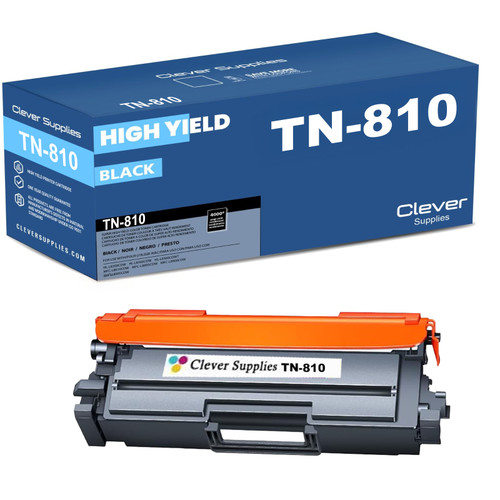 brother tn810 tn810bk toner cartridge black
 brother tn810xl tn810xlbk toner cartridge black
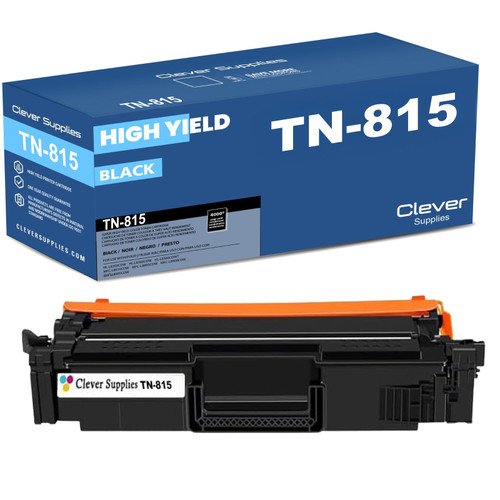 brother tn815 tn815bk toner cartridge black
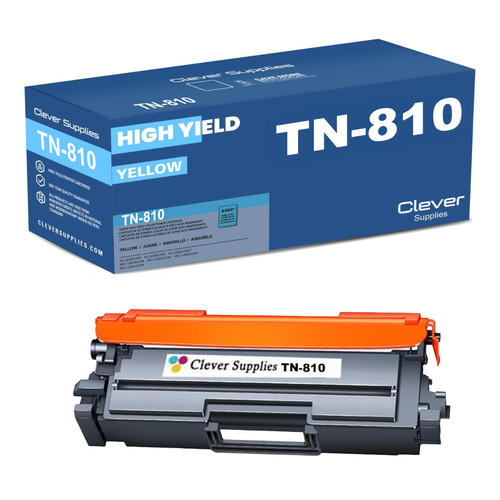 brother tn810 tn810c toner cartridge cyan
Key takeaways
- The top cartridge here is rated at 15,000 pages — fewer swaps between changes.
- Lowest cost per page in this family: ~0.4¢ with the TN810XL high-yield cartridge.
- Toner and drum are separate parts on this printer — replace only the one the printer asks for.
Other Printers That Use TN810 and TN810XL
This platform also covers the HL-L9410CDN, HL-L9430CDN, HL-L9470CDN, MFC-L9610CDN and MFC-L9670CDN. All six machines share the TN810 and TN810XL; the TN815 tier discussed above belongs to this model, the MFC-L9670CDN and the two Workhorse printers — never issue TN815 cartridges to an HL-L9410CDN or MFC-L9610CDN. And one nearby name is on a different platform altogether: the MFC-EX575 uses the TN635 family, not TN810.
For this model's own shelf, start from our MFC-L9630CDN toner page.