




What Toner Does the Brother MFC-L8930CDW Use?
Nov 8th 2026
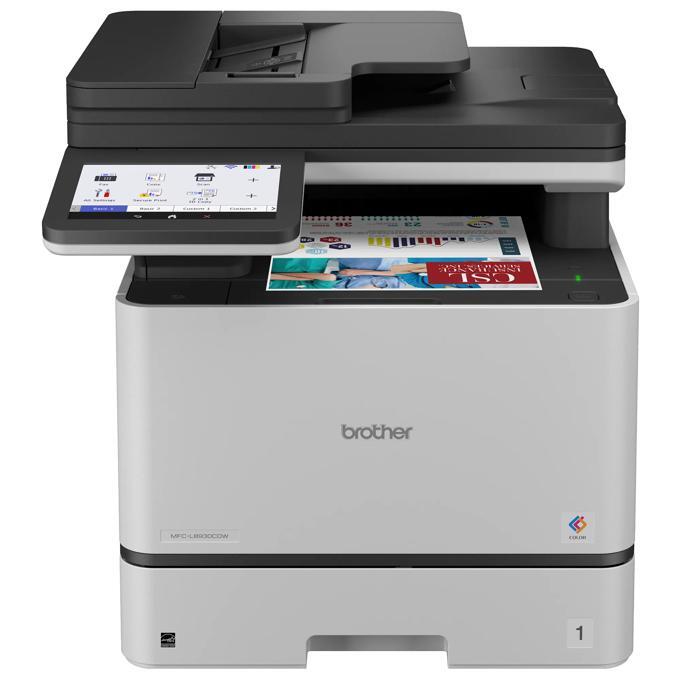
Quick Answer: The Brother MFC-L8930CDW takes TN635 toner in standard yield (about 3,000 pages black / 1,800 per color), TN635XL high yield (5,500 / 4,500) or TN635XXL super high yield (7,500 / 6,500), across black, cyan, magenta and yellow. Its drum is the DR635CL, rated at about 30,000 pages.
A Scanner With a Printer Attached
Spend time with this machine's spec sheet and a pattern shows: the print engine is the family's shared 33 ppm unit, but everything around the scanner is upgraded — an 80-page feeder that scans two-sided at up to 104 images per minute, a legal-size flatbed glass for bound and oversized originals, and a 7-inch touchscreen that holds up to 64 custom shortcuts. Brother sells it to offices digitizing paper as much as producing it.
The supply consequence is counterintuitive. A scan-first office can run this machine all day and sip toner, because scanning spends nothing. The toner budget is set purely by what comes back out as prints and copies — which is why the correct cartridge question here is not "how much do we use the machine" but "how much do we print."
Yields and Prices
| Cartridge | Yield | Our compatible price* | Cost per page |
|---|---|---|---|
| TN635BK (black) | ~3,000 pages | $50.80 | ≈1.7¢ |
| TN635C / M (each) | ~1,800 pages | $50.80 | ≈2.8¢ |
| TN635Y | ~1,800 pages | $47.34 | ≈2.6¢ |
| TN635XLBK (black) | ~5,500 pages | $53.30 | ≈1.0¢ |
| TN635XLC / M (each) | ~4,500 pages | $53.30 | ≈1.2¢ |
| TN635XLY | ~4,500 pages | $46.48 | ≈1.0¢ |
| TN635XXLBK (black) | ~7,500 pages | $76.47 | ≈1.0¢ |
| TN635XXLC / M / Y (each) | ~6,500 pages | $76.47 | ≈1.2¢ |
*Prices checked on our product pages on November 2, 2026; they can change. Yields are Brother's ratings.
Brother's own pitch for this model leads with the TN635XXL, and at our compatible prices the math cooperates: the XXL black costs the same per page as the XL (about a cent) while printing 2,000 pages longer, and the XXL colors match the XL colors per page too. The machine ships with standard-yield cartridges (3,000 black / 1,800 colors), so treat those as the runway, then standardize on XXL if your print volume is real, XL if it is modest. The standard tier, at nearly triple the black cost per page of the bigger cartridges, has little to recommend it as a repeat purchase.
Every Cartridge, Color by Color
- Black: TN635BK · TN635XLBK · TN635XXLBK
- Cyan: TN635C · TN635XLC · TN635XXLC
- Magenta: TN635M · TN635XLM · TN635XXLM
- Yellow: TN635Y · TN635XLY · TN635XXLY
Changing a Cartridge
Power on, front cover open, drum assembly out. Press the green lock lever over the depleted slot, lift the old cartridge away, rock the new one side to side a few times, remove its cover and press it in until the lever snaps back. Return the assembly and close the cover. If the 7-inch display still shows the old level afterward, reseat the cartridge — a partially latched cartridge is the usual cause, not a faulty chip.
Sets and Ordering
These cartridges are bundled, if you want them that way: a TN635XL four-color set at $158.14 saves $48.24 against the $206.38 the four XL cartridges cost bought singly, and the standard and XXL tiers have sets of their own. Nothing obliges you to use it. For this model per-color restocking fits the usage pattern anyway — scan-heavy weeks barely move the gauges, then a print-heavy project drains black suddenly — so keep one spare black in your chosen tier, order colors on their warnings, and save the four-pack for the occasional full refresh.
Drum, Belt and Waste Box
The four cartridges share one DR635CL drum unit rated about 30,000 pages. Further back, the BU635CL belt unit and the WT229CL waste toner box are each rated about 50,000 pages. We do not yet stock compatible versions of any of the three, so they are described here without links; the touchscreen counts each one down and warns in good time.
Frequently Asked Questions
Why does this model get a legal-size glass? For scanning and copying legal documents, ledger pages and bound material that cannot go through the feeder. It has no effect on printing, which handles legal paper from the trays.
Does the MFC-L8930CDW take the TN637 cartridge? No. The TN637 ultra high-yield series is limited by Brother to the HL-L8570CDW, MFC-L8970CDW and MFC-EX575. The XXL is this model's top tier.
Are the 64 shortcuts worth setting up for supplies? Indirectly, yes — shortcuts for scan-to-folder and scan-to-email keep paper moving digitally instead of being copied "for the file," which is a quiet, permanent toner saving.
How long should the in-box cartridges last? They are full standard yield: about 3,000 pages black and 1,800 per color at the standard 5% coverage measure. Dense color documents will land lower; text documents near the rating.
What does the printer use from the multipurpose tray? Envelopes, labels and letterhead, up to 50 sheets — media the main tray should not carry. Printing on them consumes toner exactly like plain paper.
 brother tn635xl tn635xlbk tn635xlc tn635xly tn635xlm toner c
 brother tn635 tn635bk toner cartridge black
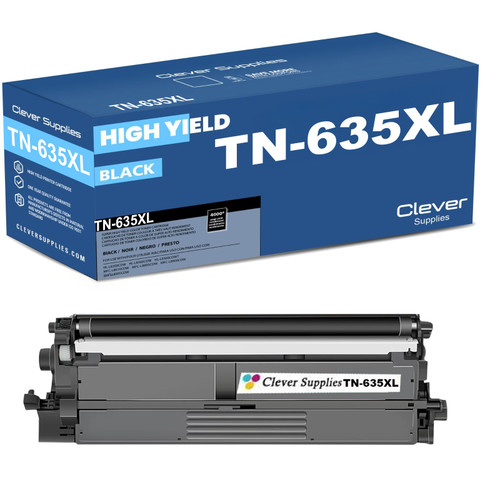 brother tn635xl tn635xlbk toner cartridge black
 brother tn635xxl tn635xxlbk toner cartridge black
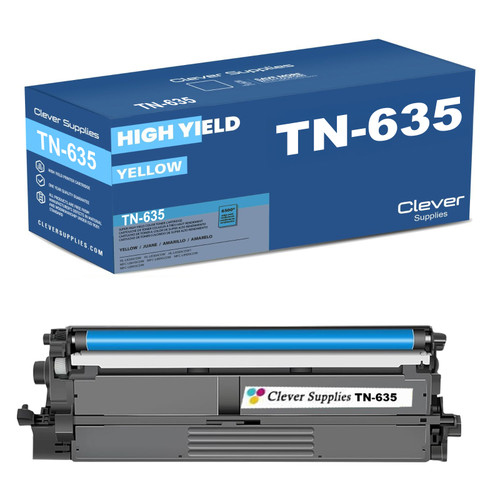 brother tn635 tn635c toner cartridge cyan
Key takeaways
- The top cartridge here is rated at 7,500 pages — fewer swaps between changes.
- Lowest cost per page in this family: ~1¢ with the TN635XL black.
- Toner and drum are separate parts on this printer — replace only the one the printer asks for.
Other Printers That Use TN635
The same three tiers serve the HL-L8430CDW, HL-L8430CDWT, HL-L8570CDW, MFC-L8730CDW, MFC-L8970CDW and MFC-EX575. Cartridges move freely among all seven models — with the family's one asymmetry kept in view: TN637 ultra high-yield cartridges work only in the HL-L8570CDW, MFC-L8970CDW and MFC-EX575.
Start from our MFC-L8930CDW toner page to see this model's shelf in one place.