Frequently Asked Questions
Why is this yellow the cheapest single cartridge in the TN635 set?
At $54.44 it undercuts the other three standard singles by a few dollars, which brings its cost to about 3.02 cents per page across its 1,800-page rating. There is no difference in what it does — yellow is simply priced a touch lower in this family, and we pass that through.
How can you tell it is the yellow running out and not another color?
Watch your greens and warm tones. When yellow fades, greens turn blue and muddy, golds and oranges lose their warmth, and photos start looking cold overall. If blues still print strongly while grass and skin tones look wrong, yellow is the cartridge to check.
Which printers use this yellow cartridge?
It is the yellow member of the TN635 family — HL-L8430CDW, HL-L8430CDWT, HL-L8570CDW, MFC-L8730CDW, MFC-L8930CDW, MFC-L8970CDW and MFC-EX575 — and it works in the yellow slot of any TN635 machine. It can be mixed freely with standard, XL or XXL cartridges in the other three slots.
Is 1,800 pages of yellow enough for a year of light color printing?
For most light color users, yes. Yellow is consumed more slowly than black in typical document mixes, so a standard cartridge often lasts well past a year at modest volumes. If you print color-heavy material weekly, the 4,500-page XL yellow is the more economical habit.
What protection do you get with this cartridge?
A 1-year warranty covers defects, and returns stay free for a full year under the terms on our shipping and returns page. If anything about the cartridge is not right, reach out Monday to Friday, 9 AM to 5 PM CST, and we will sort it out.
Should you swap the yellow alone or wait and do the whole set?
Swap it alone. The printer tracks each color independently, and changing a healthy cyan or magenta early just throws away toner you paid for. Keep the four-color set for the day several cartridges run low together.
Do color copies on the MFC models draw on this same yellow cartridge?
They do. On the MFC-L8730CDW, MFC-L8930CDW, MFC-L8970CDW and MFC-EX575, copying runs through the same four cartridges as printing, so a week of heavy color copying spends the TN635Y even if nobody sent a single print job from a computer. Offices that copy in color should expect yellow to move faster than their print counts alone suggest.
What should you check on the empty cartridge before reordering yellow?
Read the code printed on the cartridge and its box: TN635Y. The final letter is the slot — Y for yellow — and ordering a C or M by mistake is an easy error when the codes differ by one character. The same check also confirms the tier you intend to repeat, since the standard and XL yellows share the slot but hold very different amounts of toner.
How do you check the yellow level before starting a long color run?
Look at the printer's toner gauge for the yellow slot specifically, then print one page that carries greens and warm tones — a landscape photo or a chart with gold elements works. If the grass looks blue-leaning and the warm colors look cold, swap the TN635Y before the run starts rather than discovering the fade forty pages in, when the whole batch has to be reprinted.
Why does a sealed spare make more sense for yellow than for the other colors?
Because yellow gives the least warning in the output itself. Black streaks and cyan shifts announce themselves; yellow quietly distorts greens and skin tones first, and the problem is often spotted only when a finished document looks wrong. One sealed TN635Y on the shelf, stored flat in a cool, dry place, turns that discovery into a two-minute swap instead of a stalled deadline.
About This TN635 Standard Yellow Cartridge
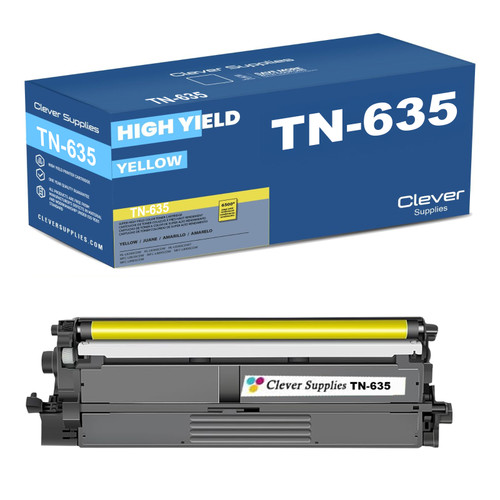
This compatible TN635Y is the standard-yield yellow for Brother's TN635 platform, rated at 1,800 pages and the lowest-priced single in the family at $54.44. It suits offices whose color printing is occasional but still needs to look right — greens, warm tones and photos all depend on it. Like the rest of the line it ships from warehouses in Illinois, Pennsylvania, Georgia and California, backed by a 1-year warranty and 1-year free returns.
Printer showing "Replace Toner" or "No Toner" after a cartridge change? Our TN635 troubleshooting guide walks through the reseat, contact-cleaning and counter-reset steps for this family.








 See Compatible Printers
 Read more about our ink!










