






 See Compatible Printers
 Read more about our ink!
Brother
Compatible Brother TN635XL (TN635XLC) Toner Cartridge Cyan
- Page Yield:
- Color: 4500
- Availability:
- In Stock
- Shipping:
- Free Shipping

Amazon Price:

- Page Yield:
- Color: 4500
- Availability:
- In Stock
- Shipping:
- Free Shipping
- Compatible Printers
- Specifications
- SKU:
- CS-Brother-TN635XL-C
- Printer Brand:
- Brother
- OEM Number:
- TN635XLC
- Ink Color:
- Cyan
- Page Yield:
- Color: 4500
- Printer Type:
- Laser Cartridge
- Condition:
- New Compatible
- Description
- Reviews



Frequently Asked Questions
Why does the XL cyan jump all the way to 4,500 pages from 1,800?
The XL tier is a much bigger fill in the same slot. The standard cyan is rated at 1,800 pages; this XL version carries 4,500 — two and a half times as much — because it is aimed at offices that print color as a routine part of the week rather than an occasional event.
What does that jump do to your cost per color page?
It transforms it. The standard cyan works out to roughly 3.25 cents per page, while this XL at $61.30 lands at about 1.36 cents per page. For anyone printing charts, reports or marketing pieces regularly, the XL tier is where color printing on this platform becomes genuinely economical. To see how the tiers of this platform stack up, see our Best Brother TN635 Toner Cartridges guide: the TN635XL and TN635XXL offers are compared side by side, tier against tier — including the per-page arithmetic that makes XL the value tier of the two.
Which printers does the XL cyan fit?
All of the TN635 color platform — HL-L8430CDW, HL-L8430CDWT, HL-L8570CDW, MFC-L8730CDW, MFC-L8930CDW, MFC-L8970CDW and MFC-EX575 — accepts XL cartridges in every slot. You do not need a special model or a firmware setting; the XL is simply the high-yield member of the same family.
Can you run this XL cyan alongside standard cartridges in the other slots?
Yes, tiers mix freely. Each slot is independent, so an XL cyan can sit next to a standard black, magenta and yellow without any issue. Most owners upgrade one color at a time as the standard cartridges run out, rather than converting everything at once.
What cover do you get on a cartridge that lasts this long?
A 1-year warranty and a year of free returns, as described on our shipping and returns page. If the cartridge develops a fault at any point in that first year, contact support Monday to Friday, 9 AM to 5 PM CST, and we will replace or refund it.
Is this the cyan used in the XL four-cartridge set?
It is the same XL cyan specification — 4,500 pages — that the XL set bundles with its black, magenta and yellow. The standard-yield set uses the smaller cartridges, so check which tier you are topping up before ordering.
If cyan prints weak straight after a cartridge change, what is the first check?
Seating. Remove the TN635XLC and reinstall it firmly so its contacts meet the printer's contacts properly — a cartridge that is a fraction out of place can report and print poorly. Print a page with strong blue content afterward. If the weakness survives a careful reseat, the cartridge itself becomes the suspect, and that is the point at which the warranty conversation starts.
How does a dated reference page help you manage cyan over the cartridge's life?
On installation day, print one page carrying your standard chart or brand blue and write the date on it. Months later, print the identical page and compare the two. Cyan drift is gradual and easy to miss day to day, but against a dated baseline it shows immediately — and it shows before the drift reaches a client report or a presentation, which is when it would actually cost you.
Do color copies spend this cyan on the MFC models?
They do. The MFC-L8730CDW, MFC-L8930CDW, MFC-L8970CDW and MFC-EX575 copy through the same cartridges they print with, so the TN635XLC is drawn down by every color copy as well as every printed page. An office that scans and copies reports all day should expect the cyan interval to run shorter than a print-only estimate suggests, and plan its spare accordingly.
Is it worth keeping a sealed spare XL cyan on the shelf?
For offices whose color work is client-facing, yes. Cyan sits inside charts, links, logos and presentation templates, so a low cyan is the shortage most likely to be noticed by a reader. A spare TN635XLC stored sealed, flat, and away from heat and sunlight waits indefinitely — toner does not dry out — and converts a stalled morning into a two-minute swap when the warning appears.
About This TN635XL Cyan Cartridge
This compatible TN635XL cyan delivers the platform's big color upgrade: 4,500 rated pages at about 1.36 cents per page, against 1,800 pages at roughly 3.25 cents for the standard version. It is built for offices whose color output is steady — analytics, client reports, branded documents — and it drops into the same cyan slot as the standard cartridge. It ships from our IL, PA, GA and CA warehouses and is backed by a 1-year warranty with 1-year free returns.
Printer showing "Replace Toner" or "No Toner" after a cartridge change? Our TN635 troubleshooting guide walks through the reseat, contact-cleaning and counter-reset steps for this family.
Related Items


Brother
Compatible Brother TN635XL (TN635XLBK, TN635XLC, TN635XLY, TN635XLM) Toner Cartridge 4 Color Set



Brother
Compatible Brother TN635XL (TN635XLBK, TN635XLC, TN635XLY, TN635XLM) Toner Cartridge 5 Color Set


Brother
Compatible Brother TN635XL (TN635XLBK) Toner Cartridge Black

Brother
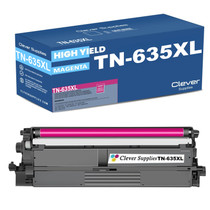
Compatible Brother TN635XL (TN635XLM) Toner Cartridge Magenta