Frequently Asked Questions
Why is cyan rated for fewer pages than the black on this platform?
The standard TN635 colors are rated at 1,800 pages each, while the black is rated at 3,000. That gap is normal for this family: the color cartridges are physically smaller fills aimed at occasional color work, while black carries the everyday document load. At $58.42, the cyan comes to about 3.25 cents per page at its rated yield.
What usually tells you the cyan is the one running low?
Blues and greens are the first things to suffer. Charts start looking washed out, sky and water tones go gray, and printed logos lose the blue your screen shows. If black text still prints crisply while color graphics fade, the cyan is the prime suspect.
Which printers take this cyan cartridge?
It fits the TN635 color platform — HL-L8430CDW, HL-L8430CDWT, HL-L8570CDW, MFC-L8730CDW, MFC-L8930CDW, MFC-L8970CDW and MFC-EX575 — and works alongside the TN635 black and the other two colors. Any machine that lists TN635 supplies on its label or in its menu can use it, in any tier mix.
Would jumping straight to the XL cyan be smarter?
If you print color regularly, often yes. The XL cyan is rated at 4,500 pages — two and a half times this cartridge — for only a slightly higher price, which pulls the per-page cost down sharply. If color is a once-in-a-while thing for you, this standard cyan keeps less money sitting in the printer.
If this cyan arrives with a problem, what can you do?
Contact us and we will make it right under the cartridge's 1-year warranty; returns are free for a full year as well, per the policy on our shipping and returns page. Support hours are Monday to Friday, 9 AM to 5 PM CST.
Can you replace just the cyan and leave the other colors in place?
Absolutely. Each color sits in its own slot and is tracked separately, so a low cyan never forces you to change magenta or yellow early. Many owners keep the full four-cartridge set in reserve and swap singles like this one as each color actually runs out.
A freshly fitted cyan prints oddly — what should we try before blaming the cartridge?
Reseat it first. On this family, output trouble right after a swap is more often a seating or contact issue than a faulty cartridge: our TN635 troubleshooting guide walks through the reseat, contact-cleaning and counter-reset steps for exactly this situation. Work through those before concluding the TN635C is at fault — a cartridge taken out, reseated and recognized properly very often prints the same page perfectly on the second attempt.
How can we spot cyan drift before a client document exposes it?
Keep a reference. When this TN635C is fresh, print one page you know well — a chart or letterhead with familiar blues and greens — date it, and file it. Every few months, print the identical page and compare. Cyan fades gradually enough that day-to-day output looks normal, but against a dated reference the drift is unmistakable, and you catch it on a quiet Tuesday instead of on the morning a proposal is due.
Do color copies on our MFC spend this cyan the same way prints do?
Yes. A color copy is printed from the scanner's image, and it draws cyan from this cartridge exactly as a printed page does — copies simply never show up in your print queue, which is why they are easy to forget. An MFC that spends its day copying brochures and handouts can move through a TN635C noticeably faster than its page counts suggest. If cyan empties early, count the copying before questioning the cartridge.
Why keep a sealed cyan in reserve when it fades so quietly?
Precisely because it fades quietly. Cyan rarely announces itself the way black does; the first real symptom is a document whose colors have already gone wrong. A sealed TN635C on the shelf turns that discovery into a two-minute swap instead of a wait on shipping. Toner is a dry powder and keeps happily sealed in a cool, dry place, so the reserve costs nothing in quality while it waits for the day it saves.
About This TN635 Standard Cyan Cartridge
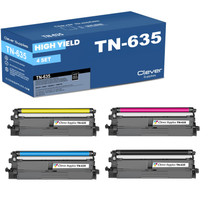
This compatible TN635C is the standard-yield cyan for the TN635 family, rated at 1,800 pages and about 3.25 cents per page. It is built for offices that print color selectively — the odd chart, logo or highlighted report — rather than color all day. When color volume grows, the same slot accepts the 4,500-page XL cyan with no changes. It ships from warehouses in IL, PA, GA and CA and carries a 1-year warranty with 1-year free returns.
Printer showing "Replace Toner" or "No Toner" after a cartridge change? Our TN635 troubleshooting guide walks through the reseat, contact-cleaning and counter-reset steps for this family.







 See Compatible Printers
 Read more about our ink!