




WorkCentre M20
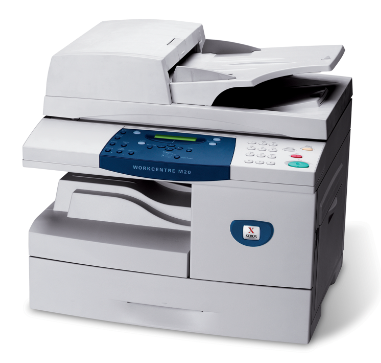
Compact but capable, the Xerox WorkCentre M20 folds printing, copying, scanning and faxing into a small-office footprint. Toner and imaging are separate supplies on this machine, and the listings on this page are the imaging side: the 113R00671 drum unit, rated for roughly 20,000 pages and renewed on its own cycle, apart from toner changes.
That split surprises owners who expect one cartridge to do everything. On the M20 the toner supply holds the toner itself, while the drum is the part that forms the image on the page — so a machine can need a drum while its toner is still half full, and the two replacements almost never fall due together. Planning for the drum separately keeps a small office from misdiagnosing worn-drum streaks as a toner problem.
Drum Units for Xerox WorkCentre M20
| Cartridge | Color | Page Yield |
|---|---|---|
| 113R00671 | Black | Approx. 20,000 pages |
| 113R00671 2 Pack | Black | Approx. 20,000 pages |
| 113R00671 3 Pack | Black | Approx. 20,000 pages |
| 113R00671 5 Pack | Black | Approx. 20,000 pages |
| 113R00671 10 Pack | Black | Approx. 20,000 pages |
Which pack should you buy?
A drum on this machine lasts roughly 20,000 pages, so for a single M20 in a small office the single drum is the natural buy — it will likely serve for years of ordinary use, and there is little benefit in warehousing a part that ages on the shelf. The 2 pack suits an office that would rather never think about the drum again. The larger listings — 3, 5 and 10 packs — are aimed at whoever maintains several machines from this drum family at once, spreading one order across a whole fleet. Every compatible drum here is covered by a 1-year warranty and 1-year returns.
Handling and everyday care
A drum's surface is light-sensitive and easily marked, so handle the new unit by its edges and keep it in its bag until the moment it goes in. Never touch the shiny imaging surface, and do not leave the old or new unit sitting in bright light while the machine is open. Learn the failure signs, too: light printing with a fresh toner cartridge, or the same mark repeating down every page, usually points at the drum rather than the toner. Fitting is a straight swap — open the machine, exchange the units, close up — and the M20 then carries on with its own toner schedule untouched.
Frequently Asked Questions
Is the drum the same thing as the toner cartridge in the M20?
No — they are two separate supplies. The toner cartridge holds the toner; the 113R00671 drum forms the image. This page sells the drum, and the two parts are replaced independently, on different cycles.
How long does a 113R00671 drum last?
Roughly 20,000 pages. Heavy coverage shortens that, light office use stretches it, and output quality — streaks or repeating marks on the page — is the practical sign that the end is near.
Why does this page list only drum units?
Because the drum is the supply this category covers for the M20. The five listings are the same 113R00671 unit in quantities from a single drum up to a 10 pack.
Can a worn drum make prints from a new toner cartridge look bad?
It can. A tired drum lays down uneven or marked images no matter how fresh the toner is, so if print quality stays poor right after a toner change, the drum is the next thing to check.