




WorkCentre 5330p
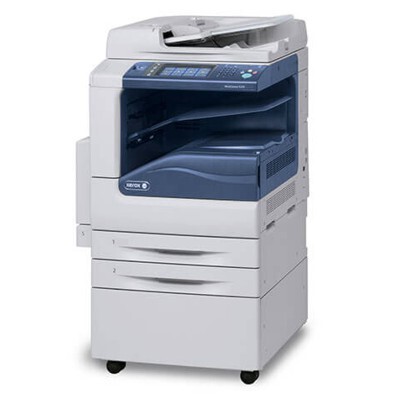
The Xerox WorkCentre 5330p is a monochrome multifunction printer that keeps departmental printing costs in check with a high-yield supply: the Xerox 006R01159 toner cartridge, rated for roughly 30,000 pages. When one cartridge lasts that long, toner stops being a recurring chore and becomes an occasional event — and this page stocks the cartridge in single and multipack form.
A roughly 30,000-page cycle changes a department's relationship with its printer. Replacements are few and far between, orders are rare, and the cost conversation shifts from what a cartridge costs to what each page costs. The 5330p stays productive for months on a single cartridge — which also means that when the low-toner warning finally comes, it tends to surprise people who had forgotten the machine ever needed toner at all.
Toner Cartridges for WorkCentre 5330p
The high-yield 006R01159, in the quantities stocked for the 5330p:
| Cartridge | Color | Page Yield |
|---|---|---|
| 006R01159 — single cartridge | Black | Approx. 30,000 pages |
| 006R01159 — 3 pack | Black | Approx. 30,000 pages each |
| 006R01159 — premium quality 5 pack | Black | Approx. 30,000 pages each |
| 006R01159 — WorkCentre 5330P listing, single | Black | Approx. 30,000 pages |
| 006R01159 — WorkCentre 5330P listing, 5 pack | Black | Approx. 30,000 pages each |
Which cartridge should you buy?
With roughly 30,000 pages in a cartridge, even a single is a long-term supply for most departments — buy it when the machine warns and you are set for an extended run. The 3 pack and premium quality 5 pack make sense for offices running several machines from this family on the same code, or for buyers who prefer one larger order to several small ones. The listings under this model's name present the same high-yield cartridge with the model spelled out. However you buy, remember the rating assumes about 5% coverage; the compatibles here carry a 1-year warranty and 1-year returns.
Chip, toner and everyday use
A cartridge rated near 30,000 pages spends a long time in the machine, so storage discipline flips: it is the spares that wait, sometimes for many months. Keep them sealed, cool and out of sunlight so the toner is fresh when its turn finally comes. Fit the new cartridge by opening the front cover, rocking it gently to distribute the toner, and sliding it in until it clicks. When a cartridge this long-lived finally fades, one gentle rock can pull a last run of even pages from it while the replacement is on its way.
Frequently Asked Questions
How many pages does the 006R01159 print in the 5330p?
Approximately 30,000 pages at 5% coverage — one of the longest-lasting cartridges in the WorkCentre lineup, so replacements are few and far between. Denser-than-average pages will bring the real total in below that figure.
What toner does the Xerox WorkCentre 5330p use?
The Xerox 006R01159 toner cartridge, OEM number 006R01159. The high-yield rating is a property of this cartridge in this machine family, and every option on this page is built around that same code.
Is it the same cartridge the 5330 and 5325 take?
Yes. The WorkCentre 5330 and the WorkCentre 5325 run on the same 006R01159, so one cartridge type supplies the whole family.
How do I install it?
Open the front cover, remove the old cartridge, unpack the new one and rock it gently to distribute the toner, then slide it into place until it clicks and close the cover.
More printers that use the same cartridges
The same high-yield cartridge is shared across the family: WorkCentre 5325, WorkCentre 5325p, WorkCentre 5325ph, WorkCentre 5330, WorkCentre 5330ph, WorkCentre 5335, WorkCentre 5335p, WorkCentre 5335ph.