




WorkCentre 5325ph
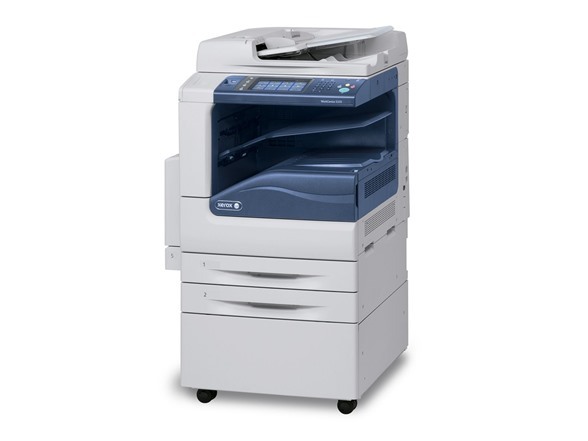
Workgroup print, copy, scan and fax workloads are the Xerox WorkCentre 5325ph's home ground. This monochrome laser multifunction uses Xerox 006R01159 toner cartridges, and the options below are the compatible configurations stocked for it.
Workgroup printing is spiky: quiet weeks, then a project lands and the machine runs all day. That rhythm makes the 5325ph's toner easy to forget precisely until the moment it matters. The groups that cope best appoint an unofficial toner keeper — the one person who knows where the spare lives and reorders the day it goes into the machine.
Toner Cartridges for WorkCentre 5325ph
One cartridge code covers every row:
| Cartridge | Color | Page Yield |
|---|---|---|
| 006R01159 — single cartridge | Black | Listed on the product page |
| 006R01159 — 3 pack | Black | Listed on the product page |
| 006R01159 — premium quality 5 pack | Black | Listed on the product page |
| 006R01159 — WorkCentre 5325PH listing, single | Black | Listed on the product page |
| 006R01159 — WorkCentre 5325PH listing, 5 pack | Black | Listed on the product page |
Which cartridge should you buy?
Buy by how the group actually uses the machine. If the 5325ph backs up a larger device, a single cartridge at a time is honestly enough. If it is the group's daily driver, the 3 pack matches the spiky rhythm — a cartridge in reserve absorbs the project weeks without drama. The premium quality 5 pack is for the busiest groups, the ones that would rather stock deep than reorder often. The listings under this machine's name are the same supply presented by model. Compatibles here come with a 1-year warranty and 1-year returns.
Chip, toner and everyday use
Unseal a new cartridge only when the old one is truly spent: open the front cover, remove the spent 006R01159, slide the new one in until it clicks and close the cover. If the first prints show pale streaks, the toner has most likely settled in the box — take the cartridge out, rock it gently from side to side, and refit it. Yield ratings assume roughly 5% coverage, and project work with heavy graphics will use a cartridge noticeably faster than routine correspondence does.
Frequently Asked Questions
Which toner fits the WorkCentre 5325ph?
The Xerox 006R01159 toner cartridge. The OEM part number is 006R01159, so check for that code whenever you buy and the fit is guaranteed by the number.
How many pages will I get from a cartridge?
Page yield varies by cartridge version, so check the individual product listing for the rated yield of the option you are considering. Your real total will also move with how dense your group's pages are.
Is the 5325ph's cartridge interchangeable with the 5330's?
Yes. The WorkCentre 5330 takes the same 006R01159, so a spare bought for either machine will serve the other.
What are the install steps?
Open the front cover, remove the old cartridge, unseal the new one, slide it in until it clicks, then close the cover and print a test page to confirm the output is clean.
More printers that use the same cartridges
One code covers this whole departmental line, these models included: WorkCentre 5325, WorkCentre 5325p, WorkCentre 5330, WorkCentre 5330p, WorkCentre 5330ph, WorkCentre 5335, WorkCentre 5335p, WorkCentre 5335ph.