Frequently Asked Questions
Let me start with the price — what does this single cartridge cost, all in?
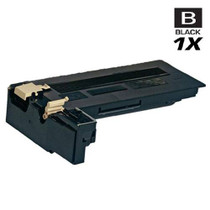
$87.83 for one black 006R01159 cartridge, rated at up to 30,000 pages for your WorkCentre 5330P. On toner alone that is about 0.29 cents per page.
Why does the listing lead with the model instead of the number?
Because most people search by the badge on their machine. Both routes land in the same place: the 5330P takes the 006R01159, and that is the cartridge in this box. Check the supply screen if you want certainty — it will name 006R01159.
How many months should I expect from it?
At 2,500 pages a month, around a year; at 5,000 a month, around six months. Dense, toner-heavy pages shorten the run, light text pages stretch it — the 30,000 figure is the standard-coverage rating.
Which other models can use this same cartridge?
The WorkCentre 5325 and the WorkCentre 5330 — one shared 006R01159 supply across the group, which makes this single a valid spare for any of them.
Where will my order ship from?
From the closest of our warehouses in IL, PA, GA and CA. Support is reachable Monday to Friday, 9 AM to 5 PM CST if you need anything along the way.
And if the cartridge is not right for us?
It carries a one-year warranty and one-year free returns, detailed on our shipping and returns page. The wider range for other machines is on our Xerox toner page.
What does a clean cartridge swap on the 5330P actually involve?
Less than most people expect. Open the machine, lift the spent cartridge out by its handle, and set it aside. Rock the new 006R01159 gently side to side to level the toner, pull its sealing strip free, and slide it in until it seats firmly. Close up and print. The whole exchange takes a couple of minutes, and the two steps that matter most are the gentle rock before install and the firm seat afterward — most bad-new-cartridge stories trace back to one of those.
How should I judge the first page that comes off a new cartridge?
Use a page you already know — yesterday's letter or a regular form — rather than the machine's test page. You have an instinct for how that document should look: even solids, crisp dark text, no pale band down one side. A fresh 006R01159 may need a page or two to distribute toner evenly, so judge it on the third or fourth sheet. If a pale band persists past that, lift the cartridge out and reseat it before anything else.
The 5330P sometimes sits unused for two or three weeks. Does anything need doing when it wakes up?
Very little. Toner inside an installed cartridge can settle during a long idle spell, so the first prints after a quiet period may look slightly uneven. Run a handful of ordinary pages and the output normally evens out as the cartridge's internal mechanism redistributes the toner. There is no need to remove a healthy 006R01159 just because the machine rested — judge it by what it prints after a few warm-up pages, not by the first sheet.
How do we make sure anyone in the office orders the right cartridge next time?
Write the supply number where the machine is. A small card taped inside the supply cabinet — or on the machine itself — reading 'WorkCentre 5330P toner: 006R01159' removes the guesswork for whoever happens to be standing there when the warning appears. People order wrong cartridges when they reconstruct the number from memory weeks later; a ten-second note made once, while the correct cartridge is in hand, prevents that permanently.
About This WorkCentre 5330P Cartridge
A single black 006R01159 for the WorkCentre 5330P — the page for buyers who found their machine first and the part number second. Up to 30,000 pages at $87.83, interchangeable with the cartridges listed for the 5325 and 5330. Simple, exact, and covered for a year on both warranty and returns.







 See Compatible Printers
 Read more about our ink!