




WorkCentre 4260XF
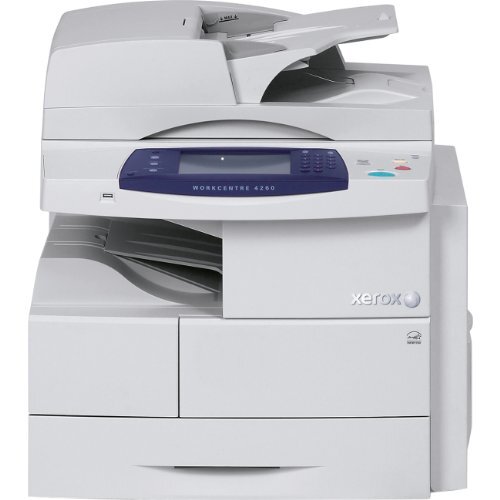
Some machines specialize; the WorkCentre 4260XF just gets on with everything — a monochrome multifunction laser printer built for steady, high-volume output across printing, copying, scanning and faxing. One cartridge does it all: the 106R01409 black toner cartridge. The singles and multi-packs below are the whole supply story for this model.
The XF's contribution to an office is as much administrative as mechanical. Because it shares its cartridge with its 4250 and 4260 siblings — including the WorkCentre 4260X and the WorkCentre 4250XF — supply management collapses into a single bin in the supply room, and whoever orders toner orders one code for several machines.
Toner Cartridges for WorkCentre 4260XF
| Cartridge | Color | Page Yield |
|---|---|---|
| 106R01409 — standard single cartridge | Black | See product page |
| 106R01409 — WorkCentre 4260XF single cartridge | Black | See product page |
| 106R01409 — 3 Pack | Black | See product page |
| 106R01409 — 5 Pack | Black | See product page |
| 106R01409 — Premium Quality 5 Pack | Black | See product page |
| 106R01409 — WorkCentre 4260XF 5 Pack | Black | See product page |
Which cartridge should you buy?
An all-rounder's workload is hard to predict — quiet weeks, then a fax-and-copy storm — so stock for the storm. Keep a single 106R01409 as the standing spare and a multi-pack in reserve: the 3 Pack for ordinary departments, the 5 Pack or Premium Quality 5 Pack where the machine anchors a busy floor. Rated yields sit on each product listing, so check the figure there when you compare. The reorder trigger that never fails: the day the standing spare goes into the machine, its replacement goes on order.
Chip, toner and everyday use
Everything the 4260XF outputs — a printed report, a copy, an incoming fax — draws on the same cartridge, so a heavy fax day can be the thing that empties it; a quick glance at the toner gauge after such days is a useful habit. Fitting the replacement is the usual front-cover routine, and the machine recognizes the new cartridge through its chip once it clicks into place. Store the reserve sealed and flat, away from heat. When pages lighten but the gauge insists there is toner left, believe both: the toner has settled, and a gentle side-to-side rock levels it again.
Frequently Asked Questions
What toner cartridge does the WorkCentre 4260XF use?
The Xerox 106R01409 toner cartridge — the OEM part number is the same code. Every listing on this page is that cartridge in a different pack size.
Does faxing use the same toner as printing?
Yes. A received fax is printed by the same engine and the same 106R01409 cartridge as any other page, so heavy fax traffic counts toward cartridge life just like print jobs.
How many pages will a cartridge print?
Yield varies by cartridge; each product listing states the rated yield for that cartridge. Check the listing of the pack you are buying for its number.
How do I install a cartridge in the 4260XF?
Open the front cover, remove the old cartridge, unbox the new one and rock it gently to distribute the toner, then slide it in until it clicks and close the cover.
More printers that use the same cartridges
These WorkCentre models run on the same 106R01409 cartridge: WorkCentre 4250, WorkCentre 4250CM, WorkCentre 4250S, WorkCentre 4250SM, WorkCentre 4250X, WorkCentre 4250XF, WorkCentre 4250XFM, WorkCentre 4250XM, WorkCentre 4250c, WorkCentre 4260, WorkCentre 4260 mfp, WorkCentre 4260S, WorkCentre 4260SM, WorkCentre 4260X, WorkCentre 4260XM.