




WorkCentre 4250XF
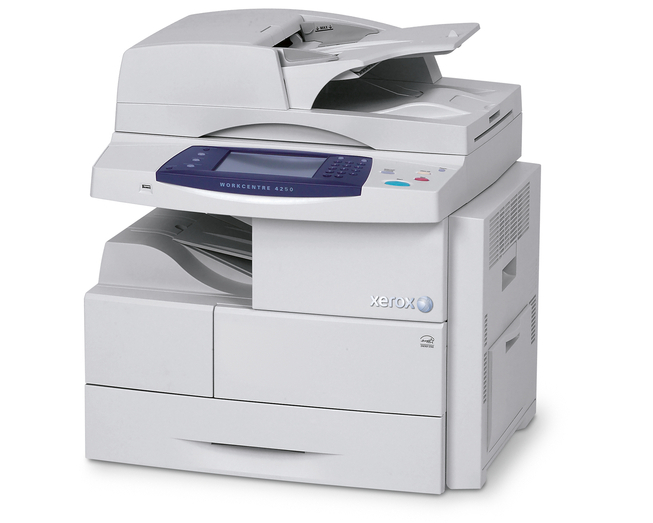
A department that prints all day needs a machine that treats toner as a routine, not an event. The WorkCentre 4250XF is a high-volume monochrome multifunction printer — it prints, copies, scans and faxes — and every one of those jobs draws on the same black cartridge, the 106R01409. There is no second supply to track: when output starts to fade, this is the cartridge you change. Below are the compatible listings sold for the 4250XF, from a single cartridge to five-packs for the supply shelf.
Shared machines live or die by how rarely they stop. The 4250XF usually serves a whole department, so a toner warning lands on whoever happens to be standing nearest, and a spare on the shelf matters more than it would at a personal desk. The same cartridge also runs in the WorkCentre 4260 and the WorkCentre 4250S, which lets a mixed fleet draw from one bin instead of three.
Toner Cartridges for WorkCentre 4250XF
| Cartridge | Color | Page Yield |
|---|---|---|
| 106R01409 — standard single cartridge | Black | See product page |
| 106R01409 — WorkCentre 4250XF single cartridge | Black | See product page |
| 106R01409 — 3 Pack | Black | See product page |
| 106R01409 — 5 Pack | Black | See product page |
| 106R01409 — Premium Quality 5 Pack | Black | See product page |
| 106R01409 — WorkCentre 4250XF 5 Pack | Black | See product page |
Which cartridge should you buy?
With a single cartridge code to buy, the only real decision is pack size. A lone 106R01409 cartridge is the stopgap — fine when the machine idles between projects, risky when a department leans on it daily. The 3 Pack suits a steady month of departmental work, while the 5 Pack and the Premium Quality 5 Pack keep a genuine reserve in the cabinet, so the person who fits the last cartridge is never the person who has to order more. Each listing states its rated yield on its product page, so compare there if page counts drive your ordering. Whatever size you choose, keep at least one sealed spare: on a shared machine, an empty cartridge stops everyone's queue, not just yours.
Chip, toner and everyday use
The 4250XF reads the chip on a new cartridge as soon as it seats, and seating is the whole job: slide the cartridge in until it clicks, close the front cover, and the machine is ready. If the panel does not register the new cartridge, pull it out and reseat it firmly rather than forcing anything else. Before fitting a cartridge that has been sitting open, rock it gently from side to side so the toner inside is evenly spread. Spares keep best sealed, stored flat and away from heat and direct light. Near the end of a cartridge's life, pages may fade; a gentle shake redistributes what toner is left and buys time for a few more jobs while the replacement is on its way.
Frequently Asked Questions
What toner cartridge does the WorkCentre 4250XF use?
Only one: the 106R01409 black toner cartridge. Printing, copying and fax output all come from that single supply, and every listing on this page is a version of it in a different pack size.
Does this page sell a separate drum for the 4250XF?
No. Everything sold here is a 106R01409 toner cartridge. No drum or maintenance items are listed on this page, so if the machine calls for a different part, it is not one of these listings.
Our office also runs a WorkCentre 4260. Can we stock one cartridge for both?
Yes. The 4260 takes the same 106R01409 cartridge, so one shelf stock covers both machines — along with the other WorkCentre models listed below, which all share this cartridge.
How do I swap the cartridge in the 4250XF?
Leave the machine on, open the front cover, pull the spent cartridge out, slide the new one in until it clicks, and close the cover. Print a page or two afterward to confirm the output is clean before the next big job arrives.
More printers that use the same cartridges
The 106R01409 also runs in these WorkCentre models, so one shelf stock can cover a mixed fleet: WorkCentre 4250, WorkCentre 4250CM, WorkCentre 4250S, WorkCentre 4250SM, WorkCentre 4250X, WorkCentre 4250XFM, WorkCentre 4250XM, WorkCentre 4250c, WorkCentre 4260, WorkCentre 4260 mfp, WorkCentre 4260S, WorkCentre 4260SM, WorkCentre 4260X, WorkCentre 4260XF, WorkCentre 4260XM.