




WorkCentre 4250XFM
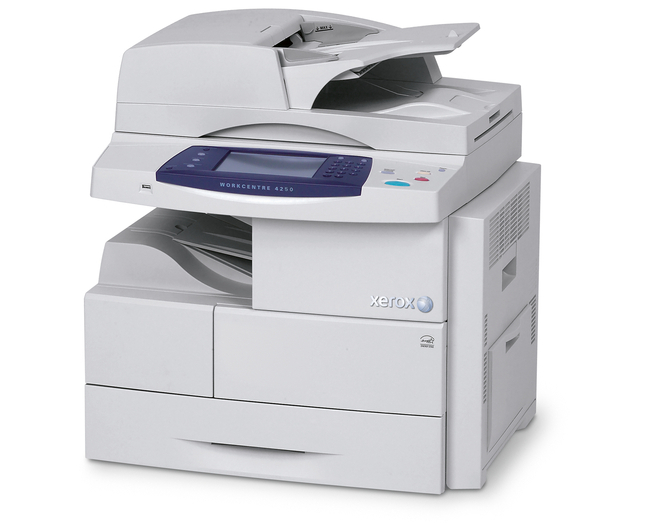
The WorkCentre 4250XFM carries the WorkCentre 4250 name in one specific configuration: a dependable monochrome laser multifunction that prints, copies, scans and faxes from a single shared unit. It was designed around one cartridge, the 106R01409, rated for about 25,000 pages — and that long rating shapes how this machine should be stocked. The compatible listings below come as singles and in multi-packs, all carrying the same code.
This configuration earns its place where running costs are watched closely. A cartridge rated near 25,000 pages spreads its cost across a great deal of output, so the supply conversation happens a few times a year rather than every few weeks. Offices that also run the WorkCentre 4260 or the WorkCentre 4250XM can pool the same cartridge across all of them and order once for the whole group.
Toner Cartridges for WorkCentre 4250XFM
| Cartridge | Color | Page Yield |
|---|---|---|
| 106R01409 — standard single cartridge | Black | About 25,000 pages |
| 106R01409 — WorkCentre 4250XFM single cartridge | Black | About 25,000 pages |
| 106R01409 — 3 Pack | Black | About 25,000 pages per cartridge |
| 106R01409 — 5 Pack | Black | About 25,000 pages per cartridge |
| 106R01409 — Premium Quality 5 Pack | Black | About 25,000 pages per cartridge |
| 106R01409 — WorkCentre 4250XFM 5 Pack | Black | About 25,000 pages per cartridge |
Which cartridge should you buy?
Start with the arithmetic. At roughly 25,000 rated pages per cartridge, a 3 Pack represents about 75,000 pages of coverage and a 5 Pack about 125,000 — so the right pack size is simply your monthly page volume, projected forward. A quiet satellite office may never need more than a single 106R01409 at a time, while a busy department saves repeated ordering by taking the five-packs, including the Premium Quality 5 Pack listing. Whichever size you pick, order the next one when the spare goes in, not when the machine stops: even a long-life cartridge ends mid-job eventually.
Chip, toner and everyday use
That 25,000-page figure assumes 5% page coverage — ordinary text pages. Departmental reports dense with text, tables and logos use toner faster, so treat the rating as a planning number rather than a promise. When a fresh cartridge goes in, the machine reads its chip and resets its toner estimate; if recognition fails, reseat the cartridge until it clicks home. Keep spares sealed in their packaging, flat, in a cool spot away from sunlight, and they will be ready when the warning appears. If output starts to look washed out near the end of a cartridge, rocking it gently side to side levels the remaining toner and usually restores clean pages for a while.
Frequently Asked Questions
How many pages does a 106R01409 cartridge print in the 4250XFM?
About 25,000 pages at 5% coverage. Pages filled with dense text or graphics cover more of the sheet and will return fewer pages per cartridge, which is normal for any toner rating.
What toner does the WorkCentre 4250XFM take?
The 106R01409 black toner cartridge — the same code as the OEM part number. Every product on this page, from the single to the five-packs, is that cartridge.
How long will a 5 Pack last us?
Five cartridges at roughly 25,000 rated pages each is about 125,000 pages of coverage. Divide that by your monthly volume and you have a realistic reorder interval for this machine.
How do I install a new cartridge?
Open the front cover, take the old cartridge out, and gently rock the new 106R01409 side to side to distribute the toner before sliding it in until it clicks. Close the cover and the 4250XFM is ready to print.
More printers that use the same cartridges
One cartridge serves every WorkCentre on this list as well: WorkCentre 4250, WorkCentre 4250CM, WorkCentre 4250S, WorkCentre 4250SM, WorkCentre 4250X, WorkCentre 4250XF, WorkCentre 4250XM, WorkCentre 4250c, WorkCentre 4260, WorkCentre 4260 mfp, WorkCentre 4260S, WorkCentre 4260SM, WorkCentre 4260X, WorkCentre 4260XF, WorkCentre 4260XM.