




Phaser 6280N
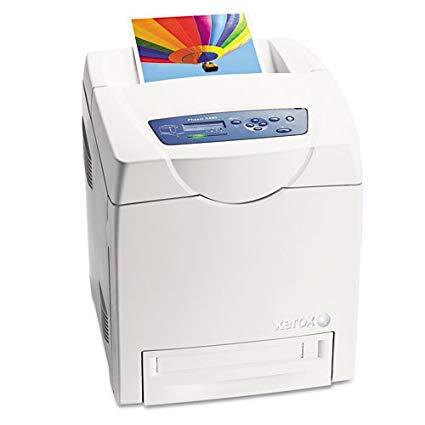
The Xerox Phaser 6280N is a network color laser aimed at workplaces that value steady performance, with duplex and finishing options that help offices produce polished documents in-house. Toner comes as four separate high-yield cartridges — 106R01395 in black, 106R01392 in cyan, 106R01393 in magenta and 106R01394 in yellow — so you swap just the cartridge that has run dry and leave the rest to finish their own runs.
An in-house document printer earns its place on finish as much as speed: reports that leave the building, proposals with covers and charts, the paperwork a business is judged by. The 6280N's steady temperament suits that role, and its supplies follow the same philosophy — nothing proprietary to hunt down, just four well-known cartridges that any office can keep straight. Network sharing spreads its workload across a team, which evens out consumption and makes restocking a planned event rather than a surprise.
Toner Cartridges for Phaser 6280N
| Cartridge | Color | Page Yield |
|---|---|---|
| 106R01395 — High Yield | Black | See product page |
| 106R01392 — High Yield | Cyan | See product page |
| 106R01393 — High Yield | Magenta | See product page |
| 106R01394 — High Yield | Yellow | See product page |
| 6280N Toner Cartridge Black (106R01395) | Black | See product page |
| 6280N Toner Cartridge Cyan (106R01392) | Cyan | See product page |
| 6280N Toner Cartridge Magenta (106R01393) | Magenta | See product page |
| 6280N Toner Cartridge Yellow (106R01394) | Yellow | See product page |
| 6280N Toner Cartridges 4 Color Set | Black, Cyan, Magenta, Yellow | See product page |
| High Yield 4 Color Set (106R01395 / 106R01392 / 106R01393 / 106R01394) | Black, Cyan, Magenta, Yellow | See product page |
| Phaser 6280N High Yield 4 Color Set | Black, Cyan, Magenta, Yellow | See product page |
| Phaser 6280N Premium Quality High Yield 4 Color Set | Black, Cyan, Magenta, Yellow | See product page |
Which cartridge should you buy?
For most 6280N owners the deciding factor is how the printer is shared. A small team printing mainly documents will live happily on singles: the numbered cartridges, or the 6280N-labeled black, cyan, magenta and yellow, replaced one at a time as the levels fall. Busier shared machines argue for a set held in reserve — the 6280N 4 color set, the cartridge-number set or the premium quality set — because the cost of a shared printer standing idle dwarfs the cost of keeping one full round in the cupboard. Either way, black is the cartridge to watch: it empties first in almost every office, and the black singles on this page exist precisely so it can be renewed without touching the colors.
Chip, toner and everyday use
Each cartridge's chip keeps the 6280N honest about what is left, and on a networked printer those levels are visible before anyone walks over — check them ahead of a long run. Replacement follows the family pattern: front cover up, spent cartridge out, a gentle rock of the new one to loosen the toner, then slide it in until it clicks. One everyday habit suits this model well: because finishing work often runs to deadlines, keep the next black cartridge beside the printer rather than in a store room across the building.
Frequently Asked Questions
What toner is compatible with the Phaser 6280N?
The 106R01395 black cartridge and the 106R01392, 106R01393 and 106R01394 color cartridges, all in high-yield form. Singles named for the 6280N and several four-color sets are listed above.
Are the cartridges shared with other Phaser models?
Yes. The base 6280 and the 6280DN use this identical set of four, so an office running more than one configuration stocks a single cartridge family for all of them.
Should I buy singles or a set for a shared printer?
Singles are cheaper per intervention when only one color is low; a set is insurance when the printer cannot wait. Many shared machines run on both — singles for routine swaps, one set kept sealed as the emergency reserve.
How do I install toner in the 6280N?
Open the front cover, remove the old cartridge, unpack the new one and rock it gently to distribute the toner, then slide it into its slot until it clicks and close the cover. The printer registers the fresh cartridge automatically.
More printers that use the same cartridges
The other members of this family take the same four cartridges: Phaser 6280, Phaser 6280DN.