






 See Compatible Printers
 Read more about our ink!
Xerox
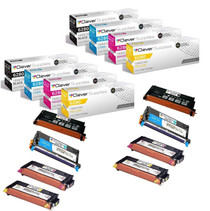
Compatible Xerox Phaser 6280N Toner Cartridges 4 Color Set (106R01395, 106R01392, 106R01393, 106R01394)

Amazon Price:

- Page Yield:
- Black: 7000, Color: 5900
- Availability:
- In Stock
- Shipping:
- Free Shipping
- Compatible Printers
- Phaser 6280
- Phaser 6280DN
- Phaser 6280Ni>
- Specifications
- SKU:
- CS-Xerox-6280N-4Set
- Printer Brand:
- Xerox
- OEM Number:
- 106R01395, 106R01392, 106R01393, 106R01394
- Ink Color:
- Black, Cyan, Magenta, Yellow
- Page Yield:
- Black: 7000, Color: 5900
- Printer Type:
- Laser Cartridge
- Condition:
- New Compatible
- Description
- Reviews

/> 

Clever Supplies brand products are made in the USA! Why pay more for cheaper product with a high defective rate? You will end up having to send it back to the manufacturer. Your time is valuable. Get a quality product that you KNOW will work. Purchase the Clever Supplies Compatible for Xerox Phaser 6280N (106R01395, 106R01392, 106R01393, 106R01394) 4 Color Toner Cartridge Set and experience the difference! All Clever Supplies brand products are backed by '100% Quality Satisfaction' 1 year warranty against defects in materials and workmanship for all toner products. Free tech support for any problems for all Clever Supplies brand products. The use of Clever Supplies brand replacement laser toner cartridges and supplies does not void printer warranty. Premium Quality Replacement Toner Cartridge is made by ISO9001 Certified Factory to Meet or Exceed OEM Standards. These units are manufactured 100% brand new with all new parts including OPC drums, wiper blades, a smart chip and other internal parts, they are an economical alternative to expensive OEM 106R01395, 106R01392, 106R01393, 106R01394 Compatible Toner Cartridges. The Compatible Toner Cartridges will produce the same amount of page yield as an OEM cartridge would. This is a Compatible for Xerox Phaser 6280N 4 Color Toner Cartridge Set Black, Cyan, Magenta, Yellow guaranteed to perform with Xerox Laser Printers. It replaces the original Xerox Phaser 6280N 4 Color Toner Cartridge Set Black, Cyan, Magenta, Yellow. The compatible replacement for 106R01395, 106R01392, 106R01393, 106R01394. The use of compatible replacement Cartridges and supplies does not void Printer Warranty. Our Xerox Compatible Cartridge is a replacement for OEM Xerox. We offer a 100% Quality Satisfaction Guarantee on our Compatible for 106R01395, 106R01392, 106R01393, 106R01394 Laser Toner Cartridges and supplies. For use in the following printers: Phaser 6280, Phaser 6280DN, Phaser 6280N
Frequently Asked Questions
How can I watch toner levels on a networked 6280N without walking to it?
The 6280N exposes its supply levels through its built-in web interface — open the printer's status page from any browser on the same network and each cartridge reports its remaining estimate. Checking monthly lets you order a set like this one (black 106R01395, cyan 106R01392, magenta 106R01393, yellow 106R01394) before any position actually runs dry.
Which cartridges does the 6280N take?
The same four as the rest of its family: 106R01395 for black, 106R01392 for cyan, 106R01393 for magenta and 106R01394 for yellow. The base Phaser 6280 and the Phaser 6280DN share these numbers too, so one set type covers mixed fleets.
What yields should I plan around?
Plan on up to 7,000 pages from the black 106R01395 and up to 5,900 pages from each of cyan 106R01392, magenta 106R01393 and yellow 106R01394, all at the standard ~5% coverage basis. A graphics-heavy workload will land below those figures; correspondence-heavy printing can approach them.
Is this a complete four-color restock?
Yes — one cartridge for each of the four slots, each sealed separately. Install all four for a full reset of the machine's levels, or hold any of them back and swap positions individually as their warnings appear. The box works either way.
My 6280N sits in another department — any ordering tips?
Ask the team near the machine to read the four percentages off the web status page and reorder when the lowest position drops under roughly a fifth remaining. That cadence keeps a remote printer supplied without emergency shipping, and a standing shelf set removes the guesswork entirely.
What warranty and return terms apply?
The set is covered by a 1-year warranty and 1-year free returns; the fine print is on our shipping and returns page. We ship from warehouses in IL, PA, GA and CA, and support hours are Monday to Friday, 9 AM to 5 PM CST.
The set just arrived — how do I check it before it goes on the shelf?
Read the label on each of the four boxes before anything is shelved. You should find one 106R01395 for the black slot, one 106R01392 for cyan, one 106R01393 for magenta and one 106R01394 for yellow, each still sealed in its own packaging. If a code is duplicated or a seal is broken, that is the moment to sort it out — not weeks later, mid-swap, when the missing position is the one the printer is waiting for.
When I do a full four-cartridge reset, does the fitting order matter?
No fixed order is required. Work through the positions one at a time — open one cartridge, seat it, close the machine up, then move to the next — rather than opening all four boxes at once, which invites a cartridge into the wrong slot. When all four are in, print one color page you know well: a chart or logo sheet shows at a glance whether every position is laying down its color properly before real work starts.
How should the set be kept if it may sit for a couple of months first?
Leave every cartridge sealed in its box, stored flat in a cool, dry cupboard away from radiators and sunlit windows. Toner does not lose its rated life sitting sealed on a shelf, so a set bought ahead of the warnings performs exactly like one bought the day it is needed. Keep the four boxes together as one unit, and the next person to restock the 6280N finds the complete set in one place.
What should I do with the four spent cartridges after a full changeover?
Box each empty back up and hold the set until the new cartridges have proved themselves over a few days of normal printing — that way, if output looks wrong, you can still compare against what came out. Once the new set is clearly printing correctly, route the four empties together to your office-supply or municipal recycling collection rather than general trash, and note the changeover date so the next restock interval can be judged against real use.
About This Phaser 6280N 4 Color Set
This $213.92 set restocks the network model across all four positions: black 106R01395 rated to 7,000 pages, with cyan 106R01392, magenta 106R01393 and yellow 106R01394 rated to 5,900 pages each. It fits a managed, check-the-levels-remotely routine, and individual cartridges from the same family are available on our Xerox toner page.
Related Items


Xerox
Compatible Xerox Phaser 6280DN Toner Cartridges 4 Color Set (106R01395, 106R01392, 106R01393, 106R01394)
/>



Xerox
Compatible Xerox 6280 Toner Cartridges 5 Color Set (106R01395, 106R01392, 106R01393, 106R01394)
/>


Xerox
Compatible Xerox 6280 Toner Cartridges 4 Color Set (106R01395, 106R01392, 106R01393, 106R01394)
/>

Xerox
Compatible Xerox 6280 (106R01395 106R01392 106R01394 106R01393) Toner Cartridge 8 Color Set
/>