






 See Compatible Printers
 Read more about our ink!
Xerox
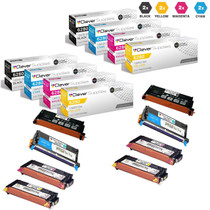
Compatible Xerox 6280 (106R01395 106R01392 106R01394 106R01393) Toner Cartridge 8 Color Set
- Page Yield:
- Black: 7,000 Colors: 5,900
- Availability:
- In Stock
- Shipping:
- Free Shipping

Amazon Price:

- Page Yield:
- Black: 7,000 Colors: 5,900
- Availability:
- In Stock
- Shipping:
- Free Shipping
- Compatible Printers
- Specifications
- SKU:
- CLS-Xerox-Phaser-6280-8Set
- Printer Brand:
- Xerox
- OEM Number:
- 106R01395 106R01392 106R01394 106R01393
- Ink Color:
- Black, Cyan, Magenta, Yellow
- Page Yield:
- Black: 7,000 Colors: 5,900
- Printer Type:
- Laser Cartridge
- Condition:
- New Compatible
- Description
- Reviews

/> 

Clever Supplies Compatible with Xerox Phaser 6280 Phaser 6280dn Phaser 6280n toner cartridge
Frequently Asked Questions
What does ordering eight cartridges at once do for a busy 6280?
It turns toner from a recurring errand into shelf stock. Instead of watching levels on your Phaser 6280 and placing a fresh order every time a warning appears, you take delivery of eight cartridges in a single $409.37 order and draw from that supply as the printer asks. For an office that prints in volume, the practical gain is continuity: a replacement is already in the building on the day a cartridge gives out, not still in transit.
How can I tell at a glance that this is the complete four-code set?
Match the box against the four part numbers that cover every slot in the machine: 106R01395 for black, 106R01392 for cyan, 106R01393 for magenta and 106R01394 for yellow. If all four codes are present, you are looking at the full set rather than a color-only or black-only bundle. Checking the codes on arrival takes a minute and settles exactly what you have in stock before anything goes on the shelf.
Why is black rated at 7,000 pages while each color is rated at 5,900?
The two figures reflect two different jobs. Black carries the everyday text load — letters, invoices, reports — and each 106R01395 cartridge is rated at up to 7,000 pages. Cyan, magenta and yellow share the color work between them, and each color cartridge is rated at up to 5,900 pages. All of these ratings are measured at around 5% page coverage, so a page of dense color graphics will draw far more from the color cartridges than a plain text page draws from black.
With eight cartridges on the shelf, how should I store and rotate them?
Keep every cartridge sealed in its own packaging, stored flat in a cool, dry place away from direct sunlight, and use the oldest stock first. When a slot needs attention, check the part number on the box before you open it, fit that cartridge, and leave the rest of the set sealed until their turn comes. A larger set rewards a little order: cartridges grouped by code are quicker to find, and nothing gets opened by mistake for the wrong slot.
Will this set fit the networked versions as well as the base model?
Yes. The same four part numbers serve the whole family, so this set is equally at home in a Phaser 6280DN on a busy office network or a Phaser 6280n. An office running more than one variant does not need separate stock for each machine — one set on the shelf can answer a call from any of them.
What happens if a cartridge from a set this size turns out to be faulty?
Each cartridge is covered individually: the set carries a 1-year warranty and free returns for 1 year, with the full terms on our shipping and returns page. Orders ship from our IL, PA, GA and CA warehouses, and support is available Monday to Friday, 9 AM to 5 PM CST, if you need help working out which cartridge needs to go back.
Can I split this eight-cartridge stock between two printers?
Yes — that is one of the quiet strengths of the family. The same four codes serve the base Phaser 6280, the 6280DN and the 6280N, so a shelf reserve built from this set can answer a call from any of them. If you do split it, keep a simple count per machine rather than one shared pile in your head: two printers drawing on one reserve empty it twice as fast as the calendar suggests.
How do I label a reserve this size so the right box gets grabbed?
Group the shelf by part number — all the 106R01395 black together, then the 106R01392 cyan, 106R01393 magenta and 106R01394 yellow — and write the arrival month on each box. Whoever restocks the printer then reads a code and a date instead of guessing from box colors, takes the oldest unit for that slot, and never opens a cartridge for a position that was not asking. A minute of labeling at delivery saves the classic mistake: the wrong color opened and unusable as a sealed spare.
With stock on the shelf, when should the next bulk order go in?
Count by position, not by total boxes. The trigger is the first slot down to its last sealed cartridge: that position now has no backup behind the one in the printer, and its rating — 7,000 pages for black, 5,900 for each color — is the time you have left to reorder. Ordering at that point keeps the reserve a reserve, instead of discovering during a busy week that three positions are all running on their final units.
Eight cartridges in means eight empties out — how should they leave?
Do not let spent units accumulate in corners. Each time a cartridge comes out, box it, mark it spent so nobody refits it by mistake, and add it to one collection point. When the collection holds a few units, send them out together through your office-supply or municipal recycling program. Batching the outflow the same way you batched the purchase keeps the shelf honest: everything on it is sealed, in date order, and ready to print.
About This Xerox 6280 8 Cartridge Set
This compatible set brings eight cartridges for the Phaser 6280 family together in one $409.37 order, spanning all four part numbers the printer uses: the 106R01395 black, rated at up to 7,000 pages per cartridge, and the 106R01392 cyan, 106R01393 magenta and 106R01394 yellow, each rated at up to 5,900 pages per cartridge. It suits workplaces that would rather hold a proper reserve than reorder under pressure — open cartridges one at a time as each slot calls for one, and keep the remainder sealed and ready. The rest of the range for this printer family can be found on our Xerox page.
Related Items
Xerox
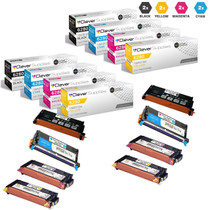
Compatible Xerox 6280 Toner Cartridges 8 Color set (106R01395, 106R01392, 106R01393, 106R01394)
/>



Xerox
Compatible Xerox 6280 Toner Cartridges 5 Color Set (106R01395, 106R01392, 106R01393, 106R01394)
/>


Xerox
Compatible Xerox 6280 Toner Cartridges 4 Color Set (106R01395, 106R01392, 106R01393, 106R01394)
/>

Xerox
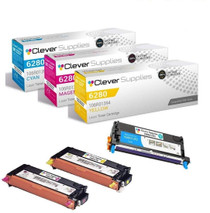
Compatible Xerox 6280 (106R01392 106R01394 106R01393) Toner Cartridge 3 Color Set
/>