






 See Compatible Printers
 Read more about our ink!
Xerox
Compatible Xerox 6280 Toner Cartridges Yellow (106R01394)
- Page Yield:
- Color: 5900
- Availability:
- In Stock
- Shipping:
- Calculated at Checkout

Amazon Price:

- Page Yield:
- Color: 5900
- Availability:
- In Stock
- Shipping:
- Calculated at Checkout
- Compatible Printers
- Phaser 6280
- Phaser 6280DN
- Phaser 6280Ni>
- Specifications
- SKU:
- CS-Xerox-6280-Y
- Printer Brand:
- Xerox
- OEM Number:
- 106R01394
- Ink Color:
- Yellow
- Page Yield:
- Color: 5900
- Printer Type:
- Laser Cartridge
- Condition:
- New Compatible
- Description
- Reviews

/> 

Clever Supplies brand products are made in the USA! Why pay more for cheaper product with a high defective rate? You will end up having to send it back to the manufacturer. Your time is valuable. Get a quality product that you KNOW will work. Purchase the Clever Supplies Compatible for Xerox 6280 (106R01394) Yellow Toner Cartridge and experience the difference! All Clever Supplies brand products are backed by '100% Quality Satisfaction' 1 year warranty against defects in materials and workmanship for all toner products. Free tech support for any problems for all Clever Supplies brand products. The use of Clever Supplies brand replacement laser toner cartridges and supplies does not void printer warranty. Premium Quality Replacement Toner Cartridge is made by ISO9001 Certified Factory to Meet or Exceed OEM Standards. These units are manufactured 100% brand new with all new parts including OPC drums, wiper blades, a smart chip and other internal parts, they are an economical alternative to expensive OEM 106R01394 Compatible Toner Cartridges. The Compatible Toner Cartridges will produce the same amount of page yield as an OEM cartridge would. This is a Compatible for Xerox 6280 Yellow Toner Cartridgeguaranteed to perform with Xerox Laser Printers. It replaces the original Xerox 6280 Yellow Toner Cartridge. The compatible replacement for 106R01394. The use of compatible replacement Cartridges and supplies does not void Printer Warranty. Our Xerox Compatible Cartridge is a replacement for OEM Xerox. We offer a 100% Quality Satisfaction Guarantee on our Compatible for 106R01394 Laser Toner Cartridges and supplies. For use in the following printers: Phaser 6280, Phaser 6280DN, Phaser 6280N
Frequently Asked Questions
Why has every color print started to look cold?
Warmth on a printed page comes mostly from one cartridge: yellow. When it runs down, the balance tips toward blue — grass goes teal, wood tones go gray, faces lose their warmth, and even a company logo can look like it was printed on a different machine. Text documents give no warning at all, because black never touches the yellow supply. When the complaint is "everything looks cold" rather than "everything looks faded," the yellow cartridge is the first suspect.
How long should one of these actually last in everyday use?
The 106R01394 is rated at up to 5,900 pages at the standard 5% page coverage, and at $55.94 that is roughly 0.95 cents a page. Ordinary office color — letters with a chart, a highlighted agenda, the odd photo — lands reasonably near that figure. Full-page photographs and dense colored backgrounds spend several times the standard coverage per sheet, so a picture-heavy month will shorten the run. Judge it by your mix rather than by the calendar.
The listing says "Cartridges" — am I buying a set?
No — you are buying one cartridge. The plural is the wording this range is catalogued under; what ships is a single sealed high-yield yellow unit, the 106R01394, at $55.94. That is the right buy when the printer is asking for yellow alone: colors are replaced one at a time as each runs out, and there is no set here to split up or store.
The low warning appeared halfway through a long print run — stop, or carry on?
You can carry on. A fading yellow cartridge does not fall off a cliff; it drifts, so internal drafts will come out perfectly usable. But the drift is real: the last pages of the run will be colder than the first. For anything leaving the building — a proposal, a handout, a photo — swap in the fresh cartridge first and rerun, so the whole set matches. For rough work, run the old one out and change it afterward.
How do I check the yellow level without wasting a test page?
Use the supplies section of the printer's front-panel menu, which shows the remaining level of each cartridge individually. It is worth a look the moment colors first seem off, because the readout plus what you see on paper settles the question together: a low yellow reading and a page of blue-looking grass mean the same thing from two directions. No page has to be printed to find out.
What happens if the cartridge turns out to be faulty?
Send it back on us. Every cartridge is covered by a 1-year warranty, with free returns running for a full year — the detail is set out on our shipping and returns page. We dispatch from warehouses in Illinois, Pennsylvania, Georgia or California, and our support team answers Monday to Friday, 9 AM to 5 PM CST.
What should I check when the yellow cartridge arrives?
The label and the seal. The label should read 106R01394, yellow — in this family the four codes sit side by side, and the magenta code differs by a single digit, so read the whole number rather than glancing at the first half. The unit should arrive sealed in its packaging. Catching either problem at the door, while the box is unopened, is a straightforward exchange; discovering it with the printer open is a delay nobody needs.
How do I store a spare yellow bought ahead of the warning?
Sealed, flat, and boring: a cool, dry cupboard shelf, out of direct sunlight and away from radiators or damp floors. Yellow is spent slowly, a little inside almost every color page, so a spare may wait a long while before its turn — and that is fine, because a sealed cartridge keeps its full rated life on the shelf. Store it where the other spares live, labeled side out, and it will be found the day it is needed.
What quick routine protects an important color job from a cold-looking result?
Two checks, five minutes, before the job is sent. First, read the yellow level in the front-panel supplies menu; second, print one page from the job itself — the most color-rich page — and judge the warmth of the greens and skin tones on paper. If both look right, run the job. If the proof page is already drifting blue, swap in the fresh 106R01394 first: a matched stack of proposals is worth one cartridge change made early. Every box on this platform — the 4 Color Set, the four singles, the three black packs and the three larger color sets — is compared side by side in our Xerox 106R01395 buying guide.
What do I do with the old yellow cartridge once it is out?
Box it, mark it plainly as spent, and keep it until the replacement has printed a few days of normal color work with the warmth confirmed back. Then let it leave with the office's cartridge recycling collection rather than the general trash. The brief hold is the only subtlety: a cartridge that felt heavy and looked innocent has fooled people before, and the boxed empty is your proof of which unit actually caused the cold prints.
About This Xerox 6280 Yellow Toner Cartridge (106R01394)
This is the single high-yield yellow cartridge for the Phaser 6280 — part number 106R01394, priced at $55.94 and rated at up to 5,900 pages, and the same unit also serves the Phaser 6280DN. It is the cartridge that keeps an office's color warm: greens that stay green, oranges that stay orange. When the machine asks for yellow, this one sealed unit is the whole answer. You will find the remaining cartridges for this printer on our Xerox page.
Related Items


Xerox
Compatible Xerox Phaser 6280DN Toner Cartridges Yellow (106R01394)
/>



Xerox
Compatible Xerox Phaser 6280N Toner Cartridges Yellow (106R01394)
/>
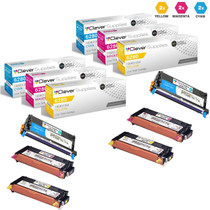

Xerox
Compatible Xerox 6280 Toner Cartridges 6 Color Set (106R01392, 106R01393, 106R01394)
/>
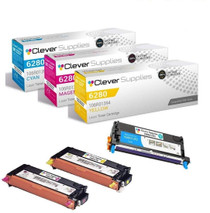

Xerox
Compatible Xerox 6280 (106R01392 106R01394 106R01393) Toner Cartridge 3 Color Set
/>