




SCX-4826FN
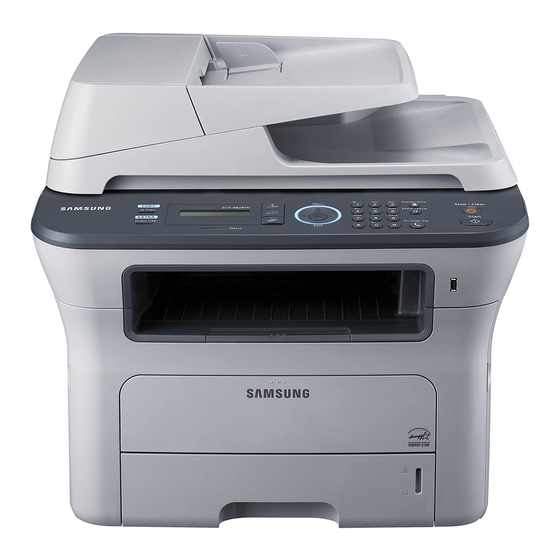
Think of the Samsung SCX-4826FN as the 4824 platform with the pace turned up: it builds on that compact monochrome multifunction design with a slightly faster engine, aimed at small offices whose print volume is steadier through the week. Toner stays simple despite the busier brief. The machine runs on the standard MLT-D209S or the high-yield MLT-D209L, and the shelf below stocks the high-yield line as singles, multi-packs and a listing filed under the printer's own name.
Steadier volume changes the economics of everything around a printer. Paper gets ordered by the case, and toner stops being an occasional purchase and becomes a rhythm the office plans around. The SCX-4826FN rewards that mindset: set double-sided printing as the driver default, keep a spare cartridge dated and ready, and the machine quietly absorbs the week's invoices, reports and scan-and-send work without becoming a topic of conversation.
Toner Cartridges for SCX-4826FN
| Cartridge option | Color | Yield |
|---|---|---|
| SCX-4826FN high-yield cartridge, single (model-named listing) | Black | See product page |
| MLT-D209L high-yield cartridge, single | Black | See product page |
| MLT-D209L high-yield cartridges, money-saving 3 pack | Black | See product page |
| MLT-D209L Premium high-yield cartridges, 5 pack | Black | See product page |
| SCX-4826FN high-yield cartridges, 5 pack (model-named listing) | Black | See product page |
Which cartridge should you buy?
With a faster engine eating pages, the high-yield MLT-D209L is the natural default for this model: fewer interruptions, a lower cost per page, and longer gaps between orders. The standard MLT-D209S still makes sense as the emergency spare on the shelf, the cartridge that keeps the office running while a fresh order ships. If reordering feels like a recurring chore, step up to the 3 pack, or the Premium 5 pack if your monthly volume is genuinely heavy. Whichever size you choose, our compatible cartridges are backed by a 1-year warranty with 1-year returns, and both yields drop into the same slot with nothing to configure.
Chip, toner and everyday use
The most useful habit for a busier machine is a paper trail. Note the install date on each cartridge box and you will learn your true replacement interval within two or three swaps; then set a reminder about a week before the expected empty date so the next cartridge is already in the building. When a new cartridge goes in, confirm the chip seats cleanly and the printer acknowledges it before you walk away. A gentle side-to-side rock before installation evens out the toner inside and helps the first pages print at full density.
Frequently Asked Questions
Where do I control double-sided printing on the SCX-4826FN?
Duplex output is a driver setting rather than a machine modification: open the print preferences from your computer, choose two-sided printing, and save it as the default if you want every job duplexed. It will not stretch an MLT-D209L any further by itself, but paired with sensible toner settings it trims your total cost per document noticeably, mostly through the paper you stop buying.
Does the printer stop abruptly when the toner runs out?
It warns as levels fall, but a cartridge that reaches empty mid-job can still halt a run, which is why spare planning matters on a steadier-volume machine. Track your install dates, reorder a week ahead of the expected end, and keep one cartridge in reserve. That small routine turns toner from an interruption into a non-event.
The printer does not recognize my new compatible cartridge. What now?
Open the cover, slide the cartridge out and reseat it firmly until it sits fully home, making sure all protective covers and sealing material came off first. If a notice about the cartridge appears, acknowledge it and print a test page. Recognition problems almost always trace back to seating or leftover packaging rather than the cartridge itself.
Are the compatible cartridges for this model chipped?
Yes, the compatible MLT-D209L cartridges we sell carry a chip so the SCX-4826FN can identify the cartridge and track its level as you print. Install it exactly like a genuine cartridge, acknowledge any on-screen notice, and judge the result by the pages it produces.
More printers that use the same cartridges
If your office also runs one of the other Samsung models on this cartridge family, the same shelf covers those machines too. Samsung-MLTD209, SCX-4828FN, SCX-4828, SCX-4826FN MFP, SCX-4826, SCX-4824FN, SCX-4824, SCX-2826FN, ML-2855ND, ML-2855.