




ML-3472
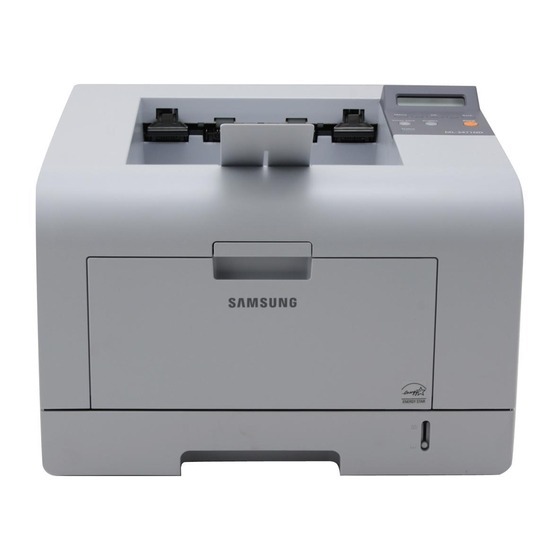
The Samsung ML-3472 was a later refresh of the departmental 3470 platform — a fast monochrome laser, single-function by design, for workgroups with demanding daily output. Its cartridges are the ML-D3470A and the high-yield ML-D3470B. This page stocks the high-yield B cartridge, together with the same supply listed under the ML-3472's own name for buyers who shop by printer.
A single-function printer at this level is a deliberate choice: no scanner or fax hardware sharing the chassis, just an engine built to move paper. Workgroups that print demanding daily volumes — statements, pick lists, long reports — value that focus, because everything about the machine, cartridge capacity included, is sized for throughput rather than versatility.
Toner Cartridges for ML-3472
| Cartridge | Color | Page Yield |
|---|---|---|
| ML-3472 | Black | See product page |
| ML-3472 — 5 Pack | Black | See product page |
| ML-D3470B | Black | See product page |
| ML-D3470B — 3 Pack | Black | See product page |
| ML-D3470B — Premium 5 Pack | Black | See product page |
Which cartridge should you buy?
The A and B cartridges are the standard and high-yield versions of the same supply. The ML-D3470A suits a 3470-platform printer with moderate output; the ML-D3470B stocked here is the realistic choice for an ML-3472 that prints hard every day, because cartridge changes on a busy shared machine cost more in interruption than the fill difference costs in money. The printer-named listings on this page are that same high-yield cartridge labeled by model, so ML-3472 owners can order by whichever label they find first. For the heaviest sites, the 3-pack and Premium 5-pack keep a rotation of spares ready beside the printer.
Chip, toner and everyday use
Two habits protect output quality on a hard-working ML-3472. First, match the driver's paper type and quality settings to what is actually loaded — grainy output often starts with a draft setting chosen for speed. Second, guard spare cartridges from damp: moisture makes toner clump and can corrode the chip contacts the printer reads. A cartridge that has gotten damp should dry fully at room temperature before fitting, and prevention is easier than recovery — store spares somewhere dry and sealed from the day they arrive.
Frequently Asked Questions
Should the paper type setting be adjusted when printing on plain paper?
It should match what is loaded. Grainy output frequently begins with a draft or low-quality mode picked for speed; switch the driver to normal or high quality and confirm the paper type setting matches the tray. If grain persists at high quality, check the toner level next.
How should I store a spare ML-D3470B for the ML-3472?
Dry, sealed and upright. Damp storage is a spare cartridge's enemy — moisture clumps the toner and attacks the chip contacts. If a cartridge has been stored somewhere damp, let it dry completely at room temperature before installing it, and expect the possibility of print defects; a dry shelf from the start avoids the whole question.
Why does the ML-3472 lay down light and dark bands across the page?
Banding and fading most often mean the cartridge is running low — the printer usually warns first — and rocking the cartridge gently redistributes the remaining toner for a while. If a fresh cartridge still fades, the imaging drum may be worn. Also rule out economy or toner-save mode in the driver, which lightens output on purpose.
More printers that use the same cartridges
The ML-D3470 cartridge family covers the whole 3470 departmental platform: ML-3470, ML-3470D, ML-3470ND, ML-3471, ML-3471DK, ML-3471ND, Samsung-MLD3470.