




ML-3471DK
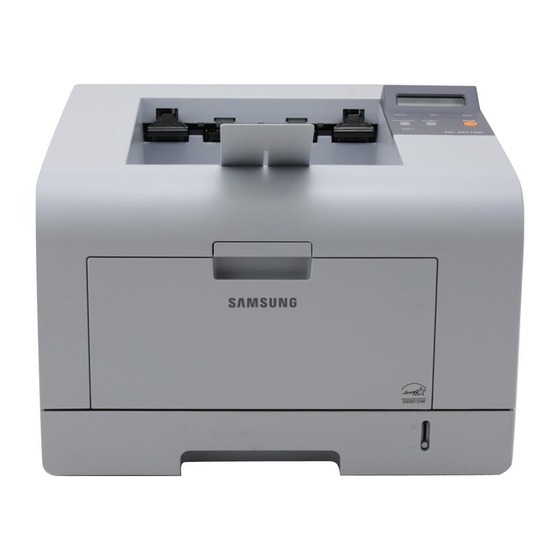
The Samsung ML-3471DK is a regional configuration of the duplexing ML-3471 — the same departmental mono laser with two-sided printing, wearing a market-specific K suffix. It uses ML-D3470A toner in standard fill or the high-yield ML-D3470B, and it was built for the corridor printer role: a department's worth of documents, printed on both sides, day after day.
Departmental machines differ from desk printers in one important way — their failures are public. When this printer stops, a team's output stops, so its supplies are managed rather than improvised. The high-yield cartridge is the default choice at this level because changeovers are events; pairing it with a standing spare means the low-toner warning becomes a scheduling note instead of an emergency. Duplexing by default also means the department's paper bill quietly shrinks while the toner does the same work as ever.
Toner Cartridges for ML-3471DK
| Cartridge | Color | Page Yield |
|---|---|---|
| ML-D3470B high-yield toner cartridge, single | Black | See product page |
| ML-D3470B high-yield toner, 3 pack | Black | See product page |
| ML-3471DK high-yield toner, model-named listing, single | Black | See product page |
| ML-D3470B Premium high-yield toner, 5 pack | Black | See product page |
| ML-3471DK high-yield toner, model-named listing, 5 pack | Black | See product page |
Which cartridge should you buy?
For a departmental printer, this is close to a settled question. The ML-D3470A standard fill exists for completeness, but the ML-D3470B high-yield fill is what the machine was specced around: more pages per change, lower cost for every page printed, and fewer interruptions for a queue of users. Offices that go through cartridges monthly should buy the three- or five-pack and hold the spares centrally. One sensible rule for this class of printer: never let the shelf and the machine run empty at the same time — when the spare goes in, the replacement spare gets ordered.
Chip, toner and everyday use
Toner-save mode in the driver is worth knowing on a high-volume machine: enable it under the quality or graphics tab for drafts and internal documents, and it stretches each cartridge noticeably while leaving final copies at full density. It is a per-job setting in most Samsung drivers, so it can be the default without locking anyone in. When a cartridge does run low, a gentle side-to-side shake redistributes the remaining powder and buys extra pages while the replacement travels. Yield figures assume about five percent coverage, so statement runs and dense tables will finish cartridges ahead of the estimate.
Frequently Asked Questions
Can dirty rollers make ML-3471DK output look streaky or faded?
Fading on this machine most often means the cartridge is running low — the printer usually warns first, and shaking the cartridge gently redistributes what toner remains for a while. Also rule out economy or toner-save mode in the driver, which lightens output on purpose. If a fresh ML-D3470B still fades, the imaging drum may be worn and due for attention.
How much does toner-save mode actually help on the ML-3471DK?
It reduces the toner laid down on drafts and internal paperwork — the documents a department prints most — so a cartridge lasts measurably longer with no other change. Find it in the print driver under the quality or graphics tab, leave it on as your default, and switch to normal quality for anything leaving the building. The setting costs nothing and compounds across every cartridge you buy.
How many spare cartridges should we keep on hand for the ML-3471DK?
One spare covers most departments, because the printer gives plenty of warning before toner runs dry. Heavy-printing offices may hold two, ideally from a multi-pack like the ML-D3470B Premium five-pack listed above. Buying more than about a year's worth at once risks toner aging on the shelf, so restock on a rhythm instead of hoarding.
More printers that use the same cartridges
Supply planning is simpler across a fleet — these Samsung models share the same ML-D3470 cartridges: Samsung-MLD3470, ML-3472, ML-3471ND, ML-3471, ML-3470ND, ML-3470D, ML-3470.