




C710N
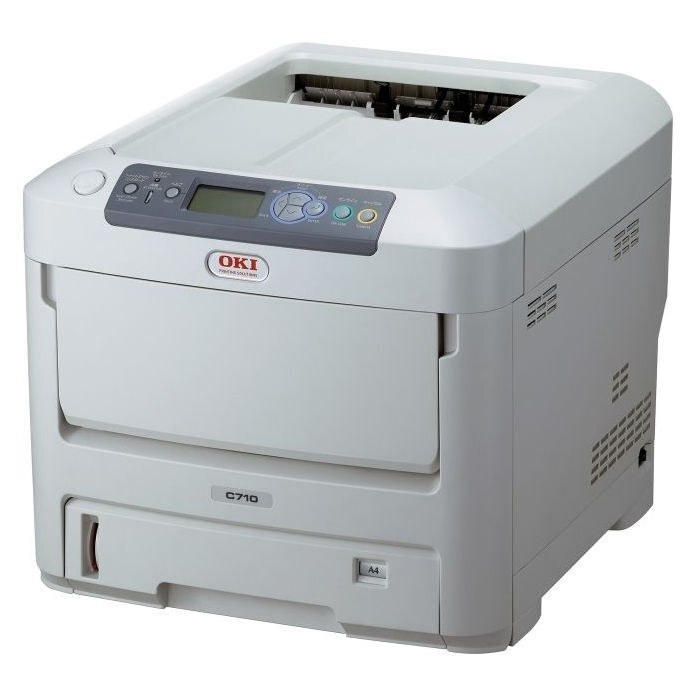
A networked color printer for office workgroups, the Okidata C710N delivers shared color output in a compact footprint. Its consumables are the 43866101 yellow, 43866102 magenta, 43866103 cyan and 43866104 black toner cartridges — the full black, cyan, magenta and yellow set for this model. Each of the four is also sold on its own, so whichever tank runs dry is the only one that needs ordering, and keeping all four on the shelf means no color gaps in the middle of a job.
The C710N uses OKI digital LED technology rather than a laser and rotating mirror. For the office, that means fewer moving parts in the imaging path and consistently sharp color output, in a machine that is easy to place and easy to share. Because it sits on the network, toner levels can be checked from any desk, so a low cartridge gets ordered before it becomes a missed deadline — and when it does run out, only that one color is swapped.
Toner Cartridges for C710N
Every cartridge sold for the C710N is listed below, including the C710dn listings carried on this page.
| Cartridge | Color | Page Yield |
|---|---|---|
| 4 Color Set (43866104, 43866103, 43866102, 43866101) | Black, Cyan, Magenta, Yellow | Rated for about 11,000–11,500 pages each |
| 43866101 | Yellow | Rated for about 11,000–11,500 pages |
| 43866102 | Magenta | Rated for about 11,000–11,500 pages |
| 43866103 | Cyan | Rated for about 11,000–11,500 pages |
| 43866104 | Black | Rated for about 11,000–11,500 pages |
| C710N 4 Color Set | Black, Cyan, Magenta, Yellow | Rated for about 11,000–11,500 pages each |
| C710N Premium Quality 4 Color Set | Black, Cyan, Magenta, Yellow | Rated for about 11,000–11,500 pages each |
| 43866101 | Yellow | Rated for about 11,000–11,500 pages |
| 43866102 | Magenta | Rated for about 11,000–11,500 pages |
| 43866103 | Cyan | Rated for about 11,000–11,500 pages |
| 43866104 | Black | Rated for about 11,000–11,500 pages |
| 2 Black (43866104) | Black | Rated for about 11,000–11,500 pages each |
| 3 Black (43866104) | Black | Rated for about 11,000–11,500 pages each |
| 5 Black (43866104) | Black | Rated for about 11,000–11,500 pages each |
| 4 Color Set (43866104, 43866103, 43866102, 43866101) | Black, Cyan, Magenta, Yellow | Rated for about 11,000–11,500 pages each |
| 5 Color Set (43866104, 43866103, 43866102, 43866101) | Black, Cyan, Magenta, Yellow | Rated for about 11,000–11,500 pages each |
| 8 Color Set (43866104, 43866103, 43866102, 43866101) | Black, Cyan, Magenta, Yellow | Rated for about 11,000–11,500 pages each |
| 6 Color Set (43866103, 43866102, 43866101) | Cyan, Magenta, Yellow | Rated for about 11,000–11,500 pages each |
| 3 Color Set (43866103, 43866102, 43866101) | Cyan, Magenta, Yellow | Rated for about 11,000–11,500 pages each |
Which cartridge should you buy?
The rule on a four-cartridge printer is simple: replace the color that ran out, not the set. Singles cover the routine case, and because each color is sold separately, an office that prints mostly black spends most of its toner budget on black. When several channels are low together, a 4-color set refreshes the printer in one order, and the 5-color and 8-color sets suit offices that go through color quickly and would rather keep spares on hand. Whatever you order, keep a spare black on the shelf — on a shared printer, the black cartridge is the one most likely to stop a job.
Chip, toner and everyday use
When you fit a new cartridge, rock it gently a few times before it goes in so the toner is evenly distributed, and push it into its slot until it seats. The printer reads the cartridge chip on the first pages after a change, so print a test page and check the colors before running a long job. Yield figures assume about 5% coverage on the page, which means graphics-heavy documents empty a cartridge sooner than plain text does. Store spare cartridges upright, sealed, in a cool dry place — a cartridge kept properly is ready the moment a channel runs out.
Frequently Asked Questions
What toner cartridges does the C710N use?
Your C710N takes the OKI 43866101 yellow, 43866102 magenta, 43866103 cyan and 43866104 black toner cartridges. Since each color loads separately, you only ever replace the one that is empty.
What print technology does the C710N use?
The C710N uses OKI digital LED technology rather than a laser and rotating mirror. For you, that means fewer moving parts in the imaging path and consistently sharp color output.
Can the C710N print black-and-white using only the black cartridge?
Yes — select black-and-white in the driver and the C710N prints using just the black 43866104 cartridge, sparing your color toner. Keep in mind the printer still needs all four cartridges installed to operate.
How do I know when to order a replacement?
Check the toner levels over the network before a channel runs dry, and order the single cartridge that is low. Ordering early means the shared printer never waits on a delivery mid-job.
More printers that use the same cartridges
The same toner set fits these models: