




C710CDTN
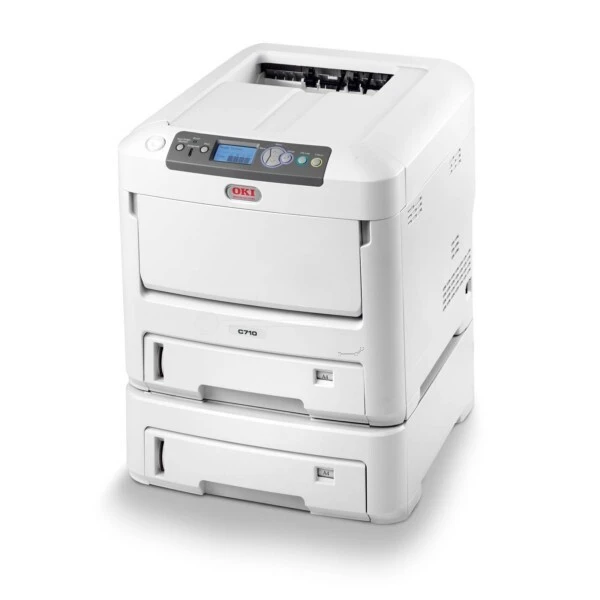
The C710CDTN configures the original C710 with color duplexing and extra trays for departmental color printing. Like the base machine it takes one four-cartridge toner family — 43866104 for black, 43866103 for cyan, 43866102 for magenta and 43866101 for yellow — and not the C711's Type C16 cartridges, a distinction worth pausing on before any order. Each color loads as its own cartridge, so only the color that runs dry ever needs swapping.
Departmental color is a different workload from a desk printer's: longer runs, heavier stock in the trays, and several teams assuming the machine is simply always ready. The CDTN's duplexing and paper capacity were specified for exactly that, and its toner routine matches — four independent cartridges, changed individually, with black predictably cycling fastest and the colors moving in steps whenever a project with real graphics goes through.
Toner Cartridges for C710CDTN
| Cartridge | Color | Page Yield |
|---|---|---|
| 43866104 | Black | See product page |
| 43866103 | Cyan | See product page |
| 43866102 | Magenta | See product page |
| 43866101 | Yellow | See product page |
| 43866104 / 43866103 / 43866102 / 43866101 — 4 Color Set | All four colors | See product page |
| C710CDTN 4 Color Set | All four colors | See product page |
| C710CDTN Premium Quality 4 Color Set | All four colors | See product page |
Which cartridge should you buy?
Singles are the working answer for a departmental machine: replace the color that emptied and leave the others to finish their life. Black deserves a shelf spare at all times, since text volume makes it the first casualty. A four-color set makes sense at the moments a department restocks wholesale — a new project starting, several colors reporting low together — and it guarantees the set on hand is complete. Whichever you choose, confirm the 4386610x number on the outgoing cartridge; the similar-looking C711 family does not fit this printer.
Chip, toner and everyday use
These compatible cartridges are chipped for recognition, so the C710CDTN accepts them and tracks levels without workarounds. Media settings matter more on this machine than most: heavy stock run on the plain-paper setting is the usual cause of toner that rubs off, because the fuser never gets hot enough for the heavier sheet — pick the cardstock or heavy-paper type in the driver before printing it. Yields are quoted at the standard five percent coverage. Keep cartridges sealed until the day they are fitted, and store them flat and away from radiators or sunlit shelves.
Frequently Asked Questions
Which toner does the OKI C710CDTN use?
Yellow 43866101, magenta 43866102, cyan 43866103 and black 43866104. The CDTN configuration adds duplex, extra trays and networking for busy color workgroups, but its toner is the plain C710 family's.
Will C711 cartridges fit the C710CDTN?
No. The C711 uses a different family, the Type C16 line. The closeness of the model names causes real ordering mistakes — always buy against the 43866101–43866104 numbers for this machine.
Toner rubs off my heavy-stock prints. What is wrong?
The fuser is not getting hot enough for that media. Select the correct heavy-paper or cardstock media type in the driver before printing so the printer raises the fusing temperature to suit. Printing heavy stock on the plain-paper setting is the usual cause of toner that smears or flakes.
Should I keep spares of all four colors?
If color printing is daily work, yes. Black 43866104 will empty first in most offices, but a surprise empty cyan or magenta stalls every color job just as completely. One spare of each is cheap insurance for a workgroup machine.
More printers that use the same cartridges
The same 43866101–43866104 family serves the other C710 configurations below.