




C610
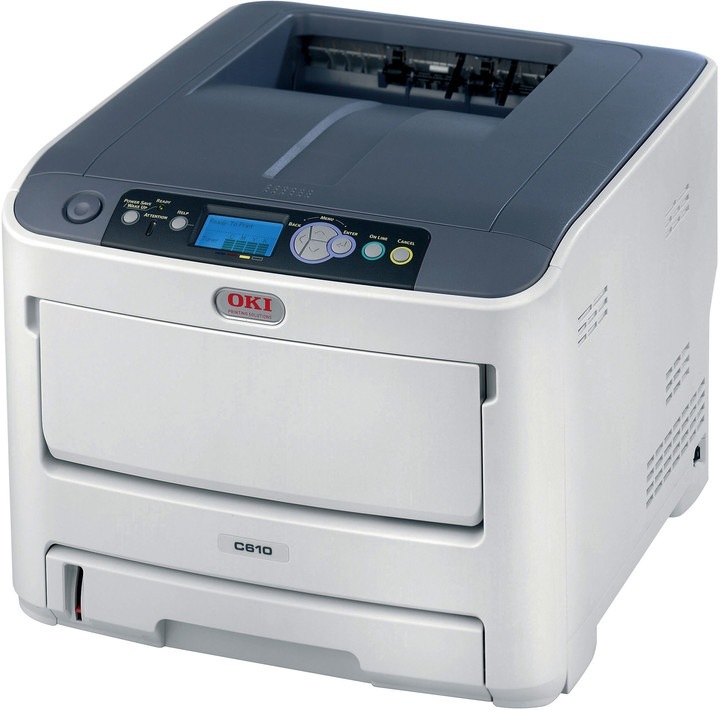
The Okidata C610 is a compact color laser printer aimed at small offices and workgroups that want sharp color in a modest footprint. It belongs to the OKI Type C15 family: black 44315304 with colors 44315303 cyan, 44315302 magenta and 44315301 yellow — three separate cartridges, each swapped on its own as it runs down. Compatible C610 cartridges deliver the printer's punchy color at a much lower cost per page.
Listings on this page also carry a second set of numbers: 44135304 black, 44135303 cyan, 44135302 magenta and 44135301 yellow. Before ordering, match the number printed on the cartridge you are replacing; both number sets are listed here, and the right one is the one already in your printer.
Toner Cartridges for C610
| Cartridge | Color | Page Yield |
|---|---|---|
| 44315304 | Black | See product page |
| 44315303 | Cyan | See product page |
| 44315302 | Magenta | See product page |
| 44315301 | Yellow | See product page |
| 44135304 | Black | See product page |
| 44135303 | Cyan | See product page |
| 44135302 | Magenta | See product page |
| 44135301 | Yellow | See product page |
Sets on this page: C610 four-color set, C610 premium four-color set, Type C15 four-color set, 441353 four-color set and 441353 five-color set. More 441353 packs: 44135304 black two-pack, 44135304 black three-pack, 44135304 black five-pack, 441353 three-color set, 441353 six-color set and 441353 eight-color set.
Which cartridge should you buy?
First, check the number on the cartridge currently in the printer, because this page lists two number sets. The Type C15 cartridges — 44315301 through 44315304 — are the printer's main family, and the 44135301 through 44135304 listings are the alternate numbering sold alongside them. Once the number is confirmed, buy only the colors that are empty: black runs down fastest in most offices, while the three colors drain at their own pace. A four-color set makes sense when several colors are low at the same time or when stocking a new machine; otherwise single cartridges keep spending tied to actual use.
Chip, toner and everyday use
Routine documents do not need full color. Print everyday drafts in grayscale and use the toner-save mode for internal pages; both cut color consumption without affecting final-quality output when you need it. When a single color runs low, a gentle shake side to side can finish the job in progress, but do not run a cartridge long past empty — faded color and streaks are the usual result. Keep spare cartridges sealed until they are needed, in a cool, dry place, and keep one spare black on hand since it is the color that runs out first.
Frequently Asked Questions
Which toner set fits the Oki C610?
The C610 uses yellow 44315301, magenta 44315302, cyan 44315303 and black 44315304, the Type C15 set. These are the exact cartridge numbers for this model. Listings numbered 44135301 through 44135304 are also sold on this page; match the number on your current cartridge before ordering.
My C610 prints black text with a color shadow. What causes that?
Color shadowing or misregistration usually means the printer needs color calibration, so run it from the menu. If one color is nearly empty, replace that cartridge first, since low toner worsens registration.
How do I make C610 color cartridges last longer?
Print routine documents in grayscale and use the toner-save mode for drafts. Both cut color consumption without affecting final-quality output when you need it. Replace colors one at a time as they run out rather than swapping the whole set.
More printers that use the same cartridges
The same cartridges fit these printers: C15, C610CDN, C610DN, C610DTN, C610n.