




B512dn
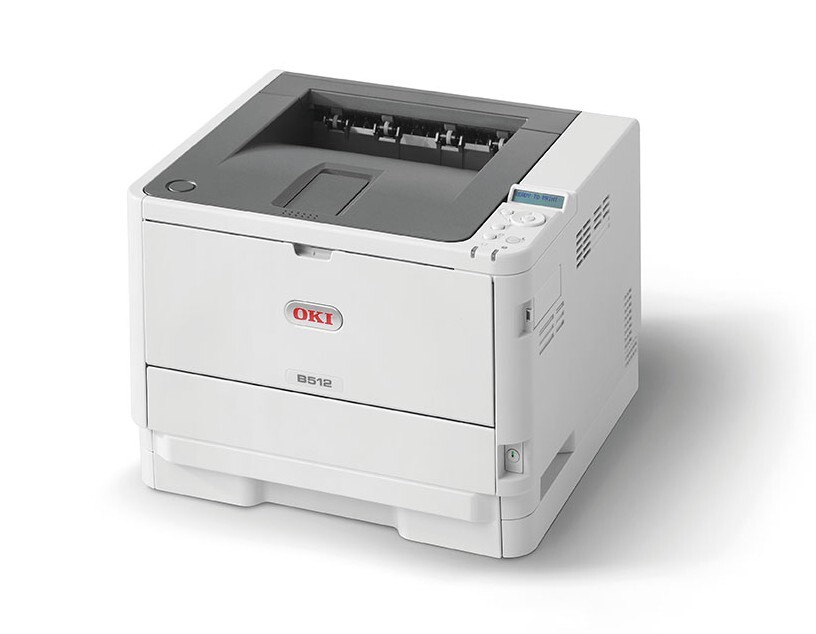
At the top of its three-model family, the Okidata B512dn is a monochrome laser printer with duplexing and networking, built for shared office printing. It offers three black toner options: the 45807101 standard cartridge at 3,000 pages, the 45807105 at 7,000 pages, and the 45807110 extra-high-capacity cartridge at 12,000 pages for the offices that print the most. This page stocks the 7,000-page 45807105, as a single cartridge and in packs of two, three, five and ten.
A shared printer lives a different life from a personal one: its cartridge is consumed by a whole department's habits, not one person's. The B512dn's efficiency features — automatic two-sided printing and network status reporting among them — are aimed at that shared workload, and its toner choice should be too. A mid- or high-capacity cartridge in a busy shared machine means fewer interruptions landing on whoever happens to be standing nearest when the warning light comes on.
Toner Cartridges for B512dn
| Cartridge | Color | Page Yield |
| 45807105 | Black | About 7,000 pages |
| 45807105 — 2-pack | Black | About 7,000 pages per cartridge |
| 45807105 — 3-pack | Black | About 7,000 pages per cartridge |
| 45807105 — 5-pack | Black | About 7,000 pages per cartridge |
| 45807105 — 10-pack | Black | About 7,000 pages per cartridge |
Which cartridge should you buy?
Match the tier to the traffic. The 3,000-page 45807101 is enough for a B512dn that serves a small team printing in short bursts. The 7,000-page 45807105 sold here is the natural fit for a genuinely shared machine: it more than doubles the interval between swaps, and buying it in multi-packs lowers the per-cartridge cost while guaranteeing a spare is in the building. Offices that print the most should look at the 12,000-page 45807110, which stretches the interval furthest of all. All three are the same fit, so the choice is purely about volume — and it can be revisited at every reorder.
Chip, toner and everyday use
On a networked printer, agree as an office who changes the cartridge, because the B512dn will report its toner level to anyone who looks. The swap itself is clean and tool-free: front cover open, old cartridge out by its handle, new one in until it seats. Avoid touching the chip contacts on the cartridge, and if the printer does not recognize a new unit, reseating it almost always settles the matter. Rated yields assume about 5% page coverage, so a department printing dense reports will see fewer pages than the rating. Bag the old cartridge upright for recycling rather than leaving it loose on a desk.
Frequently Asked Questions
What cartridge fits the B512dn?
Your B512dn takes the 45807101, 45807105 or 45807110 — one black cartridge at a time, dropping into the front of the printer in seconds. This page sells the 7,000-page 45807105.
Is changing toner in the B512dn messy?
No. The cartridge lifts out by its handle and the replacement slides in until it seats — a clean, tool-free change designed for whoever in the office draws the task.
Does the B512dn print on both sides automatically?
Yes, duplexing is standard: choose print on both sides in the print dialog. For reports and drafts it is one of the easiest ways to cut office paper use.
Which tier suits a shared office best?
For most shared machines, the 7,000-page 45807105 balances run length against cartridge cost. Only the heaviest print rooms gain from stepping up to the 12,000-page 45807110.
More printers that use the same cartridges
The same three-cartridge family serves these Okidata models as well: MB472w, MB492, MB562w, B412dn, B432dn.