




MS610DN
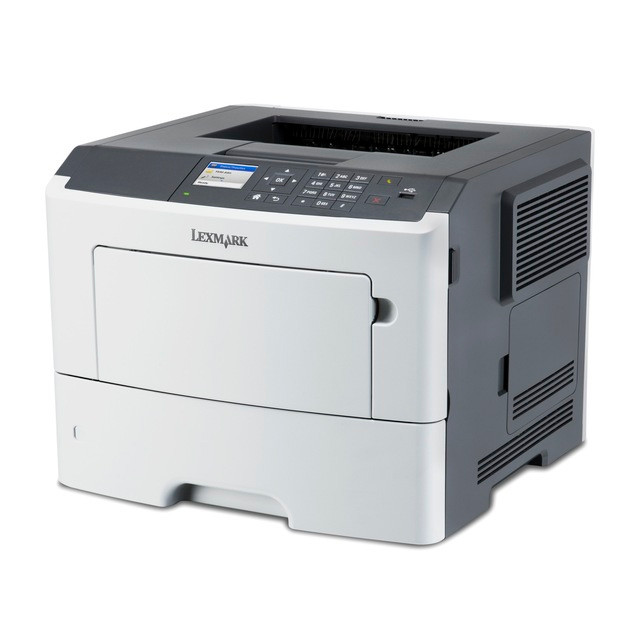
Fleets print best when every machine behaves the same, and the Lexmark MS610DN is the network-shared departmental model many offices standardize on. It brings Ethernet connectivity and two-sided printing as standard equipment, and it orders its toner by yield tier: 50F1H00 (the 501H) for high yield, 50F0XA0 or 50F1X00 (the 501X) for extra-high yield, and 50F0UA0 or 50F1U00 (the 501U) at the ultra-high-yield top.
Standardizing on one model pays off quietly: one driver package to deploy, one set of habits for the whole office, and one cartridge platform on the supply shelf. The MS610DN fits that strategy because it is a departmental machine — built for shared queues and steady volume — while its supplies stay interchangeable with the wider MS family listed at the foot of this page.
Toner Cartridges for MS610DN
| Cartridge | Color | Page Yield |
|---|---|---|
| 501X (50F1X00) — 4 Pack | Black | ~9,000 pages |
| 501X (50F1X00) — Single cartridge | Black | ~9,000 pages |
| 501X (50F1X00) — 2 Pack | Black | ~9,000 pages |
| 501H (50F1H00) — 4 Pack | Black | ~5,000 pages |
| 501H (50F1H00) — Single cartridge | Black | ~5,000 pages |
| 501H (50F1H00) — 2 Pack | Black | ~5,000 pages |
| 501U (50F1U00) — 4 Pack | Black | See product page |
| 501U (50F1U00) — Single cartridge | Black | See product page |
| 501U (50F1U00) — 2 Pack | Black | See product page |
Fleet buyers will also meet this family's cartridges under model-matched numbers — extra-yield 50F0XA0 and ultra-yield 50F0UA0 listings for each MS model:
- MS510DN (50F0UA0) — Single cartridge
- MS510DN (50F0UA0) — Two-pack
- MS510DN (50F0UA0) — Four-pack
- MS610DE (50F0UA0) — Single cartridge
- MS610DE (50F0UA0) — Two-pack
- MS610DE (50F0UA0) — Four-pack
- MS610DN (50F0UA0) — Single cartridge
- MS610DN (50F0UA0) — Two-pack
- MS610DN (50F0UA0) — Four-pack
- MS610DTE (50F0UA0) — Single cartridge
- MS610DTE (50F0UA0) — Two-pack
- MS610DTE (50F0UA0) — Four-pack
- MS610DTN (50F0UA0) — Single cartridge
- MS610DTN (50F0UA0) — Two-pack
- MS610DTN (50F0UA0) — Four-pack
- MS610DN (50F0XA0) — Single cartridge
- MS610DN (50F0XA0) — Two-pack
- MS610DN (50F0XA0) — Four-pack
- MS610DTE (50F0XA0) — Single cartridge
- MS610DTE (50F0XA0) — Two-pack
- MS610DTE (50F0XA0) — Four-pack
- MS610DTN (50F0XA0) — Single cartridge
- MS610DTN (50F0XA0) — Two-pack
- MS610DTN (50F0XA0) — Four-pack
- MS410DN (50F0XA0) — Single cartridge
- MS410DN (50F0XA0) — Single cartridge
- MS410DN (50F0XA0) — Two-pack
- MS410DN (50F0XA0) — Two-pack
- MS410DN (50F0XA0) — Four-pack
- MS410DN (50F0XA0) — Four-pack
- MS410D (50F0XA0) — Single cartridge
- MS410D (50F0XA0) — Two-pack
- MS410D (50F0XA0) — Four-pack
- MS415DN (50F0XA0) — Single cartridge
- MS415DN (50F0XA0) — Two-pack
- MS415DN (50F0XA0) — Four-pack
- MS510DN (50F0XA0) — Single cartridge
- MS510DN (50F0XA0) — Two-pack
- MS510DN (50F0XA0) — Four-pack
- MS610DE (50F0XA0) — Single cartridge
- MS610DE (50F0XA0) — Two-pack
- MS610DE (50F0XA0) — Four-pack
Which cartridge should you buy?
Think in tiers rather than part numbers. The high-yield 501H (about 5,000 pages) is the floor for a shared machine and a clear improvement over the standard 501 (50F1000) at roughly 1,500 pages. The extra-yield tier — 501X at around 9,000 pages, or the same cartridge under the 50F0XA0 number — is where most standardized fleets land, balancing cartridge price against change-out frequency. The ultra-yield listings, 501U and 50F0UA0, minimize interventions on the busiest machines; see their product pages for rated yields. Buying 2 packs keeps a spare per department, and 4 packs suit a central stores model. All are premium compatibles for the MS610DN, backed by a 1-year warranty and 1-year returns.
Chip, toner and everyday use
A shared printer's worst moment is an empty cartridge in front of a queue, so the fleet habit is simple: one spare on site per machine, reordered when the spare goes in. The compatible cartridges here are chipped for recognition, and the MS610DN reports their levels through its display and status tools as it would an original's. Quoted yields assume 5% coverage, so a department heavy on forms and graphics will cycle faster — plan the spare shelf accordingly. Near the end of a cartridge, a gentle side-to-side rock redistributes toner and restores even density for the remaining pages. Store spares in their sealed bags, flat, in a cool dry place.
Frequently Asked Questions
Why do offices standardize on the MS610DN?
It is a networked departmental printer with duplex built in, and standardizing means one driver footprint and one supply platform across the fleet — the same cartridges also fit the related MS models on this page.
What is the difference between the 501X and the 50F0XA0 listings?
They are the same extra-high-yield tier sold two ways: under the family name 501X (50F1X00) and under the model-matched number 50F0XA0. Both fit the MS610DN.
How do I know when to order more toner?
The printer reports toner levels on its display and in its status software. On a shared machine the practical rule is to reorder the moment the on-site spare is installed.
Are the cartridges on this page original Lexmark stock?
No — premium compatibles made for the MS610DN, each covered by a 1-year warranty, with returns accepted for a full year.
More printers that use the same cartridges
Standardization works because the platform is shared — these MS models all take the same black toner family:
MS310D, MS310DN, MS315dn, MS410D, MS410DN, MS415dn, MS510DN, MS610DE, MS610DTE, MS610DTN, MS-510DN, MS-610DE, MS-610DN, MS-610DTE, MS-610DTN.