




MS-610DTN
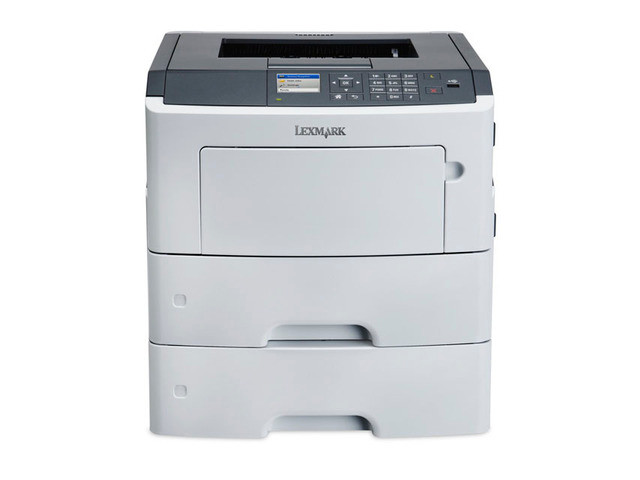
Standardizing on the Lexmark MS-610DTN usually means standardizing on its cartridge too — the black 50F0UA0, which this page sells as a single, a 2-pack and a 4-pack. The code is worth learning, because it also feeds every other model in the family list below: learn one cartridge and you have learned the supply for fifteen MS printers.
That simplicity compounds in a real office. Anyone can reorder, because there is only one code to remember. Anyone can do the swap, because there is only one cartridge shape to learn. And nobody orders the wrong color, because there are no colors. The listings here carry the MS510DN name — the 50F0UA0 is sold under its family’s reference model — and each one drops into the MS-610DTN exactly as it would into the machine it is named for.
Toner Cartridges for MS-610DTN
| Cartridge | Color | Yield |
|---|---|---|
| 50F0UA0 Black — MS510DN listing, 2 Pack | Black | See product page |
| 50F0UA0 Black — MS510DN listing, Single | Black | See product page |
| 50F0UA0 Black — MS510DN listing, 4 Pack | Black | See product page |
Which cartridge should you buy?
Standardization pays best when the stocking matches it. Keep the supply closet on 4-packs: one line item, one shelf spot, and enough cartridges to absorb a busy quarter across every family machine you run. A satellite desk with a single printer can still order singles as it goes. The 2-pack is the middle path for a lone MS-610DTN in steady use — one installed, one waiting. Whichever size you settle on, settle: reordering the same listing each time is what makes the one-cartridge strategy effortless.
Chip, toner and everyday use
Do the swap the same way every time and it takes a minute: front cover up, old cartridge straight out, new one in until it clicks, cover down. Keep the spare where the printer is rather than across the building — a cartridge stored in another room has a way of being forgotten until the day it is needed urgently. If pages come out light right after a change, take the cartridge back out and tilt it slowly from side to side a few times to level the toner, then print on; the chip keeps count from the moment the cartridge first seats.
Frequently Asked Questions
Which cartridge does the Lexmark MS-610DTN take?
The black 50F0UA0, full stop. This monochrome printer uses no other supply, and the cartridge is listed here as a single, a 2-pack and a 4-pack.
Does one cartridge really fit all fifteen models below?
It does. The MS310, MS410, MS510 and MS610 generations were built around this cartridge family, so the 50F0UA0 moves between any of the listed models without modification.
The printer does not recognize the cartridge I installed. What should I check?
Seating, first of all — remove the cartridge and push it back in until it clicks. Make sure the printer is powered on so it can read the chip, and give it a moment to return to ready before printing a test page.
What warranty comes with these cartridges?
A 1-year warranty and 1-year returns cover every compatible sold here, which makes stocking the 4-pack a low-risk way to run the supply closet.
More printers that use the same cartridges
The smaller workhorses lead here — MS410 and MS310 models — then the dashed-name pages, the MS510DN, and the MS610 group closing with this machine’s own siblings:
MS410D, MS410DN, MS415dn, MS310D, MS310DN, MS315dn, MS-610DN, MS-610DE, MS-510DN, MS-610DTE, MS510DN, MS610DN, MS610DE, MS610DTN, MS610DTE