






 See Compatible Printers
 Read more about our ink!
Kyocera-mita
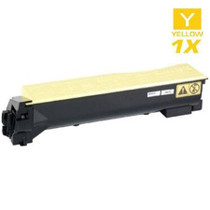
Compatible Kyocera Mita 1T02LKAUS0 (TK-8307Y) Laser Toner Cartridge Yellow

Amazon Price:

- Page Yield:
- 15,000 Pages
- Availability:
- In Stock
- Shipping:
- Free Shipping
- Compatible Printers
- Specifications
- SKU:
- TK-8307Y
- Printer Brand:
- Kyocera-mita
- OEM Number:
- 1T02LKAUS0
- Ink Color:
- Yellow
- Page Yield:
- 15,000 Pages
- Printer Type:
- Laser Cartridge
- Condition:
- New Compatible
- Description
- Yields up to 15000 pages
- Trust compatible Kyocera Mita 1T02LKAUS0 Toner Cartridge to provide outstanding print quality for all your important photos and documents
- Unlike bargain replacement inks Kyocera Mita toner cartridge are designed specifically to work with Kyocera Mita printers for exceptional reliability and performance
- Compatible with: Kyocera Mita CS: 3050CI 3550CI TASKalfa: 3050CI 3051 3550 3551CI Series Printers
- Supply Type: Toner
- Cartridge Yield Type: Standard
- Ink/Toner Cartridge Type: Compatible
- Ink/Toner Color: Yellow
- Ink/Toner Pack Size: 1/Pack
- Replaces the Following Manufacturer Numbers: TK-8307Y / TK-8309Y 1T02LKAUS0 / 1T02LKACS0
- Reviews

/> 

Compatible Kyocera Mita 1T02LKAUS0 (TK-8307Y) Laser Toner Cartridge in yellow color with yielding capacity of up to 15000 pages renders consistent convenience and better value.
Kyocera Mita TK-8307Y Toner Cartridge in yellow color offer magnificent performance with Kyocera Mita printers. Cartridge is designed to provide great print quality for photos and documents.
Features:
Frequently Asked Questions
Nothing looks obviously wrong, yet the machine insists yellow is empty. How can that be?
Yellow is the easiest color to lose without noticing. It prints pale by nature, and its absence first shows in mixtures — greens drift toward blue, warm highlights go cold — rather than in anything obviously yellow. When the panel says the yellow cartridge is done, believe it: this replacement is 1T02LKAUS0, the TK-8307Y, at $88.30.
How do I tell the yellow cartridge apart from the other three in the family?
By the A letter group in its code. Yellow is 1T02LKAUS0; the cyan, magenta and black units carry C, B and plain codes respectively. One glance at the label of the cartridge you removed settles it before you order.
Can I change it between jobs without shutting the machine down for everyone?
Yes. Let the current job finish, open the front cover, swap the yellow slot and close up — on the TASKalfa 3050ci, and likewise the TASKalfa 3051ci and TASKalfa 3550ci, each cartridge is an independent pull-out unit, so the interruption lasts about as long as a paper refill.
Is this a full-size cartridge?
It is. The TK-8307Y carries the family's full 15,000-page color rating, the same fill as the cartridge a machine leaves the factory with once the starter is gone — not a reduced top-up size.
Why keep a spare yellow on hand if it empties so quietly?
Precisely because it empties quietly. The first clear sign is often a ruined color run — a presentation or a photo sheet where the greens have shifted — and a sealed spare beside the machine turns that discovery into a two-minute swap instead of a wait for delivery.
What warranty and returns cover does it come with?
A 1-year warranty and 1-year free returns, set out in full on our shipping & returns page. Orders ship from our IL, PA, GA and CA warehouses, and questions are answered Monday–Friday, 9 AM–5 PM CST.
Why does the TK-8307Y seem to last forever in a text office but run out fast on photo work?
The rating is the same either way — 15,000 pages — but the work is not. Text pages lay down almost no yellow, so in a mostly-text office the yellow slot is the slowest to empty and can outlast the other colors by months. Photographs, charts and warm graphics use yellow constantly, and in that kind of office it can be the first cartridge to go. The rating is a yardstick at standard coverage; your document mix decides where the cartridge actually ends.
How often should I check the yellow level if nothing ever looks wrong?
Glance at the supply status screen about once a month, and always before a color-critical run such as a presentation or a photo sheet. Yellow gives no visual warning on ordinary pages, so the panel is the only early signal you get. Catching it low before the job starts saves a ruined run; catching it during the run is already too late.
Where should a spare TK-8307Y live so it is actually useful?
Sealed, in the cupboard beside the machine, with the label facing out so the AUS0 code is readable at a glance. Yellow is almost always discovered empty mid-job, so the spare earns its place by being reachable in two minutes, not by being filed away in a distant stockroom. Keep it flat, cool and dry, and leave it sealed until the day it is needed.
What should I do with the empty yellow cartridge?
Keep it beside the machine until the new TK-8307Y has printed a few good pages — greens back to green is the proof the swap worked. If anything still looks off, the old cartridge's label and condition are useful when you talk to support. Once the new unit has proven itself, dispose of the spent cartridge under your office's local waste rules.
About This Kyocera TK-8307Y Yellow Toner Cartridge
The quiet member of the Kyocera-Mita TASKalfa 3050ci set: yellow cartridge 1T02LKAUS0 / TK-8307Y, rated at 15,000 pages and priced at $88.30, made for the TASKalfa 3050ci, 3051ci and 3550ci. Yellow rarely announces itself, so this single is written for buyers who caught the drift in their greens early — replace the one slot, and the machine's warm colors come back with it.
Related Items

Kyocera-mita
Compatible Kyocera Mita 1T02NRAUS0 (TK-5142Y) Laser Toner Cartridge Yellow
/>


Kyocera-mita
Compatible Kyocera Mita 1T02KVAUS0 (TK-592Y) Laser Toner Cartridge Yellow
/>

Kyocera-mita
Compatible Kyocera Mita 1T02LCCUS0 (TK-8507Y) Laser Toner Cartridge Yellow
/>
Kyocera-mita
Compatible Kyocera Mita 1T02HLAUS0 (TK-542Y) Laser Toner Cartridge Yellow
/>