




MagiColor 4695MF
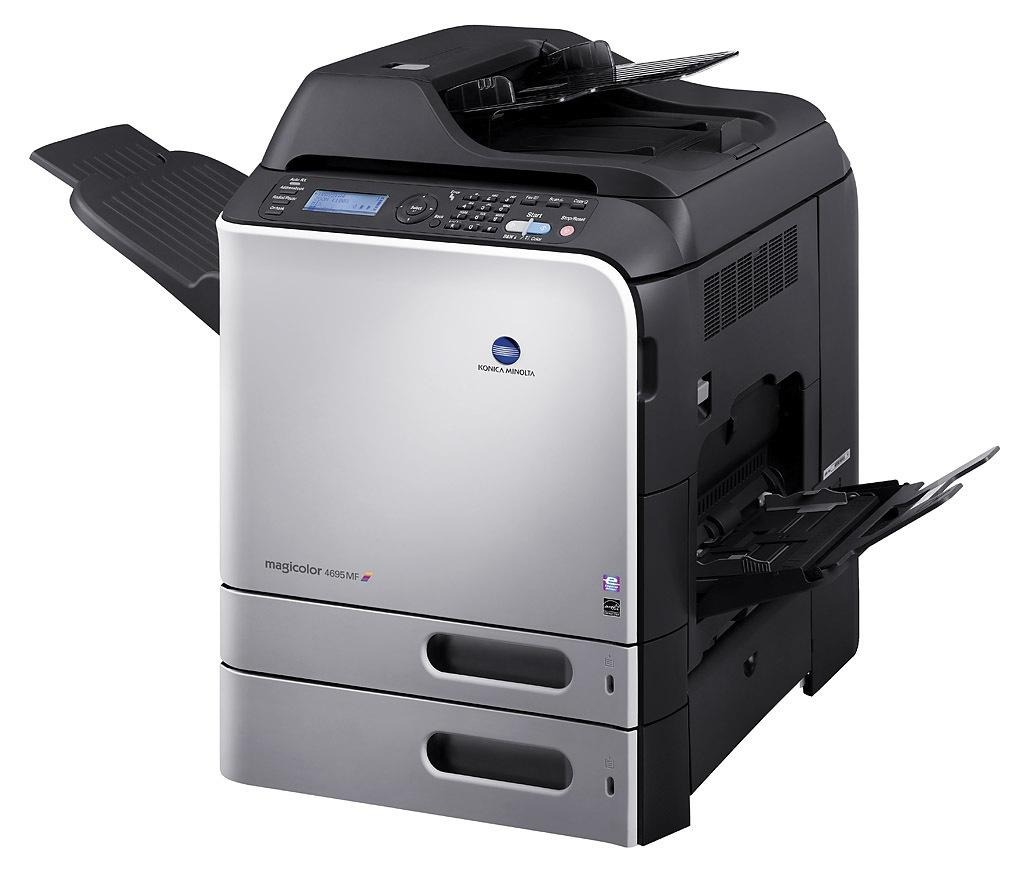 The MagiColor 4695MF is the multifunction flagship of Konica Minolta's 46xx color line — the fastest color MFP in the series, with print, copy, scan and fax hardware all riding on one engine. Everything it produces runs through the A0DK cartridge family: A0DK131 black, A0DK231 yellow, A0DK331 magenta and A0DK431 cyan in standard form, or the high-capacity A0DK132 black, A0DK232 yellow, A0DK332 magenta and A0DK432 cyan built for heavier duty. On this page you will find our compatible high-capacity yellow for the machine, rated at roughly 8,000 pages like the rest of the x32 tier.
A flagship MFP earns its keep very differently from a personal printer. It sits where the whole office can reach it, so it absorbs the color reports, the scanned contracts and the last-minute board packets from a dozen different people. That shared workload is exactly why the 4695MF was designed around high-capacity supplies: standard cartridges on a machine this busy mean somebody is swapping toner every few days, and on a multifunction unit every swap interrupts copying and scanning as well as printing.
Toner Cartridges for MagiColor 4695MF
| Cartridge | Color | Page Yield |
|---|---|---|
| A0DK232 | Yellow | ~8,000 pages |
The remaining slots of the A0DK family — A0DK131 and A0DK132 black, A0DK231 yellow, A0DK331 and A0DK332 magenta, A0DK431 and A0DK432 cyan — are the other codes this machine asks for when its display names a color.
Which cartridge should you buy?
On a shared flagship, capacity is a labor decision as much as a supply decision. The high-capacity tier (codes ending in 2) carries about 8,000 pages against roughly 4,000 for the standards, so each slot stays in service twice as long and the office orders half as often. Black deserves the high-capacity choice first: text-heavy office work burns through black far faster than any color, and the A0DK132 exists precisely to keep pace. Colors can follow your real usage — a team that prints color daily should run the x32 colors as well, while an office that only occasionally prints a color chart can let standard colors ride. When a single color runs dry, replace only that color; the four A0DK slots deplete independently.
Chip, toner and everyday use
Each A0DK cartridge carries a chip the 4695MF reads to report remaining toner, so the display warning is a planning tool, not a surprise. On a machine shared by a department, treat the first low-toner message as the reorder trigger and order the exact code the panel names. Keep one full spare set in the supply cabinet if the MFP is your only color device. When a cartridge is finally swapped, pull the sealing tape completely, seat the unit until it clicks, and recycle the empty. Page yields are estimates at 5% coverage, so dense color pages will land well short of the headline figure.
Frequently Asked Questions
Why does black run out so much faster than the colors on our 4695MF?
Because the workload is mostly text. Letters, invoices and reports consume black on nearly every page, while yellow, magenta and cyan are spent only where color actually appears. Konica Minolta anticipated this by giving black the same 8,000-page high-capacity option, so fitting the A0DK132 keeps black changes roughly in step with the colors instead of twice as frequent.
Only yellow looks weak on our color prints — do I change all four cartridges?
No. Weakness confined to one color points at that color's cartridge alone. For yellow that is the standard A0DK231 or the high-capacity A0DK232 listed here. Leave the other three slots untouched; replacing healthy cartridges adds cost without improving output.
The panel says toner is low but prints still look fine. Should I swap the cartridge now?
Not yet — the low warning arrives with usable toner still in the cartridge. On a shared MFP, though, "low" is the moment to make sure the replacement is already in the building. Order the code the panel names, keep printing until the machine asks for the change, and you will never leave a colleague stranded mid-job.
Are the cartridges backed by any warranty?
Yes. Our compatible A0DK cartridges carry a 1-year warranty and 1-year returns, so a cartridge that misbehaves — a chip the machine refuses, streaking from a faulty unit — goes back rather than becoming the office's problem.
More printers that use the same cartridges
The A0DK family is shared across the top of the MagiColor 46xx range. These models take the same cartridges: MagiColor 4650, MagiColor 4650DN, MagiColor 4650EN, MagiColor 4690, MagiColor 4690MF, MagiColor 4695.