




MagiColor 4690MF
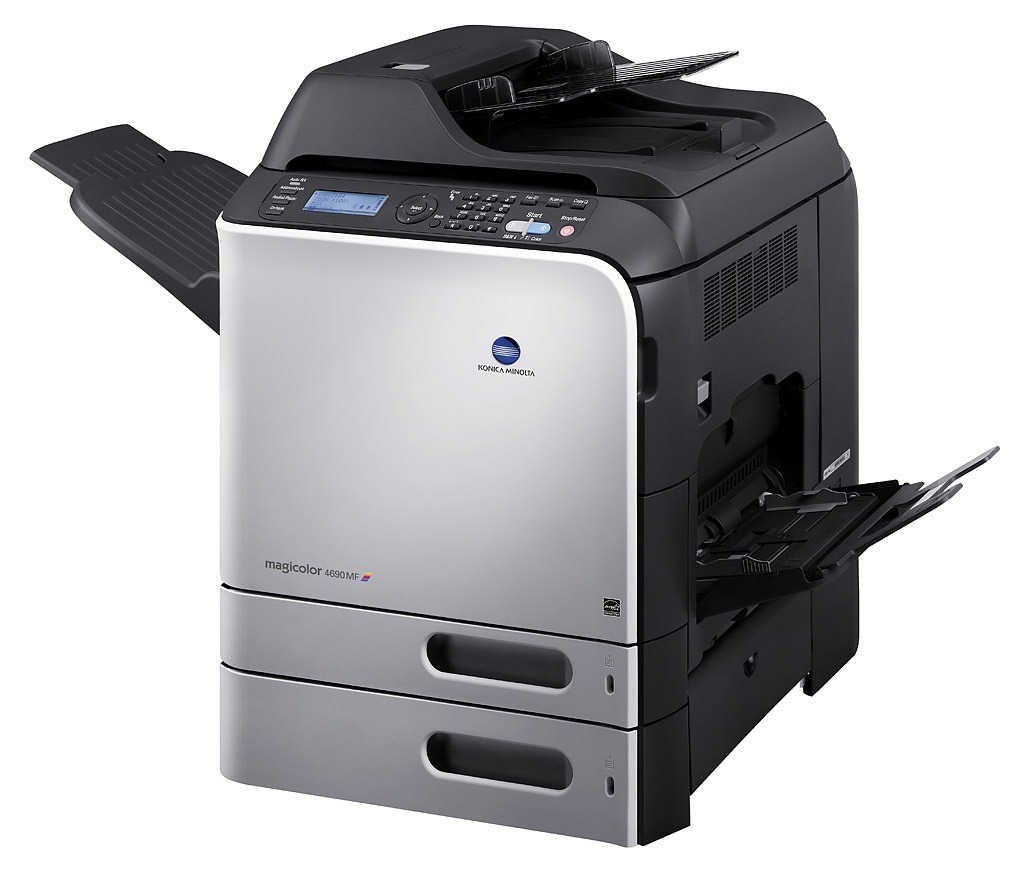
The MagiColor 4690MF pairs the 4690's faster color engine with full multifunction: print, copy, scan and fax in one workgroup machine. All four functions draw on the A0DK family — standard capacity A0DK131 (black), A0DK231 (yellow), A0DK331 (magenta) and A0DK431 (cyan) at roughly 4,000 pages, or high capacity A0DK132 (black), A0DK232 (yellow), A0DK332 (magenta) and A0DK432 (cyan) at roughly 8,000. Because multifunction page counts accumulate across jobs nobody thinks of as printing, the high-capacity tier is the rational default here; this page stocks its yellow cartridge.
An MFP's toner story is written by its glass as much as by its print queue. Every color copy is a color print wearing a different hat, and walk-up copying is famously unplanned: a brochure here, a marked-up draft there, a stack of handouts before a meeting. Faxing adds a quieter, black-only stream on top. Offices are often surprised by how fast a 4690MF moves through color toner compared with the print-only machine it replaced — the pages are real, they are simply arriving through more doors.
Toner Cartridges for MagiColor 4690MF
| Cartridge | Color | Page Yield |
|---|---|---|
| A0DK232 | Yellow | High yield, approx. 8,000 pages |
Above is the stocked high-capacity yellow. The remaining family codes, for checking against your panel readings: standard A0DK131 black, A0DK231 yellow, A0DK331 magenta, A0DK431 cyan; high-capacity A0DK132 black, A0DK332 magenta and A0DK432 cyan.
Which cartridge should you buy?
Default to high capacity on this model. With copying added to printing, the 8,000-page tier stretches replacement intervals enough to matter, and its cost per page beats the standard tier wherever volume is real. Keep one spare of each color on the shelf if the 4690MF is the office workhorse — a full spare set means no single empty slot can idle the machine mid-day. Reorder each color as its gauge drops below a quarter rather than waiting for the empty warning; on a machine fed by four functions, warnings have a habit of arriving all in the same busy week.
Chip, toner and everyday use
Track this machine's consumption by replacement interval, not by the calendar. Note the date each cartridge goes in; after two cycles you will know your real pace for each color, including the copy load, and reorder points can be set from evidence instead of estimates. When a cartridge is changed, let the machine complete its start-up routine before copying a stack — output from the first moments can be uneven while toner settles. Spares belong sealed in a cool, dry cabinet; toner left in a sunlit spot beside the machine itself degrades faster than toner stored properly in the supply room.
Frequently Asked Questions
Does copying on the 4690MF use toner differently than printing?
No — a copy consumes toner exactly as printing the same page would, and color copies draw on the color cartridges quickly. If your office copies in color often, that load is the strongest argument for the high-capacity A0DK232, A0DK332 and A0DK432 colors over their standard counterparts.
How do we avoid mid-day toner outages on our 4690MF?
Hold one spare of each A0DK cartridge on the shelf and reorder a color the moment its gauge falls below a quarter. With high-capacity cartridges at about 8,000 pages, a spare set covers even heavy weeks, and the quarter-gauge rule ensures the replacement is ordered before it is needed.
Our 4690MF works mainly as a copier — should reordering differ from a print-only setup?
Yes. Heavy copying, especially in color, can deplete cartridges faster than typical printing because people copy whatever lands on the glass, including dense and colorful originals. Measure your replacement intervals for a month and set reorder points from that observed pace rather than from print-job estimates.
More printers that use the same cartridges
These MagiColor models run the same A0DK cartridges:
MagiColor 4650, MagiColor 4650DN, MagiColor 4650EN, MagiColor 4690, MagiColor 4695, MagiColor 4695MF