




MagiColor 4695
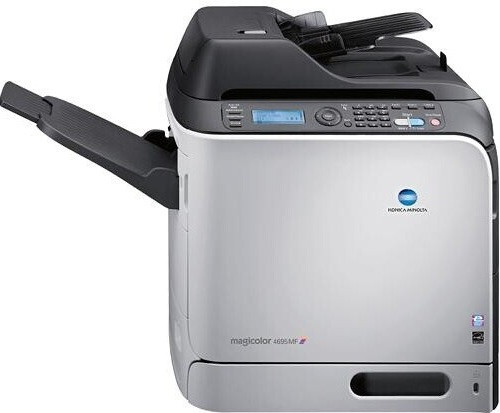
Speed is the whole point of the MagiColor 4695. It is the printer-only pace-setter of the A0DK color family — no scanner bed, no fax board, just a fast color laser engine for offices that produce paper in volume. Its supplies come in two depths: the everyday tier of A0DK131 black, A0DK231 yellow, A0DK331 magenta and A0DK431 cyan at about 4,000 pages each, and the long-run tier of A0DK132 black, A0DK232 yellow, A0DK332 magenta and A0DK432 cyan at roughly 8,000 pages. The compatible cartridge stocked on this page is the high-capacity yellow.
A printer-only flagship usually lands in a print room or beside a production desk, feeding jobs like training manuals, proposal sets and mail merges that run to hundreds of pages at a sitting. Machines in that role are judged on one thing: how rarely they stop. Every design choice on the 4695 points at throughput, and the supply strategy has to match — a fast engine fed with small cartridges spends its life waiting for toner changes instead of printing.
Toner Cartridges for MagiColor 4695
| Cartridge | Color | Page Yield |
|---|---|---|
| A0DK232 (High Capacity) | Yellow | Rated ~8,000 pages |
Its shelf companions in the family are the A0DK131/A0DK132 black pair, the A0DK231 standard yellow, the A0DK331/A0DK332 magenta pair and the A0DK431/A0DK432 cyan pair.
Which cartridge should you buy?
Match the tier to the machine's appetite. A 4695 working through reams of paper belongs on the high-capacity x32 codes across all four slots: at about 8,000 pages each they halve the number of swaps and lower the cost of every printed page compared with the 4,000-page standards. Black is the least debatable upgrade, since text volume alone can empty a standard black while the colors are still half full. If this printer has a quieter life — a department's second machine, say — standard cartridges keep less money sitting in the supply drawer. Either way, change colors one at a time as each runs out; there is no benefit to retiring a color cartridge early just because its neighbor is empty.
Chip, toner and everyday use
The 4695 reads each cartridge's chip to track toner, and its warnings assume a busy machine — when it says a color is low, a high-volume office can burn through the remainder in days, so reorder promptly. If output fades evenly across all four colors after the printer has been moved or jostled, reseat each cartridge and rock it gently side to side to redistribute settled toner before assuming anything has failed. Store spares flat in their sealed packaging, away from heat. Remember that quoted yields assume 5% page coverage; full-color brochures cover several times that and will shorten cartridge life accordingly.
Frequently Asked Questions
We already stock A0DK cartridges for a 4690MF. Do we need anything different for the 4695?
No. The 4695 draws from the identical A0DK shelf — the 131/132 black pair and the 231/232, 331/332 and 431/432 color pairs in standard and high capacity. One stock list covers both machines, which is the quiet advantage of adding a printer from the same family.
The 4695 rejects a cartridge as incompatible even though the color is right. What gives?
Check the full code rather than the color band. Cartridges from other Konica Minolta families can share a color and still be the wrong fit. If the code is a genuine A0DK variant, inspect the chip contacts for damage or toner dust and reseat the unit. A correct code with a clean chip that still will not register is a defective cartridge — exchange it under the 1-year warranty.
Does the 4695 use black toner when it prints in color?
Yes — composite color output still lays down black for text, shadows and neutral tones, which is why black empties first even on color-heavy machines. Budget your spares accordingly: one black for roughly every color set is a realistic ratio on this printer.
Can the 4695 sit idle for months with cartridges installed?
It can, but toner settles over long rests. When you bring it back, rock each A0DK cartridge gently to loosen the contents, then run a few test pages. If one color stays faded after that treatment, that cartridge has likely degraded and should be replaced on its own.
More printers that use the same cartridges
These MagiColor models run on the same A0DK family: MagiColor 4650, MagiColor 4650DN, MagiColor 4650EN, MagiColor 4690, MagiColor 4690MF, MagiColor 4695MF.