




LaserJet MFP M28w
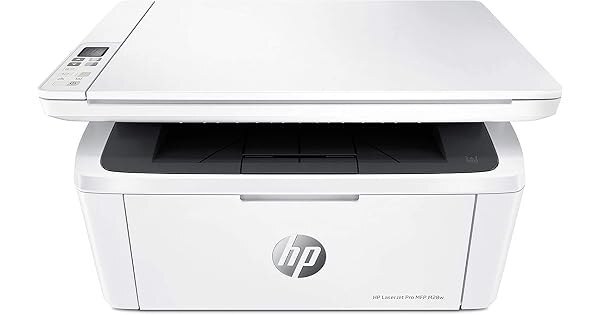
The LaserJet MFP M28w takes the compact monochrome multifunction formula — print, scan and copy from one late-2010s chassis — and adds the wireless connection that lets a whole household or a small team share it. Its toner comes from the same shelf as its wired siblings: the black CF248A, HP's 48A, one cartridge feeding every job the machine handles.
Wireless changes how a printer gets used. The M28w ends up printing for laptops, phones and the occasional guest, and its copy and scan functions earn their keep on paperwork days. That makes its toner consumption a shared, steady drip rather than one person's project — and makes a spare cartridge less of a luxury than a basic courtesy to everyone who relies on it.
Toner Cartridges for LaserJet MFP M28w
- 48A (CF248A) Toner Cartridge Black — Black — See product page
- 48A (CF248A) Toner Cartridge 2 Black — Black — See product page
- 48A (CF248A) Toner Cartridge 4 Black — Black — See product page
- 48A (CF248A) Toner Cartridge Black (Jumbo listing) — Black — See product page
- 48A (CF248A) Toner Cartridge 2 Black (Jumbo listing) — Black — See product page
- 48A (CF248A) Toner Cartridge 4 Black (Jumbo listing) — Black — See product page
Both listing lines — the standard line and the Jumbo line, separated by SKU — stock this same cartridge; the differences are pack size and listing, never fit.
Which cartridge should you buy?
Shared printers empty cartridges at shared speed, so plan for the household, not the individual. A single cartridge is fine for a lightly used machine, but most M28w owners are better served by the 2-pack: when the printer announces low toner mid-week, the replacement is already in the building and nobody's print job waits on a delivery. Homes and offices that copy and print daily should price the 4-pack — it is the cheapest way to buy this cartridge and the longest stretch of not thinking about toner. Whichever line you choose, standard or Jumbo, the code to check at checkout is the same CF248A.
Chip, toner and everyday use
Two habits keep a wireless multifunction painless. First, after any router change, rerun the wireless setup from the printer's control panel with the new network name and password — the M28w cannot follow the old network on its own. Second, treat the toner-low warning as your reorder signal and keep printing in the meantime; a gentle shake of the cartridge redistributes the remaining toner when pages lighten. Cartridges themselves ask for little: install with the seal pulled and the printer on, and keep spares sealed somewhere cool and dry.
Frequently Asked Questions
Which cartridge does the M28w use?
One black cartridge: the HP 48A, code CF248A. It covers printing, copying and every other job the machine does — there is no second consumable to track.
Should I use the HP Smart app with this printer?
The app works well with the M28w and simplifies setup and scanning for most people. The classic full-feature driver from HP's site remains the most complete option if you want every setting the machine offers.
Are the cartridges on this page genuine HP cartridges?
This page stocks compatible CF248A cartridges, built to the same code and fit as the original. They carry a 1-year warranty and 1-year returns, and the printer's job is done identically either way.
How do I reconnect the printer after changing my router?
Open the wireless setup on the control panel and join the new network with its current name and password. Until you do, the printer keeps looking for a network that no longer exists.
More printers that use the same cartridges
Every model in this compact clan runs on the same single cartridge:
LaserJet Pro M15a; LaserJet MFP M29w; LaserJet MFP M28a; LaserJet M15w