




LaserJet MFP M28a
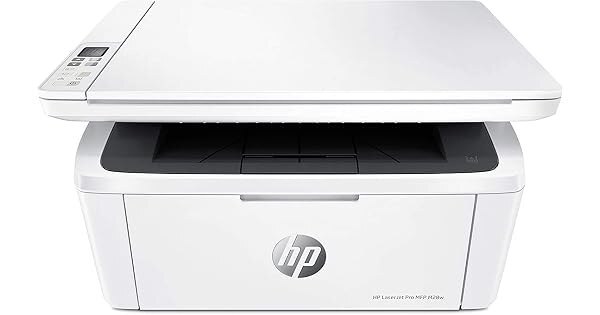
A monochrome multifunction from the late 2010s, the LaserJet MFP M28a was built for the desk that has room for exactly one machine: it prints, scans and copies from a single compact chassis, and it runs on the same black CF248A cartridge (HP 48A) as the rest of HP's smallest LaserJet family. One code covers every function the machine offers.
The M28a is the pragmatic answer for a home office or a small business counter that copies forms, scans documents and prints paperwork daily but cannot justify a full-size multifunction. Its appetite stays modest and predictable — black toner only, one cartridge at a time — so running costs are easy to keep an eye on and a spare on the shelf covers every surprise the week can produce.
Toner Cartridges for LaserJet MFP M28a
| Cartridge | Color | Page Yield |
|---|---|---|
| 48A (CF248A) Toner Cartridge 2 Black | Black | See product page |
| 48A (CF248A) Toner Cartridge 4 Black | Black | See product page |
| 48A (CF248A) Toner Cartridge Black | Black | See product page |
| 48A (CF248A) Toner Cartridge 2 Black (Jumbo listing) | Black | See product page |
| 48A (CF248A) Toner Cartridge 4 Black (Jumbo listing) | Black | See product page |
| 48A (CF248A) Toner Cartridge Black (Jumbo listing) | Black | See product page |
The six listings are one cartridge in two lines — the standard line and the Jumbo line (by SKU) — each offered as a single, a 2-pack or a 4-pack.
Which cartridge should you buy?
Because the M28a scans and copies as well as prints, its toner use is steadier than a print-only desk machine's — copies count against the same cartridge. Most owners settle on the 2-pack: the cartridge in the machine plus its successor in the drawer removes reordering from the weekly routine entirely. Counters and shared desks that copy all day should look at the 4-pack, which brings the per-cartridge cost down and survives a busy season without a second order. Light users lose nothing by buying singles; the cartridge keeps well, and there is no high-yield variant in this family to second-guess the choice.
Chip, toner and everyday use
When a multifunction stops printing, the fix is usually outside the cartridge: confirm the M28a is set as the default printer, clear any stuck job from the queue, and check its error lights before suspecting toner. For the cartridge itself, fit replacements with the seal removed and the machine on so the chip registers, and give a fading cartridge a gentle rock from side to side to level the toner before condemning it. Keep the machine in a climate-controlled room — temperature swings and damp air are hard on both the printer and the cartridge inside it.
Frequently Asked Questions
Which cartridge fits the LaserJet MFP M28a?
The cartridge stocked for this page is the HP 48A, code CF248A, in black. Match that code against the label of the cartridge you remove and the replacement will drop straight in.
Some listings mention a 44A (CF244A) for this model — which code is right?
The 44A code belongs to the version of this machine family sold in other regions. The cartridges stocked on this page — and the code to match when you reorder here — are the 48A, CF248A. When in doubt, the code printed on your current cartridge decides it.
The M28a printed before but has stopped — what should I check?
Work from the outside in: error lights first, then whether the printer is still the default on your computer, then the print queue for a stuck job, and finally the driver. Toner is rarely the reason a machine stops outright.
Can I store the printer itself in a cold garage?
It is not ideal. Cold, damp and swinging temperatures can affect the printer and any cartridge installed in it, so a climate-controlled room is the safer home for the machine and its spares alike.
More printers that use the same cartridges
The M28a shares its single-cartridge shelf with these models: LaserJet M15w, LaserJet MFP M28w.
The remaining members of the family are LaserJet MFP M29w, LaserJet Pro M15a.