




LASERJET M234SDW
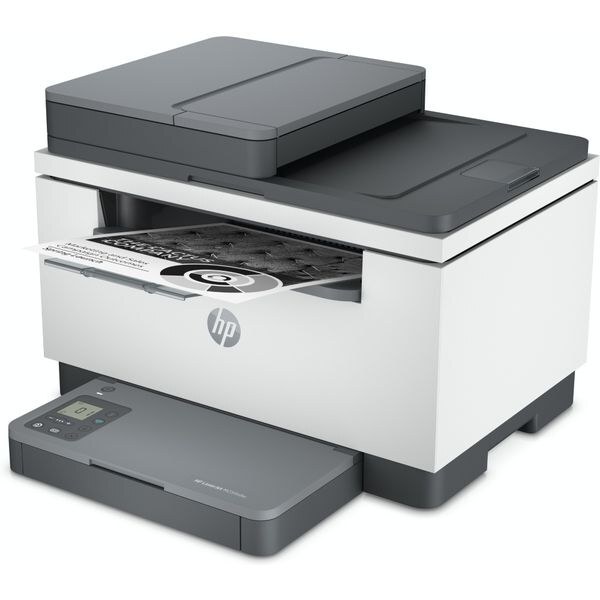
Another take on the wireless monochrome multifunction: the LaserJet M234SDW combines print, scan and copy with duplex printing and wireless connectivity, aimed at shared small-office corners. Like its siblings it runs on HP 134A toner — the standard W1340A or the high-yield W1340X.
We carry the W1340A and W1340X for the M234SDW as genuine OEM and compatible cartridges. Reordering is a two-step decision — yield, then OEM or compatible — and fast Clever Supplies shipping covers the rest.
Toner Cartridges for LASERJET M234SDW
This printer works with the following toner cartridges:
- HP W1340A
- HP W1340X
More HP Printers
Frequently Asked Questions
Is W1340A the correct cartridge for the LASERJET M234SDW?
The LASERJET M234SDW accepts W1340A (standard) and W1340X (high-yield) — match one of these codes and the cartridge will seat correctly.
How do I replace the toner cartridge in the LASERJET M234SDW?
Open the LASERJET M234SDW's front access door, pull the spent cartridge straight out, unpack the new W1340A and remove its sealing tape, then slide it in until it seats — the LASERJET M234SDW runs a short cycle once you close the door.
Should I try one compatible cartridge in the LASERJET M234SDW before switching fully?
That is a sensible approach — run one compatible W1340A through the LASERJET M234SDW on your typical documents, and if the output meets your standards, the LASERJET M234SDW will happily run compatibles from then on.