




LASERJET M234DW
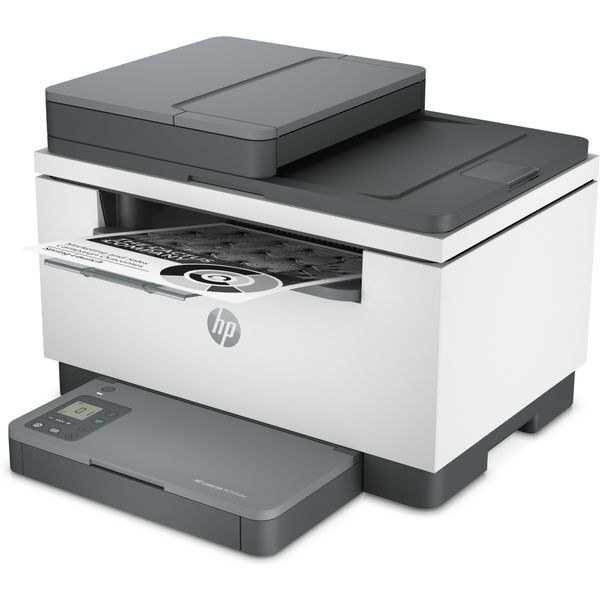
Print, scan and copy without the cable clutter: the LaserJet M234DW puts a full monochrome multifunction on your wireless network, with automatic duplex for two-sided documents. Every function drinks from the same well — one toner family, the standard W1340A or the high-yield W1340X, covers printing and copying alike. This page stocks the HP 134A and 134X cartridges as compatibles, from single cartridges through 4-packs.
An MFP in a home office quietly becomes shared infrastructure: contracts get printed, IDs get copied, signed pages get scanned back. That mixed diet is why a multifunction's toner disappears faster than its owner expects — copies count as printed pages too. The M234DW suits a household or a one-room office where a single device has to be the whole document department, and where wireless access from several rooms matters more than raw speed.
Toner Cartridges for LASERJET M234DW
| Cartridge | Color | Page Yield |
|---|---|---|
| W1340X high-yield cartridge, single | Black | See product page |
| W1340X high-yield cartridges, pack of 2 | Black | See product page |
| W1340X high-yield cartridges, pack of 4 | Black | See product page |
| W1340A standard cartridge, single | Black | See product page |
| W1340A standard cartridges, pack of 2 | Black | See product page |
| W1340A standard cartridges, pack of 4 | Black | See product page |
Further listings of the identical cartridges: W1340X one-pack, second listing, W1340X four-pack, second listing, W1340X twin pack, second listing, W1340X one-pack, second listing, W1340X four-pack, second listing, W1340X twin pack, second listing, W1340X one-pack, second listing, W1340X four-pack, second listing, W1340X twin pack, second listing, W1340A one-pack, second listing, W1340A four-pack, second listing, W1340A twin pack, second listing, W1340A one-pack, second listing, W1340A four-pack, second listing, W1340A twin pack, second listing, W1340A one-pack, second listing, W1340A four-pack, second listing, W1340A twin pack, second listing.
Which cartridge should you buy?
Count copies as well as prints before you decide. If the M234DW mostly prints the odd boarding pass and form, a W1340A single is the economical habit — buy one, use it up, repeat. Once scanning-and-copying days stack up, the W1340X earns its place: more toner per cartridge means fewer interruptions during deadline weeks, and page yields are quoted at 5% coverage, so dense contracts eat a cartridge faster than the headline figure suggests. Households that print school and work documents in bursts often settle on a 2-pack of the high-yield code — one in the machine, one sealed in reserve. Every compatible cartridge sold here carries a 1-year warranty with 1-year returns.
Chip, toner and everyday use
The cartridge chip reports remaining toner to the M234DW, which is why the machine can warn you before quality actually drops. When the warning appears, order the replacement but keep printing — the estimate errs on the cautious side. When output finally fades, slide the old cartridge out, peel the seal from the new one, and seat it firmly; a compatible cartridge with a correctly positioned chip is recognized at once. Keep the spare in its sealed bag in a cool drawer, and rock a cartridge that is running low from side to side to coax the last even pages out of it.
Frequently Asked Questions
Does the LASERJET M234DW use W1340A, or a different cartridge?
It uses W1340A as its standard cartridge and W1340X as the high-yield option — nothing else fits. Keep the code from your empty cartridge somewhere handy and reorder by code, not by the printer's looks.
Can the LASERJET M234DW print wirelessly from my phone?
Yes. Once the printer has joined your Wi-Fi network, phones on the same network can send jobs through their built-in print service or HP's mobile app — no cable between phone and printer is involved at any point.
My M234DW says toner is low — should I replace the cartridge now?
Not necessarily today. The low-toner estimate is conservative and pages frequently stay clean for some time after the first warning. The smart move is to order the replacement now and swap only when print quality actually starts to fade.
Does the M234DW need a separate drum unit?
No separate drum appears on this page's shelf, because the printer's supplies are the two cartridges listed above. Reordering stays simple: one code for standard volume, one for high yield, both in black.
More printers that use the same cartridges
These printers take the same cartridges, so the listings above fit them as well: LASERJET M234SDW, LASERJET M209DW.