




LaserJet 8000DN
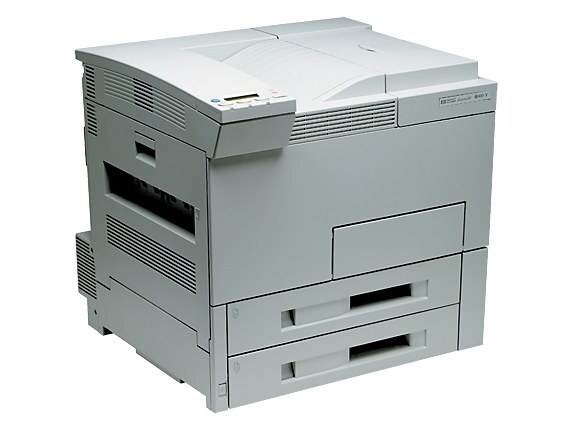
The 8000DN added the two options high-volume offices asked for most: automatic duplexing and built-in networking. In the late 1990s and early 2000s, this configuration made the LaserJet 8000 a true shared departmental printer, churning out double-sided A3 documents all day.
Its cartridge is the HP 09A (C3909A). Choose compatible 09A toner for economy or genuine OEM C3909A for HP-original print quality. For long double-sided runs, the high-capacity HP 09X, part C3909XX, offers a longer-lasting alternative that keeps the DN working through bigger jobs.
Toner Cartridges for LaserJet 8000DN
This printer works with the following toner cartridges:
- HP C3909A
More HP Printers
- LaserJet 5SI
- LaserJet 5SI HM
- LaserJet 5si mopier
- LaserJet 5SI MX
- LaserJet 5SI NX
- LaserJet 8000
- LaserJet 8000MFP
- LaserJet 8000N
Frequently Asked Questions
Does the HP LaserJet 8000DN print on both sides of the paper automatically?
It does. The HP LaserJet 8000DN was configured with a duplexer, so double-sided output is a driver setting away. In your application's print dialog for the HP LaserJet 8000DN, choose the two-sided option.
How do I turn on double-sided printing on the HP LaserJet 8000DN?
From any application's Print window, select the HP LaserJet 8000DN, click Preferences, and turn on duplex printing. The HP LaserJet 8000DN will then feed each sheet back through automatically for the second side.
How do I fix light vertical bands on prints from my HP LaserJet 8000DN?
Start with the cartridge: pull the C3909A from the HP LaserJet 8000DN, tilt it side to side to even the toner, and slide it back in. Vertical banding that remains on the HP LaserJet 8000DN after this points to a spent HP 09A cartridge.