




LaserJet 8000
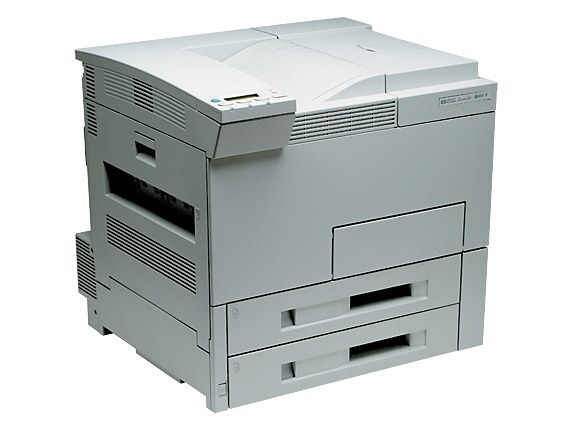
The HP LaserJet 8000, introduced in 1998, succeeded the 5Si as HP's mainstream A3 departmental printer. Faster and more expandable than its predecessor, it became the default choice for offices that needed tabloid-size monochrome printing with room to grow. It prints with the HP 09A (C3909A) cartridge family it shares with the 5Si line, and departments that want fewer changeovers can step up to the high-capacity HP 09X (C3909XX), which packs more toner into the same shell.
A departmental printer is shared infrastructure, and the 8000 was specified that way: big paper, long runs, many hands. Buying for it is therefore a small logistics exercise. The sections below lay out every listing this page stocks — singles, multi-packs, a high-capacity alternative and a MICR version — so the person who keeps the supply cabinet can match the order to how hard the machine actually works.
Toner Cartridges for LaserJet 8000
| Cartridge | Color | Page Yield |
|---|---|---|
| C3909A (HP 09A) | Black | See product page |
| C3909A MICR (HP 09A) | Black (MICR) | See product page |
| C3909A (HP 09A) 2 Pack | Black | See product page |
| C3909A (HP 09A) 3 Pack | Black | See product page |
| C3909A Premium Quality (HP 09A) 3 Pack | Black | See product page |
| LaserJet 8000 Toner Cartridge | Black | See product page |
| C3909XX (HP 09X) | Black | See product page |
| C3909A (HP 09A) 2 Black | Black | See product page |
| C3909A (HP 09A) 4 Black | Black | See product page |
Which cartridge should you buy?
Match the listing to the machine's workload. A standard C3909A single is right for a lightly used 8000, but most departmental units justify the multi-packs: the 2-pack and 3-pack listings, and the 2 Black and 4 Black listings, cut the reorder frequency and keep a change of cartridge always within reach. The premium-quality 3-pack suits departments whose A3 output goes straight to clients. Where the goal is the longest stretch between changes, the 09X high-capacity cartridge is the deliberate choice — same fit, more toner. Hold the MICR cartridge apart for check printing only. All compatible listings here carry a 1-year warranty and 1-year returns.
Chip, toner and everyday use
The 8000's cartridge is a large unit that seats on rails; draw it out squarely and slide its replacement in the same way, and recognition problems simply do not arise on this generation — there is no smart chip to satisfy, only contacts to meet. Rock the cartridge gently before fitting to level the toner bed. On a shared machine, log the change somewhere visible: the next person to face a faded page will thank you. Keep spares sealed and flat in the supply cabinet, and treat yield expectations as 5%-coverage estimates — A3 graphics work consumes toner far faster than memos.
Frequently Asked Questions
How do I fix light vertical bands on LaserJet 8000 output?
Vertical light streaks on this model usually live inside the cartridge rather than the printer. Remove it, redistribute the toner with a gentle rocking motion, and reseat it. Bands that survive that step mean the cartridge is finished and a replacement is due.
What is the difference between the 09A and the 09X?
Both fit the same cartridge bay. The 09X is the high-capacity member of the family and carries more toner than the standard 09A, so a busy department changes cartridges less often. The product pages carry the current yield figures for each.
Will the LaserJet 8000 work with a newer computer?
Generally yes, through the built-in or universal drivers modern systems ship for HP lasers of this era. Expect dependable everyday printing; some advanced finishing options of the period may not appear in newer driver dialogs.
Which listing should a purchasing department standardize on?
Most settle on a multi-pack or the high-capacity 09X for the working stock, with one standard single kept as the emergency spare. That combination minimizes both reorder admin and the chance of the printer standing idle.
More printers that use the same cartridges
The 09A family spans the 5Si line and the 8000 series: