




Color LaserJet 150NW
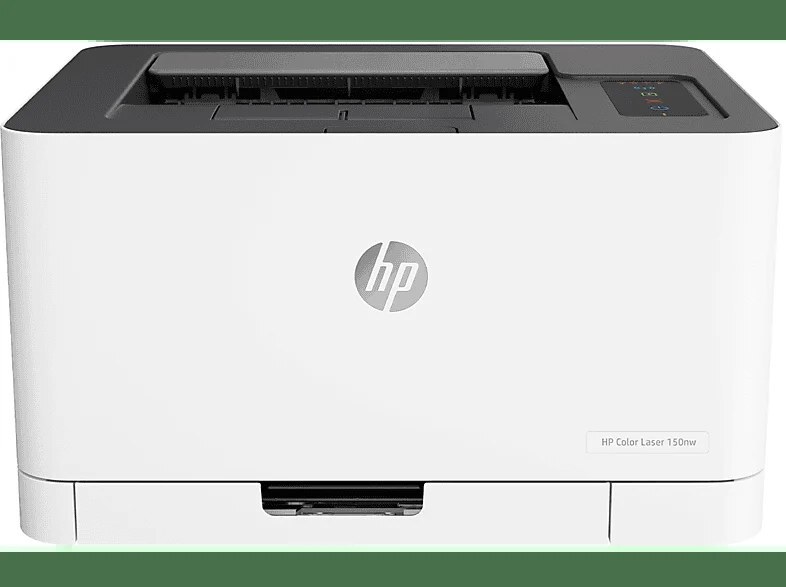
Cables were the enemy: the Color LaserJet 150NW gave the household color printer both Ethernet and Wi-Fi, so every device in the home prints to one compact early-2020s machine. Shared printing still means separate cartridges — the HP 116A (W2060A) family, with that black joined by W2061A cyan, W2062A yellow and W2063A magenta, one cartridge per color.
A shared home printer lives a different life from a desk machine: a wired desktop one hour, a laptop from the sofa the next, homework and boarding passes and the odd photo page in between. Nobody in the house thinks of themselves as the printer's keeper, which is precisely why its toner plan should be simple enough to survive being nobody's job.
Toner Cartridges for Color LaserJet 150NW
| Cartridge | Color | Page Yield |
|---|---|---|
| 116A 4 Color Set (W2060A, W2061A, W2062A, W2063A) | Black, cyan, yellow, magenta | See product page |
| W2060A Black 2 Pack | Black | See product page |
| Black — W2060A | Black | See product page |
| Cyan — W2061A | Cyan | See product page |
| Yellow — W2062A | Yellow | See product page |
| Magenta — W2063A | Magenta | See product page |
Listings named for this model carry the same four codes:
- Color LaserJet 150NW — W2060A Black 2 Pack
- Color LaserJet 150NW — 4 Color Set (W2060A, W2061A, W2062A, W2063A)
- Color LaserJet 150NW — W2060A Black
- Color LaserJet 150NW — W2061A Cyan
- Color LaserJet 150NW — W2063A Magenta
- Color LaserJet 150NW — W2062A Yellow
Which cartridge should you buy?
In a household, black does most of the work — documents, forms, schoolwork — so black is the cartridge that surprises people by running out. The 2 pack of black is the pragmatic household stock: one in the printer, one in the drawer. Colors go one at a time; replace each as it fades rather than refreshing all four on a schedule. The full set makes sense after a color-heavy stretch, like a run of photo pages or a school project, when two or three cartridges dip together. Every cartridge in this family is the same standard fill — there is no high-yield option to step up to.
Chip, toner and everyday use
When the 150NW reports low toner, try the gentle fix first: take the cartridge out and rock it slowly side to side — never shake it hard — to redistribute the toner that has settled, then print on while the replacement is on its way. Keep the spare somewhere the household can find it, sealed in its bag; a cartridge stored loose near a sunny window ages faster than one kept in a cool drawer. These compatible cartridges are backed by a 1-year warranty and 1-year returns.
Frequently Asked Questions
Which cartridges fit the Color LaserJet 150NW?
The 116A family: W2060A for black, W2061A for cyan, W2062A for yellow and W2063A for magenta. Any listing carrying one of those four codes is made for this printer; order by the code on the cartridge you are replacing.
Should I shake the cartridge when the 150NW reports low toner?
Rock it, do not shake it. Removing the cartridge and rocking it gently from side to side redistributes settled toner and often buys a useful run of good pages. It is a bridge to the replacement, though — once output fades again, the cartridge is genuinely near its end.
One color has run out — do I replace all four?
No. The four cartridges are independent, so replace only the empty one. The printer keeps printing with the remaining colors topped up as needed, each on its own schedule.
Does the 150NW need a separate drum unit?
No drum is listed among this printer's supplies. Each cartridge is self-contained, so a swap is the whole maintenance job for that color.
More printers that use the same cartridges
These printers use the same cartridges as the 150NW: HP 116A; Color LaserJet 179FNW; Color LaserJet 150A; Color LaserJet 178NWG; Color LaserJet 178NW; COLOR LASERJET 178NWG; COLOR LASERJET 178NW; COLOR LASERJET 150NW.